

iOS 27 Turns Focus Into a Command Center for Your iPhone
Focus mode gains modular controls, smarter automations, and voice-driven setup in iOS 27
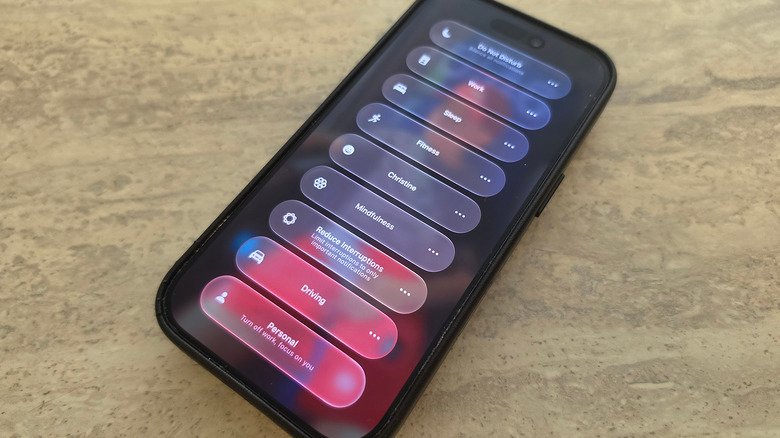
The concept behind Apple’s system management tools began in 2012 with iOS 6, which introduced “Do Not Disturb” as a binary toggle to mute all incoming calls and alerts. For years, the feature remained a universal switch with limited customization.
That changed significantly in 2021, when iOS 15 replaced the single toggle with the multifaceted Focus architecture. Users could create separate profiles such as Work, Personal, and Sleep, connect them to unique Home Screen pages, and assign allowed contact lists. Focus had originally been designed for basic notification filtering and for separating personal and professional life by silencing selected applications and contacts.
In iOS 16, Apple expanded the system again with Focus Filters. Individual applications, including Safari, Mail, and Messages, could filter content according to the active Focus profile. With iOS 27, the system now moves beyond static filtering toward active automation by connecting Focus with the redesigned Control Center, advanced scripting logic, and upgraded artificial intelligence capabilities.


A visible iOS 27 change is the way Focus modes appear in Control Center. Earlier software versions limited the Focus control widget to a static 2×1 block on the grid, while the new release adds a fully resizable modular design. Users enter Control Center edit mode with a long-press on an empty portion of the screen, then drag the bottom-right corner of the Focus icon to change its size.
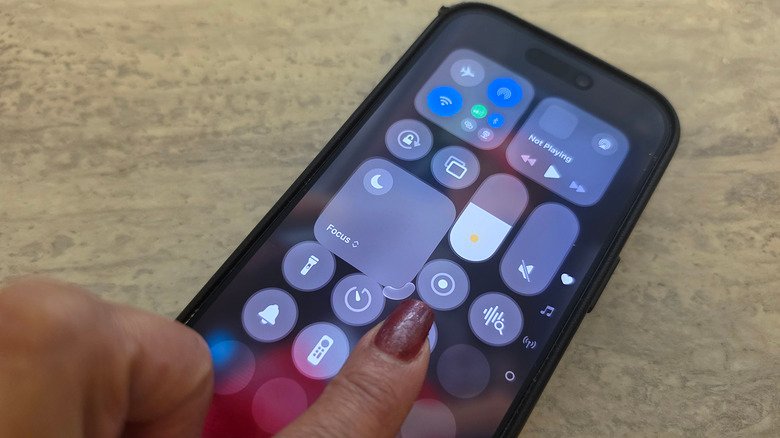
The Focus widget can be reduced to a minimalist 1×1 circular button, leaving more room for other system controls, or expanded into a 2×2 layout for faster access to custom profiles. The flexibility follows Apple’s broader iOS redesign, which has gradually shifted away from rigid icon grids toward user-defined layouts. Users can decide how prominent their distraction-management tools should be during a daily workflow.
The update also changes how the operating system tracks device states. Focus profiles can serve as specific automation triggers in the Shortcuts application, allowing the device to perform tasks automatically according to the active environment profile. Sleep Focus is now directly integrated as a trigger for broader system automations, and iOS 27 devices can monitor transitions between these states in the background while executing complex multi-step commands with less user intervention.
Shortcuts additionally gains support for “Otherwise if” conditional logic statements. Previously, complex workflows often required multiple independent shortcuts to prevent conflicting tasks. A single shortcut can now assess the device’s Focus state and select different actions based on the result.
For example, an automation can begin when the phone enters “Sleep” mode and use an alternative “Otherwise if” path to run a different command sequence when the device is set to “Driving” mode. The same conditional structure allows Focus profiles to operate as highly specific triggers rather than only as notification settings.
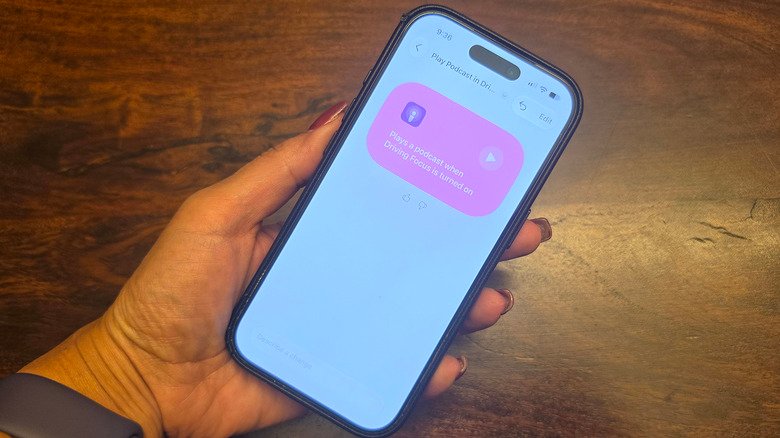
The upgraded Siri virtual assistant extends these nested automations through improved natural language processing. Users no longer need to navigate the visual scripting interface in Shortcuts to create complex sequences. They can verbally ask the on-device intelligence to build customized Shortcuts that use active Focus states.
A spoken command can tell the system to launch a specific fitness application when the device switches to Fitness mode. It can also create a setup that silences distracting social media applications while prioritizing work-related alerts, including corporate messaging platforms or home security systems.
The release combines conditional programming logic, customizable interface layouts, and conversational AI. Focus, first introduced in iOS 15 as an expansion of the classic “Do Not Disturb” mode, now functions as an active conductor of the device’s operational state rather than only a passive shield against notifications.