

How iPhone Notifications Evolved From a Silent Switch to AI Filtering
From the Ring/Silent switch to Apple Intelligence, iOS offers layered ways to control alerts
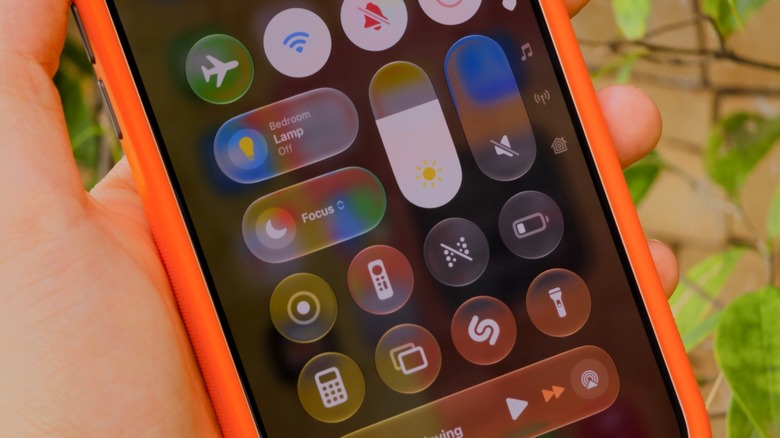
Apple’s iOS ecosystem now manages incoming notifications through a layered architecture shaped by more than a decade of adjustments intended to mitigate digital distractions. The framework combines hardware toggles, binary software mutes, and contextual, artificial intelligence-assisted filtering systems.
Silent Mode remains the base hardware-level control. It was historically operated through the physical Ring/Silent switch and, on newer models such as the iPhone 15 Pro and iPhone 16 lineups, through the programmable Action button. When activated, visual banners and lock-screen alerts continue to appear normally, while audible chimes and ringtones are suppressed. Haptic vibrations remain the primary alert channel unless they are independently disabled in system settings.
Apple introduced Do Not Disturb in 2012 with iOS 6 for situations requiring both sound and visual interruptions to be suppressed. Represented by a crescent moon icon, it blocked incoming calls, alert sounds, and display wake-ups while the device remained locked. The feature operated as an all-or-nothing barrier and did not provide the granularity needed for increasingly complex digital workflows involving selective access for specific contacts or critical enterprise applications.


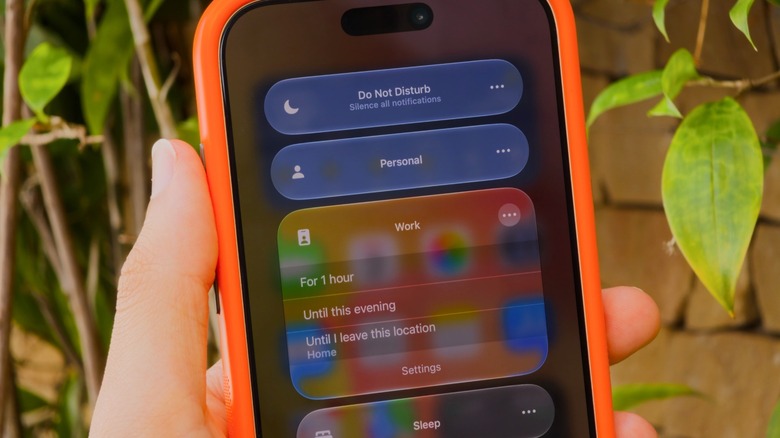
Apple overhauled the framework in 2021 with iOS 15 by incorporating Do Not Disturb into a broader system called Focus. Do Not Disturb remains available as a preset profile, while Focus provides a modular engine for tailored notification environments covering activities such as work, personal time, exercise, and sleep.
The operating system handles alert delivery through three primary mechanisms: Silent Mode, Do Not Disturb, and the broader Focus system. Each tier applies different rules to how notifications are processed, displayed, and communicated across connected devices. Focus settings synchronize through iCloud across Apple devices linked to the same Apple Account, including iPads, Apple Watches, and Mac computers.
Focus controls are available in the iOS Control Center. On devices with Face ID, users reach it by swiping down from the top-right corner; on models with a physical Home button, they swipe up from the bottom edge. The menu allows active states to be toggled, durations to be adjusted, and configuration panels to be opened.
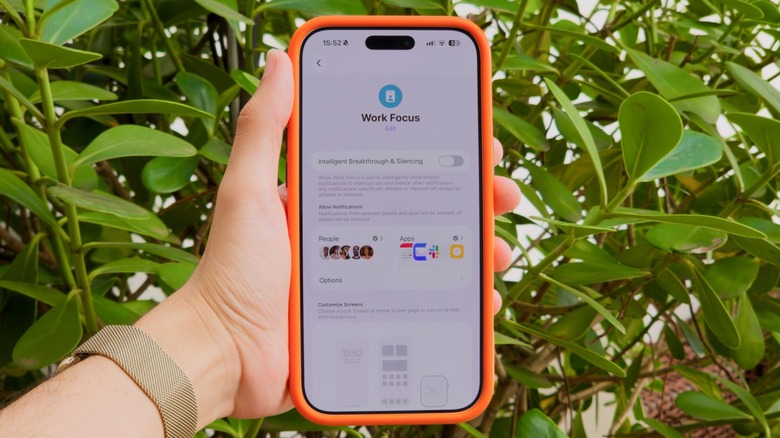
In Settings, under the Focus subcategory, users can create distinct rule sets for individual profiles. The configuration engine supports inclusionary “Allow Notifications From” rules and exclusionary “Silence Notifications From” rules for selected contacts and installed applications. A Work Focus, for example, can allow communications only from workplace tools such as Slack and corporate email clients while silencing personal messaging platforms and social networks.
Focus automation also connects dedicated profiles with onboard hardware sensors and iOS subsystems. Sleep Focus works with the Apple Health application, activates according to preset sleep schedules, and dims the lock screen to prevent nocturnal disturbances. Driving Focus can begin through motion detection, Bluetooth connections to vehicle head units, or Apple CarPlay, suppressing non-essential incoming communications to reduce driver distraction.
Smart Activation uses on-device machine learning to trigger specific Focus states according to contextual cues, including geographic location, time of day, or the launch of particular applications. The system also provides a Time-Sensitive Notifications toggle, allowing high-priority alerts such as security verifications, calendar reminders, delivery updates, and ride-hailing notifications to bypass active filters regardless of the standard rules applied to the parent application.
Recent platform iterations added further machine learning controls through Apple Intelligence. The specialized “Reduce Interruptions” Focus profile uses language models to evaluate the semantic content of incoming notifications in real time, deciding whether a message requires immediate attention or can be delivered silently in a scheduled summary.
When any Focus mode is active, iOS can broadcast a user’s availability status through an API integrated into the Messages app and supported third-party messaging services. Senders see a system notice that the recipient has notifications silenced, while contacts can still force urgent notifications through in emergency situations.










One Comment