Apple HomeKit AI Camera Summaries Require Costly iCloud+ Plans
Multi-camera setups using Apple Intelligence now mandate premium iCloud+ storage tiers starting at $9.99 monthly.
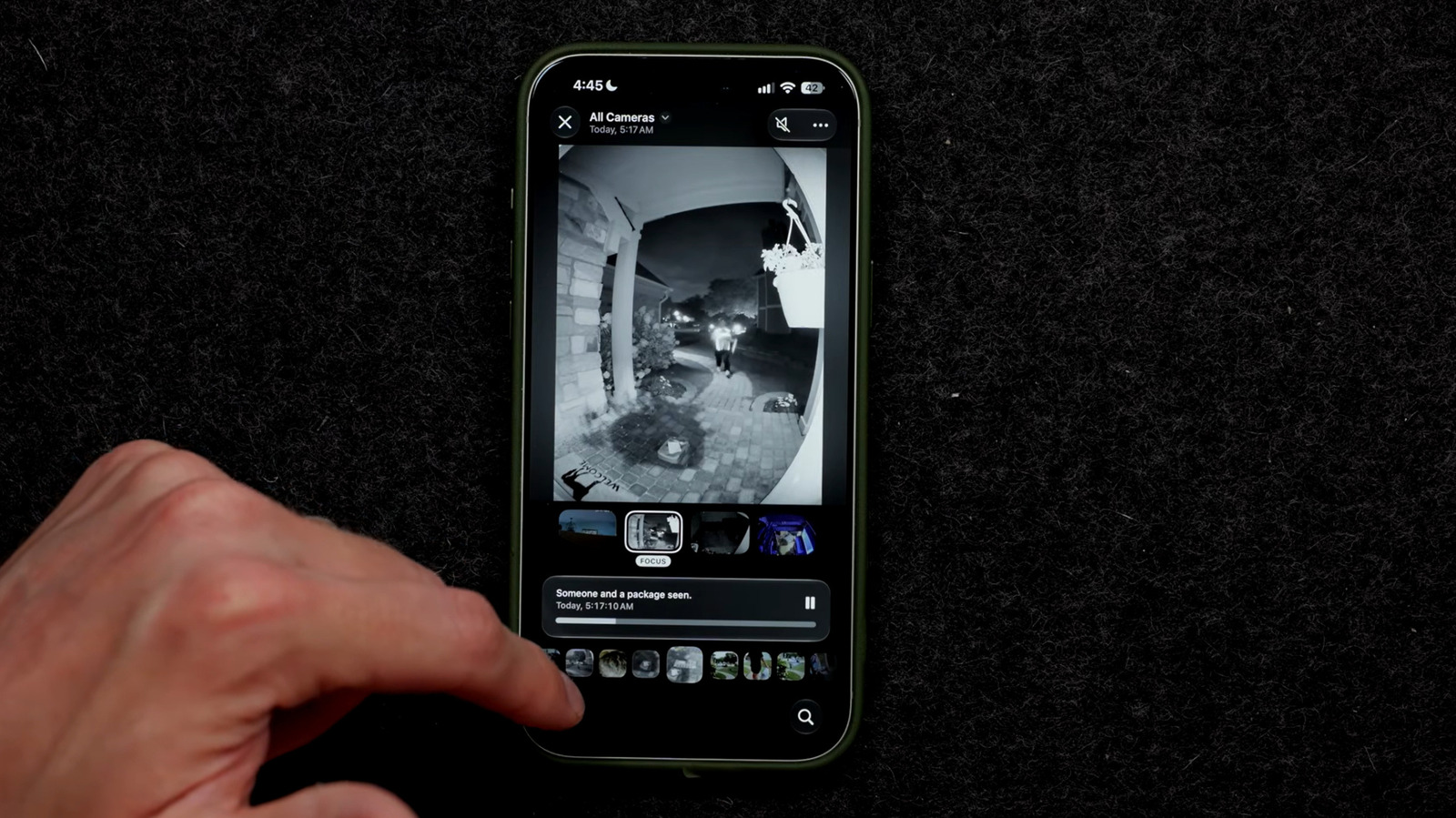
Apple is raising the financial barrier to entry for smart home security with iOS 27, tying its new Apple Intelligence camera features to its most expensive iCloud+ storage tiers. Users who want automated video summaries and facial recognition across a multi-camera HomeKit setup now face monthly cloud storage bills reaching $59.99.
The update introduces generative video descriptions that group related clips from multiple cameras into single event narratives. The system uses natural language processing to let homeowners search their footage conversationally rather than scrubbing through timelines manually. Face Recognition software integrates directly into these summaries, identifying specific individuals arriving at a property and categorizing their visits automatically.
Accessing this functionality requires specific hardware acting as a local home hub. Only second-generation HomePod, HomePod Mini, or Apple TV 4K units running the latest operating systems qualify. The controlling device must be an iPhone 15 Pro or newer model capable of running Apple Intelligence natively.


Storage requirements represent the sharpest departure from previous HomeKit Secure Video policies. Before iOS 27, users could operate camera networks on 50 GB, 200 GB, or 2 TB iCloud+ plans. The AI processing pipeline now mandates significantly larger allocations. A single AI-enabled camera requires the 2 TB plan, priced at $9.99 per month. Adding a second camera forces an upgrade to the 6 TB tier at $29.99 monthly. Networks utilizing three to five cameras demand the 12 TB plan, costing $59.99 per month. These quotas sit entirely separate from any existing family iCloud storage subscriptions, meaning households already paying for photo and document backups will see compounding costs.
Homeowners can mitigate expenses by applying the AI features selectively rather than enabling them across every installed camera. Activating intelligent summaries solely on a front doorbell while leaving backyard or interior cameras on standard recording avoids triggering the higher storage thresholds.
This pricing structure reflects broader industry friction surrounding the economics of consumer artificial intelligence. Unlike traditional motion-triggered recordings processed locally or stored efficiently via compression, generative video analysis requires substantial server-side compute resources. Competitors in the smart home space, including Amazon Ring and Google Nest, have historically absorbed similar backend costs into flat-rate subscription models like Ring Protect Pro or Nest Aware Plus, which typically cap out between $10 and $20 monthly regardless of camera count. Apple’s decision to tether AI capabilities directly to raw terabyte storage tiers shifts the infrastructure cost burden explicitly onto the consumer.
Configuration happens through the Home app on iPhone, iPad, or Mac. After verifying HomeKit Secure Video activation within iCloud settings, users navigate to Home Settings via the menu icon to toggle Apple Intelligence. Individual cameras can be enabled or disabled for video descriptions from this same interface. Facial recognition draws from the user’s existing Photos library. Unidentified visitors captured on camera appear in a Recent list, where homeowners assign names and configure custom arrival alerts. A dedicated Reduce Notifications setting filters out recurring triggers caused by animals or routine environmental movement.
Apple has not guaranteed the permanence of these storage requirements. The company’s official support documentation states that compatible cameras and necessary iCloud+ tiers may change over time, leaving open the possibility of further adjustments to pricing or capacity thresholds as the platform matures.