Microsoft Releases Visual Studio Code Version 1.132 With Multilingual Dictation and Browser Tools
Latest update introduces element-level browser feedback, multilingual dictation, side chats, and Markdown diffs.
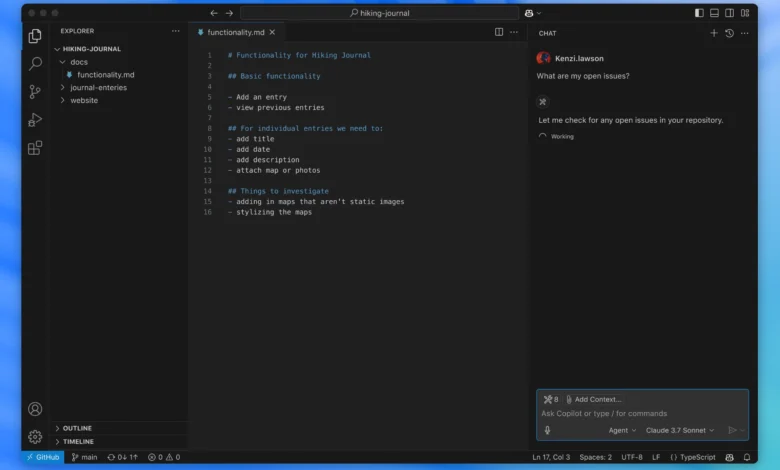
Microsoft has released version 1.132 of Visual Studio Code, adding element-level feedback for its integrated browser, multilingual voice dictation, and embedded side chats to the widely used code editor.
The update introduces a hybrid Markdown editor equipped with diff capabilities, enabling software developers to visually track documentation changes alongside primary codebases. The 1.132 release also expands interactive features within the editor’s integrated browser interface, providing direct element-level inspection and feedback mechanisms during web application development.
Unlike Microsoft’s traditional Visual Studio integrated development environment—a full IDE built for heavy project management, GUI design, and deep .NET tooling—Visual Studio Code functions as a lightweight, modular editor designed for fast code-build-debug cycles across Windows, macOS, Linux, and web browsers.
The editor includes built-in support for JavaScript, TypeScript, and Node.js, relying on an extension marketplace to support languages such as Python, Java, C++, Go, and PHP. These extensions run in separate processes to protect editor performance. Core productivity features include IntelliSense for contextual code completion based on variable types and imported modules, alongside integrated debugging tools that replace traditional print statements with breakpoints, call stacks, and an interactive console.
Version control capabilities remain integrated into the workspace, providing built-in Git commands for reviewing diffs, staging files, and committing code to hosted source code management providers. The platform, which is free for both individual and commercial use, also supports real-time multi-developer editing and debugging through its Live Share extension.