

iOS 27 Rebuilds Siri and Rewires the iPhone Experience
Gemini-powered Siri leads iOS 27’s biggest changes

Apple Inc. has officially released iOS 27, and the software is rolling out globally over-the-air. On eligible hardware, users can begin the installation by opening Settings > General > Software Update.
“`n iOS 27 System Compatibilityn+————————————————————–+n| Supported Devices: |n| • iPhone 11, 11 Pro, 11 Pro Max (A13 Bionic – 2019) |n| • iPhone SE (2nd generation – 2020) and later SE models |n| • All subsequent iPhone lines (iPhone 12 through current) |n+————————————————————–+n“`
The compatibility baseline starts with devices using Apple’s A13 Bionic system-on-chip, first introduced with the iPhone 11 generation in September 2019. It also includes all later hardware generations, including the iPhone SE (2nd generation – 2020) and later SE models.


Siri, which debuted on the iPhone 4S in October 2011 as a rule-based voice interaction tool, has been rebuilt with Google’s Gemini foundation models. The change replaces an older architecture that depended on extended lookup databases and an external hybrid integration with OpenAI’s ChatGPT.

The Gemini-backed assistant can process natural language multi-step instructions and synthesize context from user data stored across emails, text messages, and internal files. It can recognize details in existing conversations, including package delivery notices, and automatically prepare correspondence drafts for returns.
The updated Siri also has a redesigned visual interface with a new logo and transition animations. A dedicated Siri AI standalone application lets users review, search, and continue previous conversation threads across sessions, while system settings provide controls for Siri’s voice expressiveness and tonality.
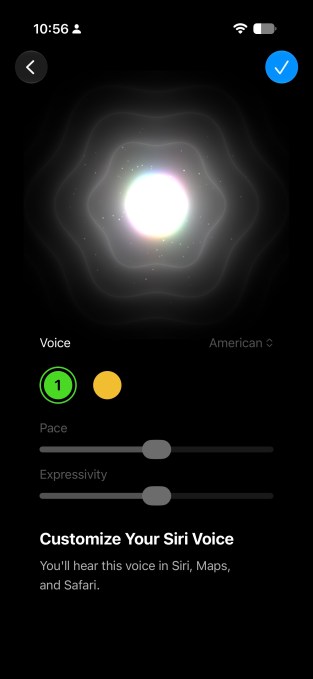
Siri can organize information inside native applications, including compiling system features or research topics into specific Notes files after complex user requests. Its visual context processing works through the system interface and the native Camera application. Users can ask about items visible on screen, such as sports match lineups, active text passages, business metrics, and competitor lists while viewing corporate websites.
The Camera Viewfinder Analysis feature lets Siri evaluate real-world objects. It can identify beverages by color and context, recognize storefront signage and recommend popular menu items, or read product labels such as roasted coffee bags and provide specific brewing instructions. Developer APIs are designed to extend these handoff functions between native software and third-party tools as app updates roll out.
Natural language automation is also coming to Shortcuts. Instead of manually arranging conditional logic nodes and actions, users can describe an intended automation in plain text. The system can turn those instructions into workflows that display morning task schedules at specific times, reformat image files into JPEGs for distribution via AirDrop, or identify playing media through Shazam while recording both the song title and location data.

Apple Intelligence adds page-monitoring alerts in Safari. Users can customize tracking for structural changes on particular web pages, including pricing fluctuations, privacy policy modifications, or blog updates. In Photos, the new generative “reframe” and “extend” tools adjust composition, while an upgraded object eraser fills background areas with fewer visual artifacts when elements are removed.

Messages containing event details or locations can generate immediate prompts to save entries in Calendar or Notes. Credential management is also connected to Apple Intelligence through the standalone Passwords app, introduced in iOS 18 after evolving from Apple’s legacy iCloud Keychain framework. The app can automatically log into supported sites and change passwords on the user’s behalf.
A redesigned clipboard framework changes how media moves between applications. When users copy text, images, video clips, or URLs, dynamic soft-key notifications appear on the iOS keyboard, including prompts such as “Paste from Safari.” The content can then be inserted into active text fields without opening manual navigation menus.
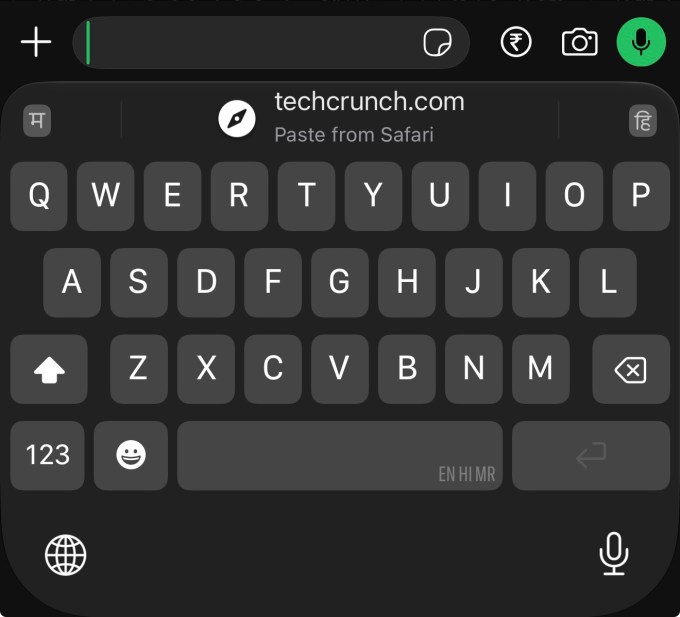
The Liquid Glass visual design introduced in earlier iterations also receives new controls after feedback about its translucent appearance. Continuous slider controls in Settings allow users to adjust interface opacity levels instead of choosing between fixed presets.
For connectivity, iOS 27 monitors the quality of an active Wi-Fi connection and can automatically move data traffic to cellular networks when local wireless signals weaken. The change is intended to prevent connection dropouts during tasks.
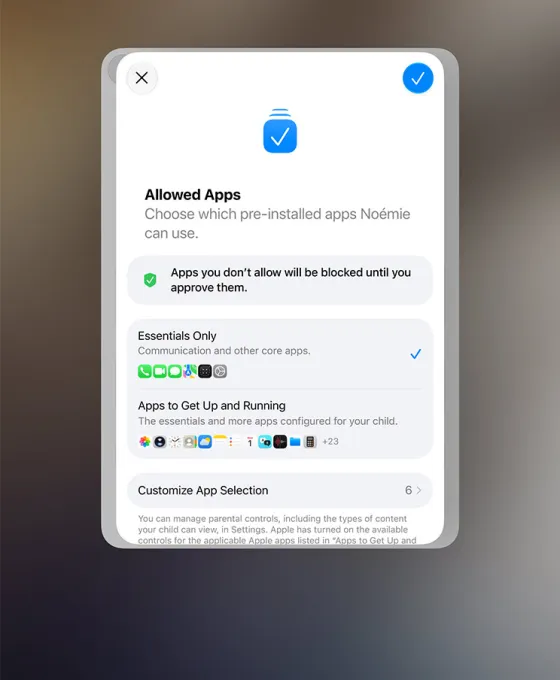
Child safety controls include a dedicated Guided Setup Flow for child accounts, which automatically recommends application configurations based on age parameters. Guardians can also set daily usage allowances, app-specific time limits, and downtime schedules for individual days of the week.
Parents receive real-time notifications when a child attempts to access an unapproved web domain through the Remote Web Approval feature. They can grant or deny access remotely. Communication Safety has likewise expanded beyond its original scanning of inbound Messages photos: real-time visual analysis now covers FaceTime and system communications, detecting explicit content and issuing automated warnings before it appears on screen.










One Comment