

Samsung Anynet+ Turns HDMI Into a Single-Remote Control System
What Anynet+ controls, why eARC depends on it, and how to fix HDMI-CEC failures
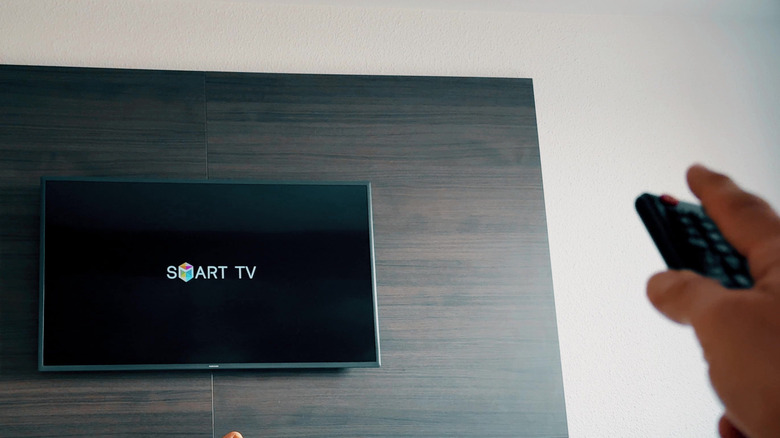
Samsung has embedded Anynet+ capabilities across its display lineup since 2008, expanding its integration as the company transitioned its smart TV operating system to Tizen in 2015. On Samsung smart displays, this control layer manages power commands, input selection, and volume synchronization across connected peripherals through a single television remote control.
Anynet+ is Samsung’s name for Consumer Electronics Control (CEC), the signaling mechanism integrated into the HDMI standard. Although the HDMI Licensing Administrator standardizes CEC, manufacturers use different brand names for the same protocol, including LG’s SIMPLINK, Sony’s BRAVIA Sync or Control for HDMI, Panasonic’s VIERA Link, and Philips’ EasyLink.
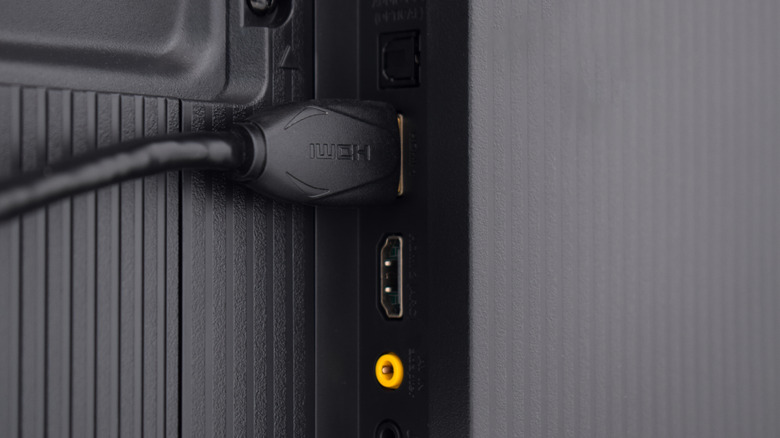
HDMI-CEC was first defined in the HDMI 1.0 specification and significantly updated in later revisions. It operates through a dedicated single-wire bus on Pin 13 of standard 19-pin HDMI Type-A cables, transferring low-speed control data separately from the high-bandwidth audio and video signals carried over transition-minimized differential signaling (TMDS) or fixed-rate link (FRL) channels. A display can send control commands at roughly 300 bits per second to playback hardware, soundbars, AV receivers, and video game consoles.


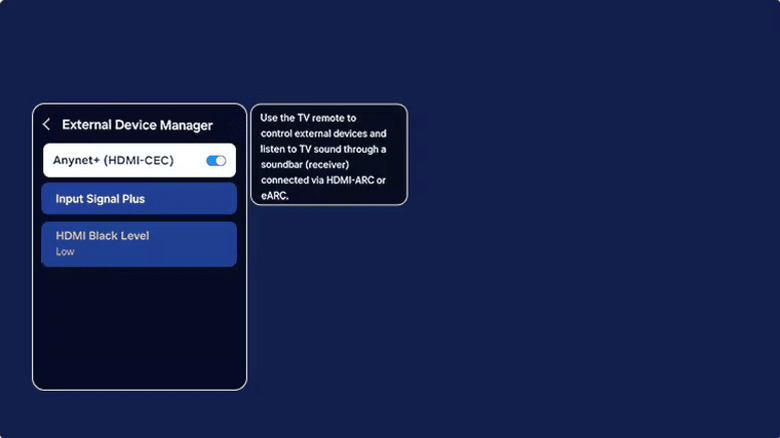
On current Samsung models, Anynet+ is managed through Home > Settings > All Settings > Connection > External Device Manager, where the Anynet+ (HDMI-CEC) toggle appears. Earlier firmware releases place the setting under Settings > General > External Device Manager.
Under standard operating conditions, the protocol creates a logical device topology over the HDMI network. Samsung’s implementation can register and control up to 12 compatible peripheral devices at once, although firmware limits allow no more than three devices in the same category, such as three digital set-top boxes or media streamers. The active system is also limited to one dedicated home theater audio receiver or soundbar.
CEC compatibility depends on universal implementation of the basic command sets. Every external device connected to the TV must also have its corresponding CEC options enabled in its own operating system. On a Sony PlayStation 5, the setting is called “Enable HDMI Device Link” under Settings > System > HDMI. Microsoft Xbox Series X/S consoles and Apple TV streaming devices likewise include dedicated HDMI-CEC power and volume toggles in their device control settings.
When a device is connected or powered on from a cold boot, HDMI-CEC begins a logical address discovery sequence commonly called a “handshake.” The television identifies the physical port, assigns a logical device address such as Playback Device 1 or Audio System, and exchanges vendor ID parameters. Samsung specifies that the initial handshaking process can take up to two minutes before full remote command passthrough and state-synchronization features work.
Anynet+ also provides the underlying framework required by advanced home audio architectures. The standard Audio Return Channel (ARC) and Enhanced Audio Return Channel (eARC) protocols depend on HDMI-CEC signaling to establish control links between the display and external soundbars or receivers.
ARC and eARC carry audio over dedicated pin pairs, including Pins 14 and 19 for eARC in HDMI 2.1 specifications. However, system discovery, volume-key passthrough, muting commands, and dynamic lip-sync synchronization depend on an active Anynet+ connection. Disabling Anynet+ on a Samsung TV automatically breaks the control handshakes needed for eARC receivers to process uncompressed Dolby Atmos or DTS:X bitstreams sent from the display.
The open-ended nature of the CEC specification can also create instability and command conflicts. Connected peripherals are allowed to broadcast wake-up requests and input-switch commands, so background tasks or automated updates can trigger unwanted behavior. A console or media box performing an unattended software update may send an active source signal over Pin 13, causing the Samsung TV to turn on unexpectedly or switch away from the current viewing source.
Differences in command interpretation between manufacturers can produce partial functionality loss. Power synchronization may work while directional navigation or volume controls fail. In multi-device gaming setups, placing the television in standby can also broadcast an off command to every connected logical address, abruptly sending gaming consoles into sleep mode during active operation.
Diagnostic routines for HDMI-CEC failures focus on rebuilding the logical address table across the HDMI bus. Recommended remediation includes fully power-cycling all connected devices, replacing non-compliant HDMI cables that lack continuity on Pin 13, updating device firmware so command parsing is identical, and toggling individual CEC flags on problematic sub-devices to separate power commands from automatic input-switching features.








One Comment