Meta Glasses Shut Off Displays Behind the Wheel
Audio Only mode keeps Meta glasses from displaying visuals behind the wheel
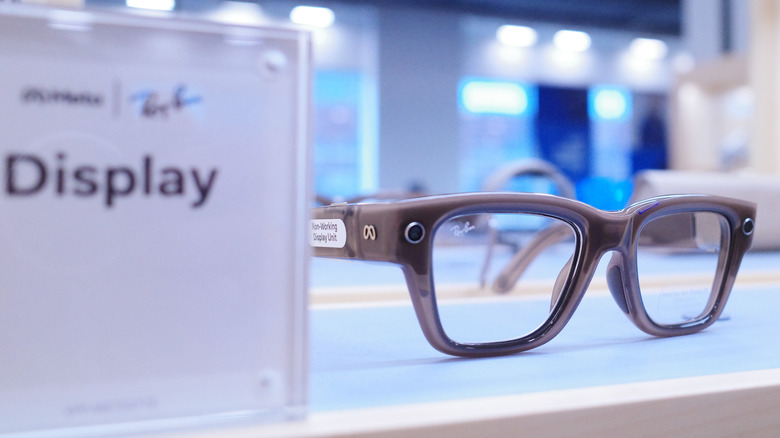
Meta’s display-equipped glasses are engineered strictly for pedestrian navigation, while technology companies are transitioning smart eyewear from basic hands-free audio accessories into fully interactive heads-up displays. The visual interfaces are not designed to refresh or render data at highway speeds.
Distracted driving remains a critical concern for traffic safety administrators across the United States. According to the National Highway Traffic Safety Administration (NHTSA), distracted driving accounts for thousands of fatalities annually, with mobile screens and interactive dashboard interfaces serving as primary sources of cognitive and visual disruption.
Meta has integrated a specialized “Driving Detection” utility that automatically disables visual interfaces when users are behind the wheel of a motor vehicle. The system relies on sensor fusion, combining the glasses’ internal motion sensors, including accelerometers and gyroscopes, with the location services and activity sensors of a paired smartphone.



The companion application uses that information to determine when a user is traveling inside a moving vehicle. Because the feature requires real-time movement and positioning data, the mobile application also needs specific operating system permissions to access the smartphone’s motion and location sensors.
Users activate the feature through the Meta AI companion application on a mobile device by opening Settings, selecting their connected eyewear, and entering the Device Settings submenu. Enabling “Audio Only” and turning on the “Driving Detection” switch activates the automatic shutdown mechanism.
Historically, head-mounted displays have faced immediate pushback from legal authorities. A decade ago, early adopters of Google Glass received traffic citations under state laws prohibiting drivers from operating vehicles with active video screens visible to them.
When “Audio Only” is active, the internal display is completely darkened, transforming the eyewear into standard audio glasses. Drivers can still use hands-free voice commands, phone calls, and audio feedback without visual elements being projected into their line of sight.
For users who want direct control rather than menu navigation, the display can be toggled manually at any time with the voice command, “Hey Meta, turn on audio only,” or “Hey Meta, turn off audio only.” Once the sensors detect that the user has exited the vehicle, the display automatically re-engages.
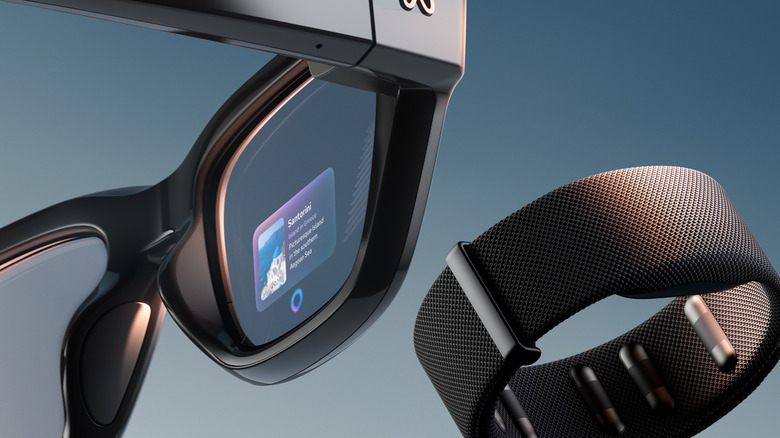
The glasses also lack the complex multi-lane guidance, real-time traffic rerouting, and highway mapping infrastructure found in dedicated automotive GPS units or mobile navigation apps like Google Maps and Apple Maps. Safety experts therefore recommend built-in dashboard displays or mounted smartphones for vehicular directions.
Disabling the display panel during transit also addresses battery life, a persistent engineering challenge for all smart glasses. Wearable frames must remain lightweight and visually indistinguishable from standard eyeglasses, so manufacturers are forced to use very small batteries, often under 160 mAh.
Powering a display panel significantly drains those limited power reserves. By switching the hardware to an audio-only state during commutes, users can conserve battery capacity for when they are on foot while reducing the cognitive load associated with continuous digital notifications.