

iOS 27 Lets You Set Exact Location-Sharing Limits
Apple adds minute-by-minute sharing limits and temporary location hiding in iOS 27

Apple’s upcoming iOS 27 operating system introduces more precise controls for the Find My ecosystem, including location-sharing periods that can be customized down to the minute. The update also lets users temporarily mask their physical presence.
Apple’s location services developed from the launch of Find My iPhone in 2010 and Find My Friends in 2011. With iOS 13 in 2019, Apple combined those tools in a single Find My application powered by a secure, crowdsourced Bluetooth network.
Until iOS 26, people sharing their location with contacts could choose only “For One Hour,” “For Today,” or “Always.” Someone sharing coordinates during a brief transit, a blind date, or a multi-day trip had to repeatedly reactivate short-term sessions or risk leaving permanent sharing enabled after the event ended.


iOS 27 keeps the traditional “For One Hour,” “For Today,” and “Always” settings while adding a “Custom” configuration.
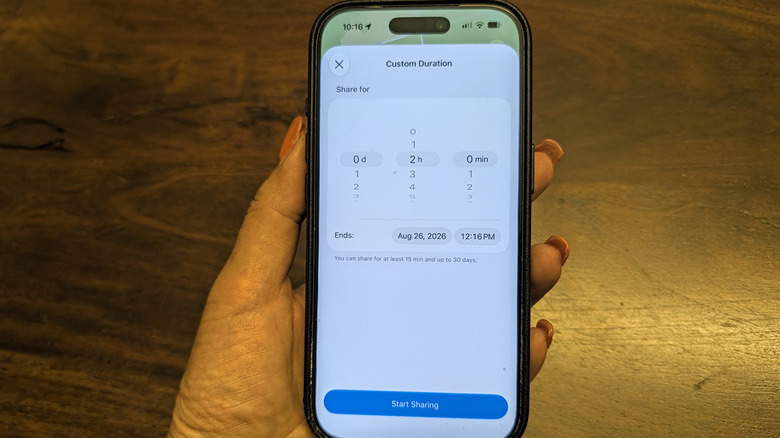
Using rolling digital dials, users can program exact sharing windows from a minimum of 15 minutes to a maximum of 30 days. The controls support days from 1 to 30, hours from 1 to 23, and minutes from 1 to 59.
Users can also select a specific calendar date and time instead of calculating a duration. When the selected period expires, the contact’s access is revoked and the user’s profile is automatically removed from the active tracking list.
The timing controls address privacy concerns that can arise when location sharing remains active. In family, domestic, or close friend relationships, completely disabling the feature may cause interpersonal friction or raise unnecessary alarms.
Apple has also added “Hide Location,” which is intended for temporary privacy when arranging a surprise event, shopping for gifts, or navigating personal safety situations.
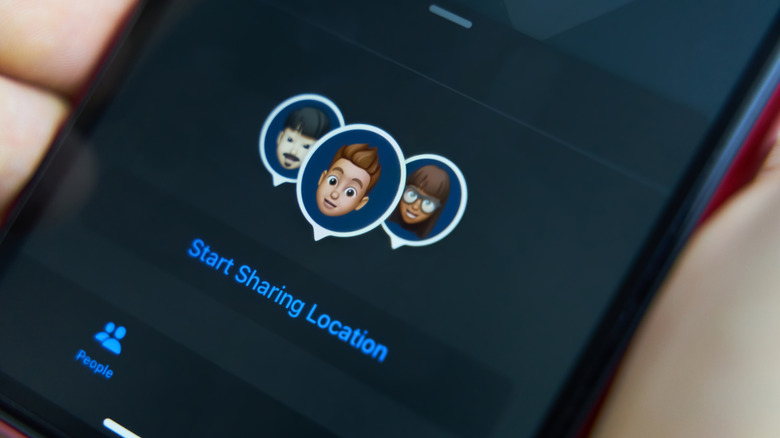
Tapping “Hide Location” temporarily stops outward location updates without notifying the recipient or changing the shared status settings. On the Find My map, the user’s coordinate history appears unavailable, as though the device were offline or temporarily outside cellular range.
The feature avoids deleting and later re-establishing sharing permissions. The same Find My changes arrive within a broader iOS 27 software deployment that includes deeper Apple Intelligence integrations, upgraded conversational capabilities for Siri, expanded child safety guardrails, enhanced accessibility tools, and new navigational layers in Apple Maps.
Apple has released the location features through the iOS 27 public beta program before the general public launch. Early adopters can install and test the operating system while providing feedback to engineers.
Because beta software can produce system bugs, unexpected battery drain, and application crashes, security analysts recommend making a full backup of iPhone data to iCloud or a local computer before installing the pre-release operating system.






One Comment