Photon Studio Brings Offline Photoshop Workflows to Local Hardware
A free PSD-compatible editor keeps image processing on the user's computer
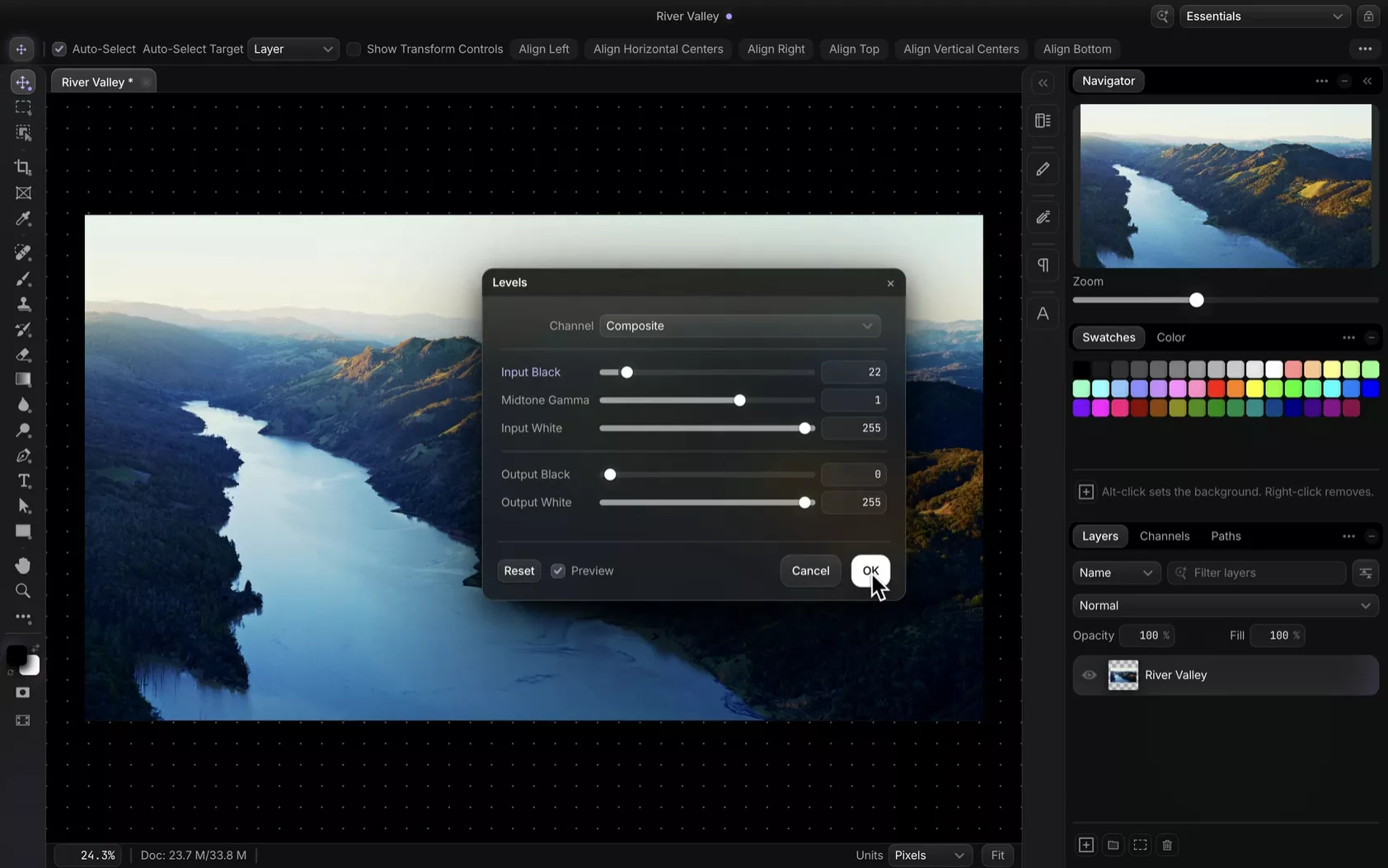
SAN FRANCISCO — Photon Studio is a free, fully offline desktop image editor built for professional creators who want to avoid subscription fees and cloud dependencies. The software operates entirely on a user’s local hardware while maintaining compatibility with industry-standard file formats.
Adobe Photoshop has dominated digital image editing for years, moving from perpetual licensing to a monthly subscription service under the Creative Cloud banner in 2013. That software-as-a-service (SaaS) model became the corporate standard, while also driving demand for alternatives including the open-source GNU Image Manipulation Program (GIMP) and proprietary desktop suites such as Affinity Photo, which Canva acquired in early 2024.
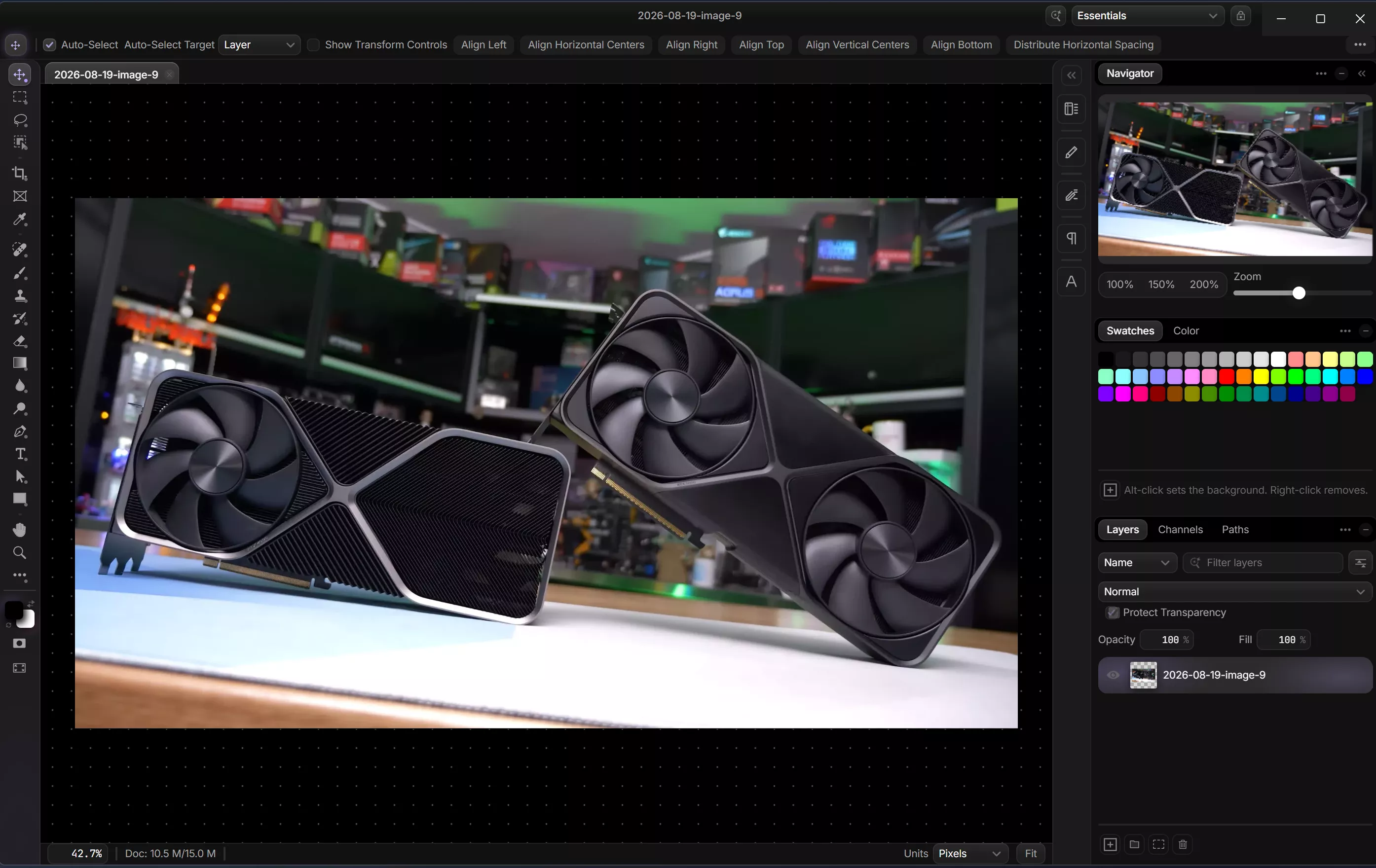


Photon Studio does not require users to register accounts, navigate internet queues, or maintain an active internet connection. Unlike many web-based or hybrid editors that send files to remote servers for advanced processing, it runs entirely client-side and is designed to remove both subscription costs and the privacy concerns associated with modern cloud-connected applications.
Its machine-learning features also run strictly on-device. Modern computer architectures often include dedicated graphics processing units (GPUs) and neural processing units (NPUs), making it viable to execute complex AI models locally. Photon Studio uses those hardware capabilities for tasks including one-click subject selection and background removal, while raw image data remains on the user’s computer.
The editor uses layers, groups, masks, and adjustment layers in a non-destructive editing pipeline. Users can work with live Curves and Levels previews to adjust contrast and brightness, apply healing brushes and clone stamps for localized retouching, and use content-aware fill to remove unwanted objects.
Photon Studio also includes vector tools such as Pen paths, customizable gradients, and editable text layers. A warp-based Liquify tool provides precise image reshaping, adding another workflow familiar to users of professional desktop software.
For designers moving from Photoshop, the application supports Adobe’s proprietary Photoshop Document (.psd) format. First developed in the late 1980s, PSD has remained the primary file standard for layered image editing. Photon Studio can open and save files directly as PSDs while retaining intact layers, groups, and masks, although its developers advise users to review specific format limitations because some advanced Photoshop features may not translate perfectly when files are saved back to PSD.
The software adopts familiar keyboard shortcuts and interface conventions to reduce the learning curve for former Photoshop users. Its searchable command menu lets editors find tools by name instead of navigating complex nested menus.
Photon Studio does not yet match the massive breadth of advanced integrations and features offered by Adobe’s flagship program. It provides a zero-cost, privacy-first alternative based on local processing for everyday creative tasks.