Why USB-C Still Fails to Connect Some Displays
The USB-C port may not be enough for external video
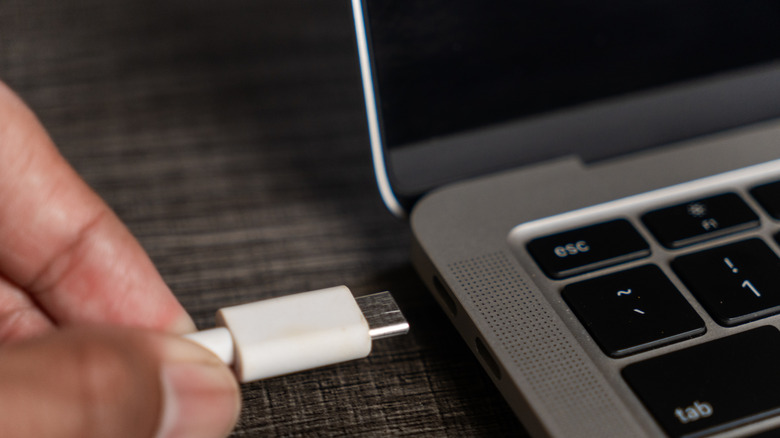
USB-C ports may look identical while offering very different electrical capabilities. For external video to work, the host device, connecting cable, and display must all natively support DisplayPort Alternate Mode, or DP Alt Mode. If one part of this three-link compatibility chain lacks the necessary internal hardware configuration, the display will not receive a signal.
The European Union’s move toward a common connector made the physical standard more familiar. EU law requires USB-C on all mobile phones, tablets, and cameras by late 2024, with laptops following in 2026. The policy is aimed at reducing e-waste and reinforced the role of the 24-pin reversible connector first finalized by the USB Implementers Forum (USB-IF) in August 2014.
That physical uniformity does not guarantee video output. A standard USB-C connector contains four high-speed differential pairs, or lanes, normally used to transmit standard USB data. When DP Alt Mode is available, the host device’s internal controller can repurpose either two or all four lanes to carry DisplayPort packets.



DP Alt Mode was developed in September 2014 by the Video Electronics Standards Association (VESA) in collaboration with the USB-IF. Its architecture allows one cable to carry high-speed video, standard USB data, and power delivery at the same time.
The source of much of the confusion is the history of the USB standard. USB 3.1, introduced in 2013, and USB 3.2, introduced in 2017, left DP Alt Mode implementation to hardware manufacturers. Many budget laptops and mobile devices therefore use USB-C ports wired only for power delivery and legacy USB data transfer, without the internal circuitry needed to route video.
USB4 took a different approach. Finalized in 2019, the specification mandates that all certified devices support DP Alt Mode alongside high-speed data transfer.
Users may also encounter USB-C ports connected to Intel and Apple’s proprietary Thunderbolt interface. Thunderbolt 3, introduced in 2015, adopted the USB-C connector shape, and every Thunderbolt generation using that connector—including Thunderbolt 3, Thunderbolt 4, and the newer Thunderbolt 5—guarantees video, high-speed PCIe data, and power delivery.
Thunderbolt 4 requires support for at least two 4K displays at 60Hz. Thunderbolt 5 raises bandwidth to 120 Gbps through Bandwidth Boost, allowing multiple high-refresh-rate 8K displays.

Port markings do not always settle the question. Thunderbolt ports typically carry a stylized lightning bolt icon, while some DP Alt Mode ports use a “DP” logo. Many manufacturers leave out these markings, so users may need to check technical manuals or online manufacturer specifications to confirm whether a port supports displays.
A dedicated HDMI (High-Definition Multimedia Interface) port remains the most common alternative when a USB-C port cannot route native video. The HDMI Forum maintains the standard: HDMI 2.0 supports 4K resolution at 60Hz, while HDMI 2.1 provides enough bandwidth for 8K resolution at 60Hz and 4K at 120Hz with High Dynamic Range (HDR).
USB-C adapters differ in how they translate video. Standard USB-C-to-HDMI cables and basic multi-port hubs are passive adapters. They depend on the host device producing a native video signal through DP Alt Mode and merely guide that signal to the physical HDMI connector pins.
As a result, a passive adapter cannot produce an image when the host port lacks DP Alt Mode. An active adapter takes another route, using DisplayLink or Silicon Motion chipsets with an internal graphics processor.
Rather than depending on native hardware video routing, an active adapter compresses video frames on the host computer’s CPU and sends them as standard USB data packets. The adapter’s internal chip decompresses the data and reconstructs it as a standard HDMI or DisplayPort signal.
This method can provide video from any standard USB-A or non-video USB-C port, but it requires dedicated software drivers, adds latency, and creates system overhead. Those limitations make active adapters less suitable for high-performance gaming.
Wireless casting is another fallback when physical port limitations cannot be bypassed. The Wi-Fi Alliance’s Miracast protocol, established in 2012, uses Wi-Fi Direct to cast screens wirelessly from Windows and Android devices to compatible displays.
Apple’s proprietary AirPlay protocol similarly lets macOS and iOS devices stream video and mirror displays over local network connections to compatible smart TVs and receivers.