Tiny11 Builder 0.1.1 Adds Windows 11 26H2 ISO Support
Version 0.1.1 introduces a WinUI interface, Turbo mode, and resumes interrupted builds for custom Windows 11 ISO creation.
A new release of Tiny11 Builder resolves a blocking compatibility error that prevented users from modifying the latest Windows 11 installation files, restoring the ability to strip preinstalled software and background services from official Microsoft disk images.
Version 0.1.1 of the open-source utility corrects an issue where build tools associated with Windows 11 build 26100 incorrectly rejected Windows 11 26H2 (build 26300) ISOs. The developer, known as NTDEV, altered the tool’s verification logic so it now evaluates shared servicing bases and deployment providers rather than relying exclusively on the launcher executable. This adjustment ensures the modification scripts execute properly against the newest Microsoft releases while maintaining backward compatibility for users running the build process on Windows 10 hosts.
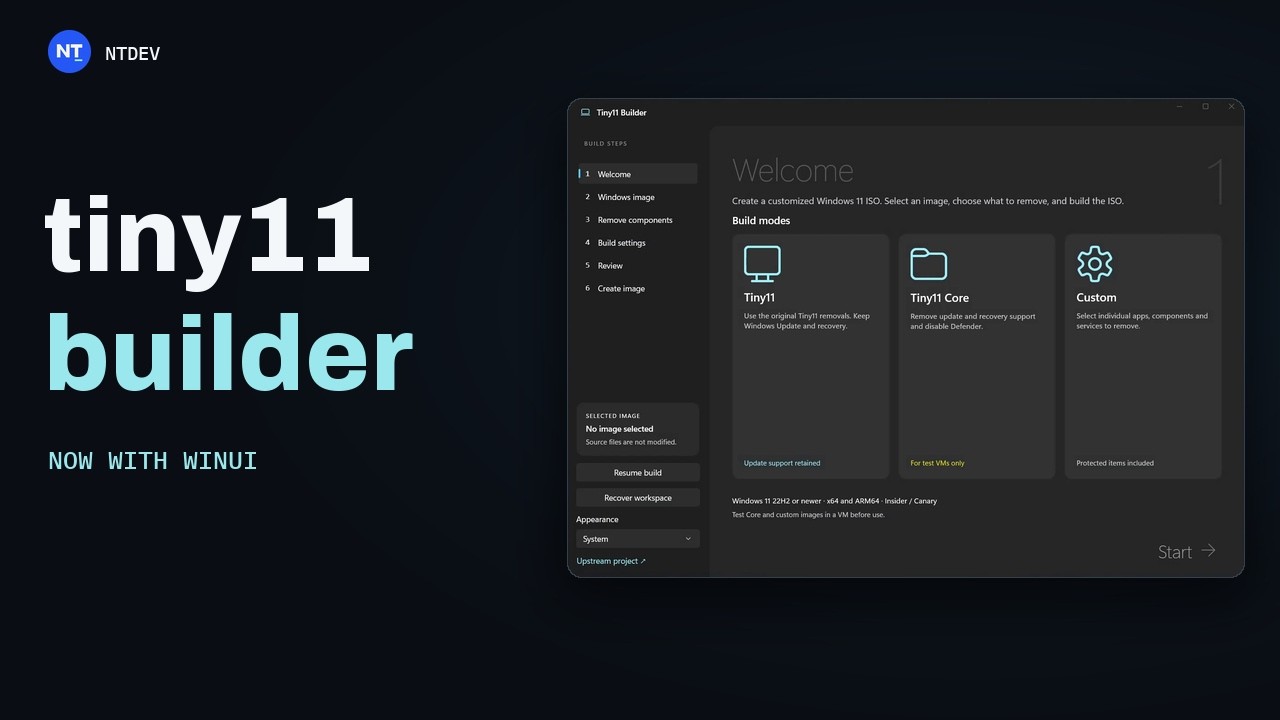
The update shifts the project toward a modern WinUI application interface, replacing earlier script-only execution methods. Users now interact with Tiny11Builder.exe after extracting either the x64 ZIP archive for Intel and AMD processors or the ARM64 package designed for Snapdragon-based Windows devices. The interface introduces a Turbo mode to accelerate image generation and allows interrupted builds to resume from saved progress without restarting the entire compilation sequence.


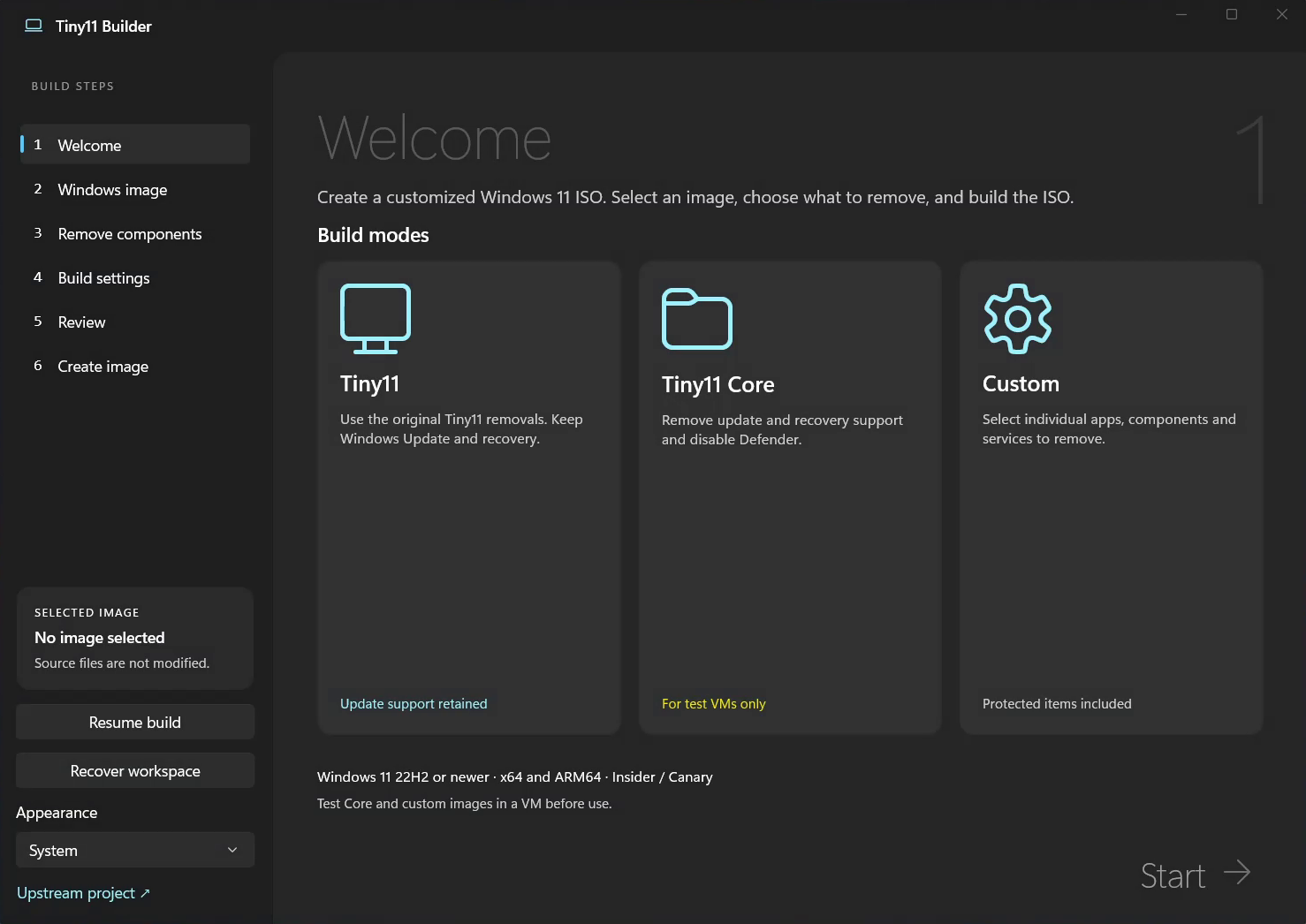
Under the hood, Tiny11 Builder automates Microsoft’s native Deployment Image Servicing and Management (DISM) framework through PowerShell. Rather than distributing modified operating systems—a practice that violates Microsoft’s terms of service and frequently introduces malware—the tool requires users to supply their own retail Windows 11 ISO. The software mounts the image locally, removes selected packages, and repacks the file into a new bootable installer. A valid Windows license remains mandatory for activation after installation.
Users choose between three distinct build profiles based on their hardware constraints and security requirements. The standard Tiny11 profile targets daily computing by removing bundled consumer applications such as Clipchamp, Xbox components, Solitaire, OneDrive, Microsoft Edge, Mail and Calendar, and the Feedback Hub. Crucially, this configuration preserves Windows Update, Microsoft Defender, and the Windows Recovery Environment (WinRE), allowing the system to receive ongoing security patches.
The second profile, Tiny11 Core, produces a drastically smaller footprint intended strictly for virtual machines, embedded testing, or disposable environments. Core strips out everything in the standard profile but also deletes the Windows Component Store (WinSxS). Because Windows Update relies entirely on the component store to stage and verify patches, updates are permanently disabled in Core builds. Microsoft Defender is deactivated, and WinRE is removed. Once a Core image is compiled, stripped features cannot be restored. The builder prompts users during creation if .NET 3.5 support is required, as it cannot be added later.
A third Custom option allows granular selection of which specific applications and system components to excise. Aggressive custom removals carry a high risk of breaking dependencies required by third-party software or future cumulative updates.
Microsoft has progressively increased the baseline storage and memory requirements for Windows 11 since its 2021 launch, mandating TPM 2.0 hardware and shipping the operating system with deeply integrated telemetry, web-search functionalities, and sponsored Start menu suggestions. Tools like Tiny11 Builder emerged directly in response to enterprise administrators and enthusiasts seeking to deploy the OS on older hardware or within resource-constrained virtualized infrastructure without the overhead of first-party bloatware. Unlike unauthorized pre-cracked distributions found on torrent networks, building locally via DISM keeps the cryptographic chain of trust intact, provided the source ISO was downloaded directly from Microsoft.
The 0.1.1 ZIP extraction replaces previous application folders without altering existing Windows images or saved build configurations stored on the host machine. Checksums are included in the release package for download verification.