

Windows 11 26H2 Stable Release: What the 174 KB Enablement Package Actually Changes for Your PC
The lightweight update activates dormant features built into the shared Germanium codebase while extending security support deadlines by up to two years.
Microsoft pushed Windows 11 version 26H2 to the general availability channel on Thursday, delivering a major lifecycle extension through an unusually small 174-kilobyte download. The release shifts the end-of-support deadline for Home and Pro editions to October 2028, while Enterprise and Education users gain coverage until October 2029.
Rather than introducing new binaries or requiring a full operating system reinstall, 26H2 functions as an enablement package. Devices running recent cumulative updates already contain the underlying code. The tiny payload simply flips dormant feature flags active across the operating system. This delivery method mirrors Microsoft’s approach with Windows 10 versions 20H2 and 21H2, which similarly used lightweight switches to minimize deployment friction in enterprise environments.
The architectural continuity explains the minimal footprint. Versions 24H2, 25H2, and 26H2 all run on the same Germanium codebase. Introduced with 24H2 in late 2024, Germanium overhauled Windows 11’s foundation by baking deep optimizations for Arm64 processors and dedicated neural processing units directly into the kernel. Because the plumbing remains identical across these three releases, Microsoft classifies 26H2 as a low-disruption transition that bypasses traditional compatibility testing bottlenecks associated with full feature updates.


Users will see previously hidden capabilities surface immediately after installation. Activated components span the Start menu, Taskbar, File Explorer, Windows Search, Task Manager, and networking stack. AI integrations now populate Settings, Narrator, and Task Manager alongside refreshed personalization controls, accessibility tools, and security enhancements. These features arrived incrementally via monthly non-security preview patches over the past year but remained locked behind configuration toggles until this release.
The extended support timeline carries significant weight for IT administrators managing large fleets. While 24H2 reaches end of life in October 2026 and 25H2 expires in October 2027, 26H2 buys organizations two additional years of security patches without forcing hardware refreshes. Windows 11 IoT Enterprise installations also secure support through October 2029. This staggered retirement schedule allows enterprises to standardize on the Germanium branch while deferring the operational overhead of migrating to whatever architecture succeeds it.
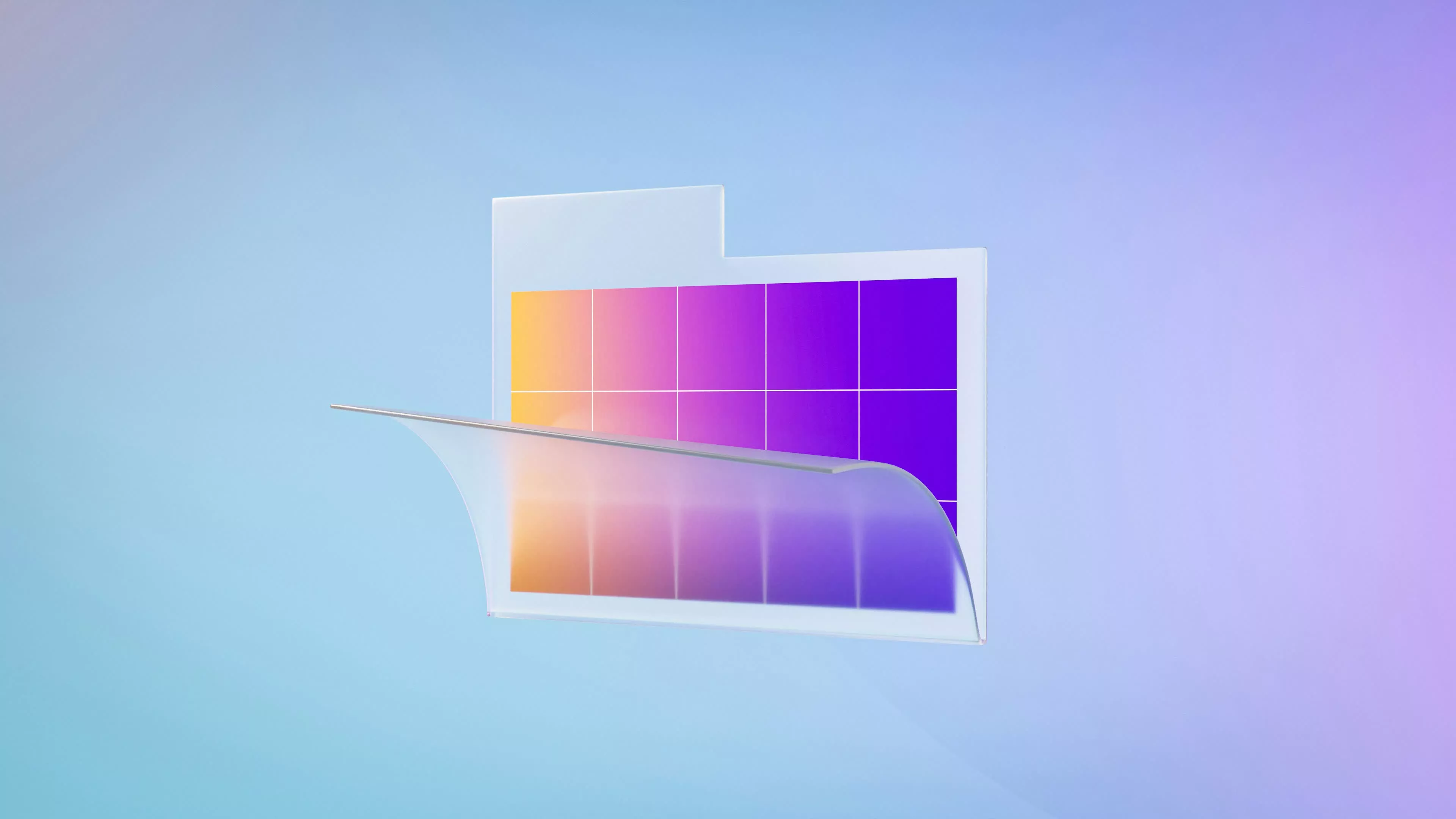
Deployment is controlled through standard Windows Update channels. Systems will receive automatic notifications once Microsoft’s phased rollout algorithm clears their specific hardware profile. Administrators or power users who want to bypass the queue can navigate to Settings, select Windows Update, toggle on “Get the latest updates as soon as they’re available,” and manually trigger a check. The update will appear as a distinct optional install before downloading.
This streamlined rollout arrives as Microsoft attempts to repair its reputation among PC enthusiasts and corporate buyers. Persistent reports of explorer crashes, driver incompatibilities, and sluggish UI responsiveness plagued earlier Windows 11 builds. In response, CEO Satya Nadella directed engineering teams to halt aggressive feature expansion and prioritize core stability. Version 26H2 represents the culmination of that directive—a release engineered to extend platform longevity and activate existing work rather than risk regressions by shipping untested code.
Phased deployment telemetry will dictate how quickly the broader user base receives the package over the coming weeks, with Microsoft retaining the ability to pause distribution if safeguard holds detect unexpected conflicts on specific hardware configurations.









One Comment