Why Lossless Audio Still Sounds Limited on Spotify
The hardware, settings, and listening conditions that determine whether lossless audio can be heard

**NEW YORK** — High-fidelity streaming has become standard across digital music platforms, but millions of consumers remain unable to access premium audio experiences because of their playback hardware and default application settings.
Spotify users who want to maximize audio quality must account for signal processing, hardware capabilities, and environmental conditions. Streaming services now offer CD-quality and high-resolution options, while many wireless accessories remain technically incompatible with lossless formats.
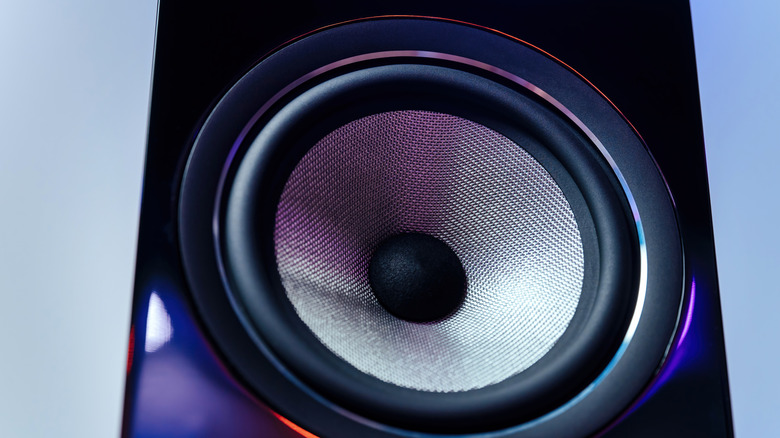


Lossless audio uses compression algorithms that preserve every bit of acoustic data, delivering music as it was recorded in the studio. At standard CD quality, that means 16-bit resolution and a 44.1 kHz sample rate. Bluetooth, however, relies on lossy codecs such as SBC and AAC, and standard wireless transmission systems cannot carry the required volume of data.
Uncompressed audio on a mobile device therefore requires a wired physical connection. Since most smartphone manufacturers have phased out the traditional 3.5mm headphone jack, listeners generally need USB-C or Lightning earbuds, or a dedicated external Digital-to-Analog Converter (DAC). The DAC changes the digital file into an analog signal, while high-quality headphones or in-ear monitors (IEMs) provide the physical ability to resolve fine audio details.
Application settings can limit quality even when the connected hardware is reference-grade. Streaming applications frequently begin with lower-quality, data-saving presets, so users must manually adjust the settings to unlock maximum bitrates. On iOS and Android, the controls are reached through the user profile icon, followed by “Settings and privacy” and the “Media Quality” sub-menu.
Desktop users can open the three-dot menu, choose Edit, select Preferences, and scroll to “Audio quality.” These controls are not available on web browser clients; computer users must download the dedicated desktop application to access high-quality streams.
The standard playback tiers are Low, Normal, and High, while Premium subscribers can select “Very high” or “Lossless.” Wi-Fi and Cellular connections have independent quality controls, allowing users to manage cellular data caps. Disabling the “Auto-adjust” toggle prevents the application from dynamically lowering stream quality during weak cellular reception.
Offline files use a separate “Download quality” setting. Raising streaming quality does not upgrade previously downloaded files automatically. Those files must be deleted and downloaded again to match the newly selected quality tier.
At home, Wi-Fi systems can avoid Bluetooth’s limitations. Spotify Connect uses home internet bandwidth to send uncompressed files to compatible smart speakers or AV receivers. A home theater setup using Enhanced Audio Return Channel (eARC) can also output 16-bit lossless audio; examples include a PlayStation 5 console or an LG C1 smart TV connected to an external soundbar.
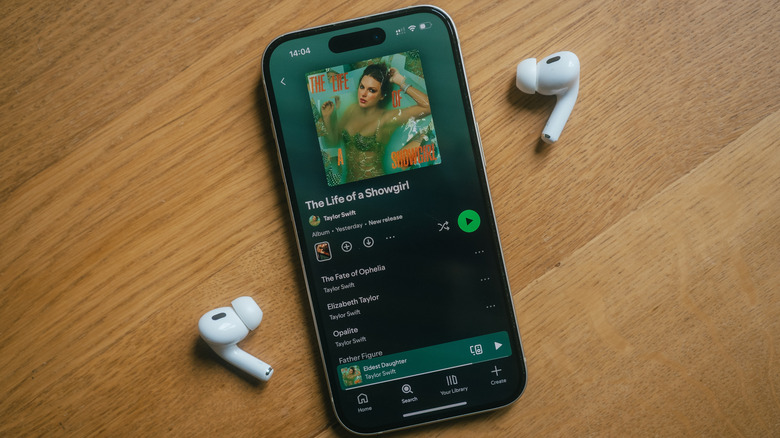
The Playback menu also contains an integrated Equalizer (EQ), with manually adjustable frequency bands and genre-based presets. Audio professionals caution against “double-equalization”: an EQ active in a smartphone’s native operating system, another in the streaming application, and a third in a headphone manufacturer’s control app can introduce significant phase distortion and audio clipping.
Volume Normalization adjusts tracks dynamically to a uniform decibel level. It prevents sudden volume differences between albums, but some audiophiles turn it off because normalization—especially the “Loud” preset—compresses dynamic range and flattens the contrast between quiet passages and loud climaxes in complex arrangements.
Mono Audio downmixes stereo tracks into a single channel and should remain disabled to preserve intended left-and-right stereo imaging, unless accessibility or single-earbud listening requires it. Crossfade blends the end of one track into the beginning of the next, and a long duration can cut off engineered intros and outros.
Data Saver must also be switched off for high-fidelity playback. When the device is disconnected from Wi-Fi, the feature automatically overrides manual configurations and enforces low-bitrate streams.
The listening environment can make these distinctions difficult to hear. Inside a moving vehicle using Android Auto or Apple CarPlay, ambient road noise and standard factory-installed car speakers make it virtually impossible to distinguish standard lossy formats from lossless audio. In those conditions, lower-bitrate streams conserve mobile data without any practical loss in perceived quality.
Individual hearing thresholds also determine whether technical adjustments are noticeable. Psychoacoustic studies and online double-blind ABX tests regularly demonstrate that many listeners cannot reliably differentiate a high-quality lossy stream, such as a 320 kbps file, from a true lossless file, even with professional monitoring equipment.