Turn an Old DSLR or Mirrorless Camera Into a Webcam
USB utilities, HDMI capture cards and smartphone alternatives determine whether repurposing old gear saves money or outprices a new webcam.

A sharp video call image no longer requires buying a dedicated webcam. Older DSLRs, mirrorless cameras and even some compact point-and-shoots sitting in desk drawers can deliver superior low-light performance, natural background blur and precise framing control that laptop cameras rely on heavy software processing to simulate.
The key is determining whether the conversion costs nothing but a USB cable or spirals into an expensive hardware project that outprices a modern 4K webcam.
**USB compatibility eliminates extra hardware**

Major camera manufacturers released free utility software during the shift to remote work in 2020, allowing select models to transmit live video directly over USB without third-party capture cards. Canon’s EOS Webcam Utility still supports older bodies like the EOS 6D and EOS Rebel T6. Nikon offers similar functionality for the D5300 and D750 through its own Webcam Utility, while Sony’s Imaging Edge Webcam covers the A5100, A7 II and RX100 IV.
Setup for supported models involves installing the manufacturer’s software, connecting a standard USB data cable, switching the camera to video or remote mode and selecting it as the input source inside Zoom, Microsoft Teams or Google Meet.
Users should verify resolution limits before committing to this setup. Certain older Nikon DSLRs restrict USB output to the VGA portion of their XGA live-view display, meaning a $60 modern webcam like the 2K Anker PowerConf C200 will actually resolve more fine detail. The camera compensates with a physically larger sensor and interchangeable lenses, which gather significantly more light than the tiny sensors built into laptops and standalone webcams.
Audio routing presents another limitation. Both Nikon and Sony state their webcam utilities do not pass the camera’s internal microphone signal to the computer. Users must rely on a laptop microphone, a headset or a separate USB condenser mic. Extended meetings also drain internal batteries rapidly when running live view continuously. Cameras equipped with AC adapter ports or dummy battery inserts solve this problem, preventing mid-call shutdowns.
**HDMI capture delivers better quality at higher cost**
Cameras lacking official USB webcam support can still function as high-quality video inputs if they feature clean HDMI output. Clean output means the camera sends only the raw video feed, stripping away autofocus boxes, exposure readouts, battery icons and focus peaking overlays that would otherwise appear on screen during a call.
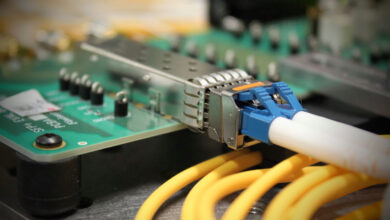
Routing an HDMI signal to a computer requires a capture device such as the Elgato Cam Link 4K, priced at $99.99. That figure excludes the necessary micro-HDMI or mini-HDMI cable, a desk mount or tripod, and potentially a dummy battery for continuous power. Elgato advises users to disable automatic power-saving features and confirm external power delivery works simultaneously with HDMI transmission, as many older digital cameras were never engineered to run continuously for hours as stationary desk accessories.
The total investment for an HDMI-based setup frequently exceeds $150. At that price point, purchasing a dedicated 4K webcam with built-in dual microphones and plug-and-play USB connectivity often makes more financial sense, unless the user already owns the required adapters or specifically needs the shallow depth of field provided by a fast prime lens attached to a full-frame sensor.
**Smartphone continuity features offer a free alternative**
Before investing in capture cards, users with recent smartphones have access to built-in operating system features that bypass traditional webcams entirely. Apple’s Continuity Camera allows compatible iPhones to act as wireless or wired Mac webcams using the phone’s advanced computational photography hardware. Windows 11 introduced a parallel feature enabling compatible Android phones to serve as PC webcams through the Phone Link application, requiring zero additional purchases.
**Resale values complicate the decision to repurpose**
Keeping an old digital camera for video calls carries an unexpected opportunity cost driven by shifting consumer trends. Shipments of built-in-lens digital cameras grew 29.6 percent in 2025 to approximately 2.44 million units, according to the Camera & Imaging Products Association, with projections indicating a further 13.6 percent increase in 2026. While CIPA does not attribute this growth exclusively to the aesthetic trend surrounding early-2000s digicams, secondary market prices reflect intense demand.
Photography retailer B&H reported that a Canon PowerShot S95 purchased for $130 in 2023 commanded an average selling price exceeding $400 by 2026. Checking current resale listings on platforms like eBay or KEH before converting a vintage compact camera into a permanent desk fixture may reveal that selling the device easily funds a top-tier modern webcam and a professional external microphone.