Repurpose Old Hard Drives: RAID Levels, Setup Options, and Critical Caveats
Complete guide to RAID levels, setup methods, and critical hardware caveats for 2026
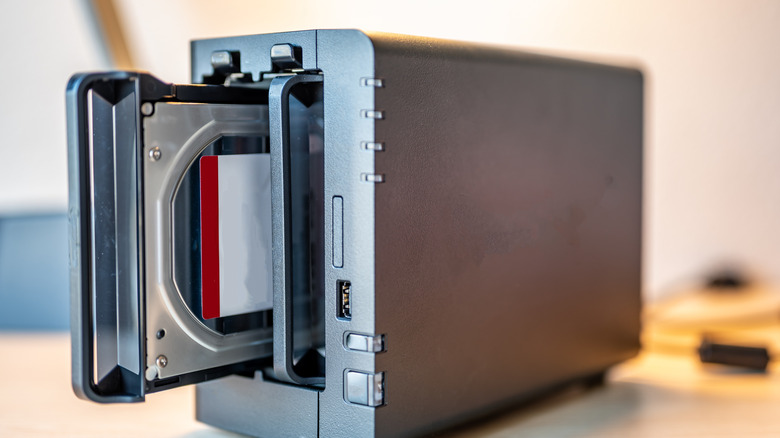
That drawer of retired 500 GB and 1 TB hard drives collecting dust in your workshop represents a storage resource most builders write off too quickly. With SSD prices still commanding a premium per terabyte, a Redundant Array of Independent Disks can turn those aging spinners into a single volume that delivers either speed, fault tolerance, or a balance of both — provided you pick the right level and understand what RAID does not protect against.
RAID combines two or more physical disks into one logical unit. Data is either striped across drives for throughput, mirrored for redundancy, or distributed with parity so the array survives a single drive failure. The technology predates modern SSDs by decades, but it remains the most cost-effective way to extract remaining value from mechanical drives that are too small for standalone duty yet still mechanically sound.
Choosing a level starts with the workload. RAID 0 stripes blocks across every drive, aggregating capacity and doubling or tripling sequential throughput — ideal for scratch space, game libraries, or video ingest where loss is acceptable. The trade-off is brutal: one drive dies, the entire volume vanishes. RAID 1 mirrors every write to a second drive, halving usable capacity but delivering instant recovery if either disk fails. For two-drive setups where uptime matters more than space, it remains the default choice.


When you have three or more drives, RAID 5 adds distributed parity. A single drive can fail without data loss, and usable capacity equals (N-1) drives. The catch arrives during rebuild: reading every remaining sector to reconstruct the missing drive stresses aging mechanisms and can trigger a second failure — the infamous “RAID 5 write hole” and URE (unrecoverable read error) risk that has pushed many administrators toward RAID 6 (dual parity) or RAID 10 for critical data.
RAID 10 nests mirroring and striping: drives pair as mirrors, then pairs stripe together. You sacrifice 50 % of raw capacity, but survive any single drive loss and most two-drive scenarios so long as they don’t hit the same mirrored pair. Rebuilds read only the surviving mirror, dramatically reducing stress and time — often hours instead of days on multi-terabyte arrays.
Implementation falls into two camps. Software RAID uses the OS — Windows Storage Spaces, Linux mdadm, macOS Disk Utility, or third-party tools like SnapRAID and StableBit DrivePool — to manage the array. No extra hardware required, configuration is portable across machines, and modern CPUs handle parity math effortlessly. Performance scales with CPU cores and memory bandwidth, but the OS must be running to access data, and boot-drive RAID adds complexity.
Hardware RAID offloads management to a dedicated controller card or a RAID-on-chip embedded in an external enclosure. The controller presents a single block device to the OS, handles rebuilds independently, and often includes battery-backed write cache that protects in-flight data during power loss. Controllers from Broadcom (formerly LSI), Adaptec, and HighPoint start around $150 for eight-port SAS/SATA models; enclosures from OWC, TerraMaster, or iStarUSA integrate the same silicon in a drive-bay chassis with Thunderbolt or USB 3.2 Gen 2×2 links. Verify the controller’s maximum drive count, RAID levels supported, and whether it passes SMART data through — some budget chips obscure drive health.
Three practical constraints frequently surprise first-time builders. First, mix drives of different sizes and the array caps at the smallest drive’s capacity; a 4 TB drive paired with a 1 TB drive yields only 1 TB usable in RAID 1 or 5. Second, shingled magnetic recording (SMR) drives — common in budget externals — suffer catastrophic write-performance collapse during RAID rebuilds; stick to conventional magnetic recording (CMR) models such as WD Red Plus, Seagate IronWolf, or Toshiba N300. Third, RAID is not backup. A deleted file, ransomware encryption, or controller metadata corruption destroys data across every drive simultaneously. Maintain an off-site or cloud copy regardless of redundancy level.
For builders ready to proceed, the lowest-friction path is a software RAID 1 pair on Windows 10/11 via Storage Spaces or on Linux via mdadm — both create the array in minutes without opening the case. If the workload demands sustained write throughput or the array must survive OS reinstallation, a hardware RAID 10 enclosure with four CMR drives delivers the best balance of performance, rebuild safety, and portability. As of October 2026, 8 TB CMR drives hover near $160 each, making a 16 TB usable RAID 10 array achievable for roughly $650 plus enclosure — roughly half the cost of equivalent SSD capacity.