Apple Gives Users a Slider for the Controversial Liquid Glass Design
iOS 27 lets users turn down Liquid Glass
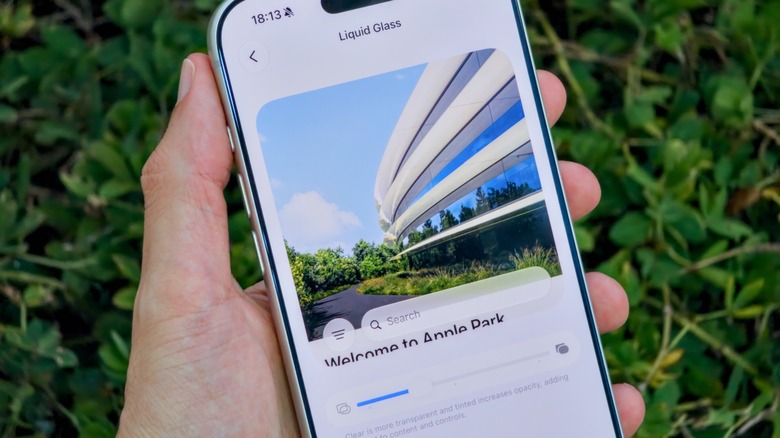
CUPERTINO, Calif. — Apple officially distributed iOS 27 in September after months of developer testing and public feedback through the Apple Beta Software Program. The update introduces granular interface customization, including an interactive slider for controlling the visual intensity of the controversial “Liquid Glass” design.
The new controls are available on the iPhone 11 and newer models, as Apple phases out support for older generations in line with its standard hardware lifecycle support windows. Users can find them by opening Settings, selecting “Appearance,” and entering the dedicated “Liquid Glass” menu.
Apple’s move departs from a long-standing design philosophy that generally favored uniform, locked-in aesthetics over user-directed customization. The company first introduced Liquid Glass as an effort to restore modern depth, gloss, and fluid motion to its mobile operating system, but its semi-translucent layers and glossy finishes divided users. Critics argued that the effects made interface elements harder to read.
In iOS 26.1, Apple had introduced “Tinted Mode” as a stopgap. The feature was designed to reduce the opacity of the glass effect while increasing visual contrast. Persistent complaints from users seeking greater visual clarity led Apple to develop a more comprehensive utility for iOS 27.
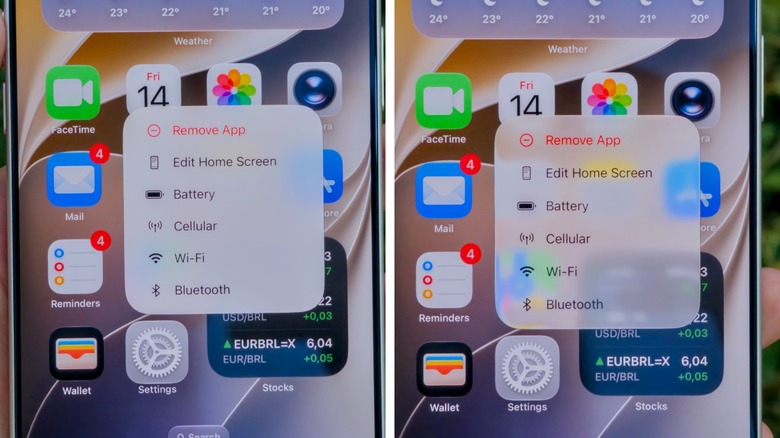
The slider’s center position balances transparency and opacity. Moving it left increases transparency and emphasizes the original high-gloss, glass-like depth, while moving it right makes interface elements highly opaque. The resulting solid backgrounds mimic classic flat-design layouts for maximum contrast.
A live, real-time preview appears inside the Settings menu, so users can evaluate changes without leaving the page. The Lock Screen’s glass intensity, however, remains independent of the primary system-wide slider.
Apple’s struggle to balance its aesthetic vision with legibility predates Liquid Glass. In 2013, former chief design officer Jony Ive led the retirement of skeuomorphism, the highly textured and realistic style championed by former iOS software chief Scott Forstall. The approach replicated real-world surfaces such as leather and wood before Apple replaced it with the radically flat, minimalist design of iOS 7.
The iOS 7 redesign modernized the platform but immediately drew criticism for low-contrast elements and thin typography that compromised readability for many users. In later updates, Apple added system-wide accessibility accommodations, including bold text options and transparency reduction toggles.
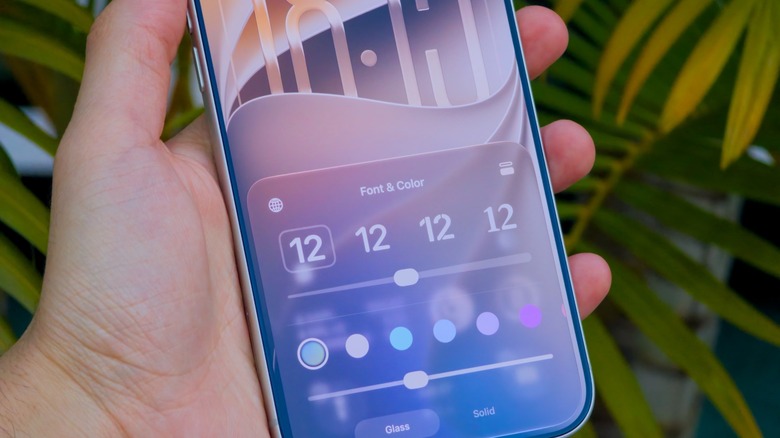
Users who want to bypass Liquid Glass altogether can still use an accessibility setting. In Settings, they can select “Accessibility,” open “Display & Text Size,” and enable the “Reduce Transparency” toggle. The option aggressively removes translucent design layouts across the operating system and prioritizes high-contrast utility over modern visual effects.
The new customization controls require a compatible device, with iOS 27 restricted to the iPhone 11 and newer models.