MPC-HC Version 2.7.4 Released With Default MPC Video Renderer and GPU Detection
Community fork update upgrades LAV Filters to version 0.82-4 and adds automated hardware setup
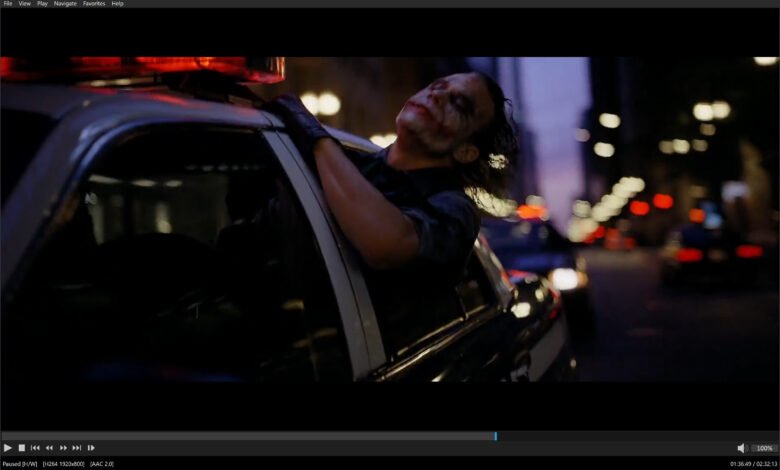
Media Player Classic – Home Cinema version 2.7.4 has been released with MPC Video Renderer enabled as the default display output for most Windows configurations. This replaces Enhanced Video Renderer Custom Presenter, known as EVR-CP, which served as the default renderer in prior releases.
MPC Video Renderer is now the by default renderer on the majority of systems. Previously EVR-CP was the default. MPCVR is a more advanced modern renderer with support for HDR video.
Upon initial launch, the updated media player runs a single GPU detection routine to adjust hardware decoding and video rendering options. The bundled MPC Video Renderer package handles High Dynamic Range color passthrough and Dolby Vision metadata processing natively using DirectX 11 pipelines. Users running Windows 10 or Windows 11 require D3D11 video decoding mode inside LAV Video Decoder settings to optimize system performance with this renderer.
The original MPC-HC project ended in July 2017 with version 1.7.13. However, a community fork maintained by “clsid2” on GitHub has continued development and is actively releasing new builds.
The maintenance project publishes release binaries through its official clsid2 GitHub repository. Build 2.7.4 incorporates LAV Filters version 0.82-4-gab7ca, an open-source media decoding framework maintained by developer Nevcairiel that relies on the FFmpeg multimedia project. MPC Video Renderer itself has been bumped to version 0.10.6.2555 within the distribution package.
Interface changes in this build include a toggleable playback timer alongside the seekbar and a new customizable viewing preset assigned to hotkey 4 that removes the top menu bar and bottom status display. Subtitle fetching integration with OpenSubtitles faces daily rate limits on public API keys due to server bandwidth costs. Users encountering HTTP error 406 when downloading subtitle files must enter individual account credentials under the OpenSubtitles.com setup menu inside the player settings.