

Inside Apple’s Three-Layer Payment Stack: Wallet, Pay, and Cash Decoupled
How Wallet, Pay, and Cash Form Apple's Three-Layer Financial System
Within Apple’s mobile commerce architecture, a distinct division separates three core financial technologies: Apple Wallet, Apple Pay, and Apple Cash. Although consumer discussions frequently treat these services as interchangeable, they operate as distinct layers within an integrated financial stack. Apple Wallet functions as an on-device digital storage container, Apple Pay serves as an encrypted transaction processing engine, and Apple Cash acts as a peer-to-peer banking and payment settlement infrastructure.
Apple Wallet operates as a local digital container embedded directly within the iOS and watchOS operating systems. The software first debuted in June 2012 at Apple’s Worldwide Developers Conference under the name Passbook, released alongside iOS 6. Initially, Passbook was limited to storing non-financial digital passes, including airline boarding passes, event tickets, store loyalty cards, and coupon vouchers formatted using the `.pkpass` file archive standard.
Apple Pay represents the hardware-backed payment protocol and transaction processing service introduced in October 2014 alongside the iPhone 6 and iOS 8.1. When a user conducts a transaction—whether at a physical point-of-sale terminal, within a mobile app, or on a website via Safari—Apple Pay executes the payment processing layer using credentials stored in Wallet.


In September 2015, with the launch of iOS 9, Apple rebranded the utility as Apple Wallet, expanding its parameters to house digitized payment instruments. Over subsequent operating system updates, Apple expanded the Wallet platform beyond financial card storage. The application now supports state-issued mobile driver’s licenses and digital IDs adhering to the ISO/IEC 18013-5 standard, digital vehicle keys operating on the Car Connectivity Consortium (CCC) Digital Key specification, hotel room keys, transit passes, corporate access badges, and health insurance credentials.
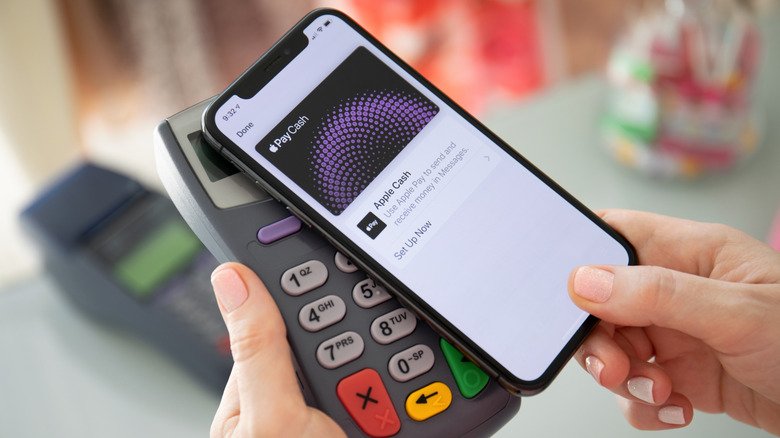
To perform a contactless payment at a physical store, the iPhone uses Near Field Communication (NFC) hardware operating across standard 13.56 MHz frequencies to establish a connection with a payment terminal. The user double-presses the side button (or Home button on select models) to trigger biometric verification. This is completed using Face ID—which analyzes facial geometry via the TrueDepth camera’s 30,000 projected infrared dots—or Touch ID, with a device passcode acting as a manual fallback. Once authenticated, the Secure Element releases the Device Account Number alongside a dynamic, transaction-specific cryptogram (a one-time cryptographic code). The merchant terminal receives only the DAN and the one-time security code. The actual 16-digit primary account number (PAN) is never transmitted to or seen by the merchant, and Apple’s backend architecture does not retain purchase details linked to specific individuals.
When a payment card is added to Apple Wallet, the issuing financial institution verifies the account and generates a unique token known as a Device Account Number (DAN) or Device Primary Account Number (DPAN). This DAN is encrypted and stored directly inside the device’s Secure Element—a hardware-isolated, EAL6+ certified tamper-resistant microchip that runs a dedicated operating system separated from the primary iOS Application Processor. Neither Apple’s central servers nor the primary iOS system can access or extract the underlying physical credit or debit card numbers stored within the Secure Element.
Operating separately from the payment processing framework is Apple Cash, the company’s peer-to-peer (P2P) money transfer service. Launched in December 2017 with iOS 11.2 (originally branded as Apple Pay Cash), Apple Cash functions as a virtual prepaid debit card hosted inside Apple Wallet. The financial foundation and banking backend for Apple Cash are provided by Green Dot Bank, an FDIC-member financial institution, with payment clearing conducted across the Visa debit network.
For online and in-app checkouts, Apple Pay utilizes standardized web payment interfaces, passing tokenized payment data to payment processors without exposing raw credit card numbers. To distinguish purchases made via Apple Pay from standard card usage, users can view their device’s unique Device Account Number. Inside Apple Wallet, selecting a card, opening the three-dot information menu, and authenticating via Face ID or Touch ID reveals the unique “Apple Pay Last Four Digits” under the Card Details submenu.
Apple Cash allows users to send and receive funds through several methods. Transfers can be sent directly through individual or group text threads via iMessage Integration. Introduced in September 2024 with iOS 18, Tap to Cash allows two users to initiate direct peer-to-peer transfers by holding two iPhones in close physical proximity, using NFC protocols without sharing linked email addresses or phone numbers. Unlike multi-platform P2P tools such as Venmo, PayPal, or Cash App, Apple Cash remains restricted to the Apple software ecosystem. Account registration and transaction execution require an active Apple Account on an iOS or watchOS device, preventing direct transfers to non-Apple operating systems.
As a software application, Wallet itself does not process payments, clear transactions, or communicate directly with credit card networks. It functions strictly as a secure user interface and repository for stored digital credentials. Unlike conventional magnetic stripe or physical chip card transactions that broadcast static financial details, Apple Pay operates on an EMVCo-compliant tokenization framework established by major card networks, including Visa, Mastercard, and American Express.
When funds are received, they accumulate on the virtual Apple Cash card in Wallet. Users can apply the balance toward physical or online Apple Pay purchases, send funds to other eligible account holders, transfer money to linked commercial bank accounts via Automated Clearing House (ACH) or instant debit card transfers, or reload the balance using a linked debit card.








One Comment