How Samsung’s Watch Face Studio Enables Custom Wear OS Interfaces
Samsung's free desktop tool allows users and developers to design and side-load custom Wear OS interfaces.
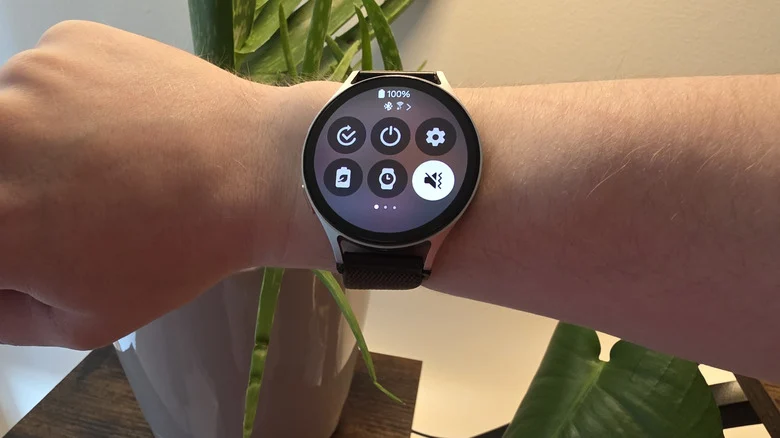
Samsung has built a dominant presence in mobile technology by managing a delicate balance between out-of-the-box simplicity and deep user customization. While casual buyers can rely entirely on default settings, the tech giant frequently provides advanced software suites—such as Good Lock for smartphones—to satisfy power users who want extensive control over their hardware. That same modular strategy extends to the company’s wearable lineup, where Wear OS software can be modified beyond standard app store offerings.
Through the official Samsung Developer platform, creators and device owners have access to Samsung Watch Face Studio, a dedicated desktop authoring environment available for Windows and macOS. The free utility enables the creation of custom digital timepieces compatible with modern devices, including recent smartwatches like the Galaxy Watch7 and Galaxy Watch8. While initially designed for commercial entities and software developers looking to distribute designs commercially, the tool has gained traction among enthusiasts building bespoke software interfaces for personal use.
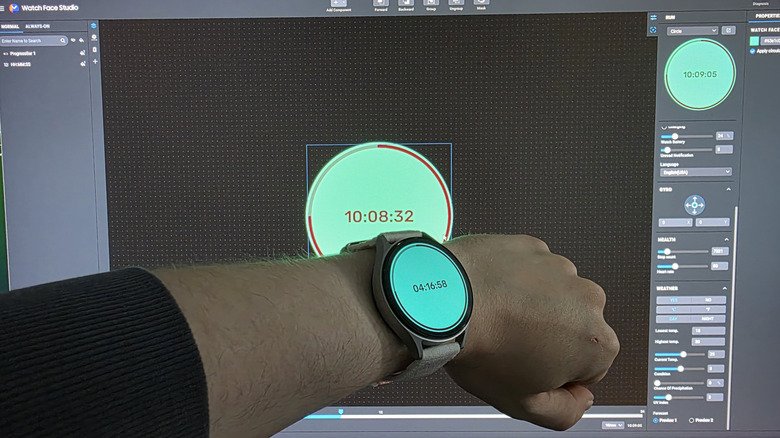
The application functions as a full-featured graphic design tool tailored specifically to wearable displays. Creators can integrate dynamic UI components such as digital clocks, circular progress bars, line icons, step counters, battery indicators, and countdown timers. The editor also supports custom background graphics, photos, and animated GIFs, alongside dedicated layout controls for the Always On Display (AOD). Designing custom watch faces requires balancing aesthetic detail against power efficiency; high-frequency data updates and complex animations accelerate battery drain, whereas dark, static layouts leverage AMOLED screen efficiency to conserve energy.
<img class="gallery-image " src="https://nile1.com/en/wp-content/uploads/2026/07/how-to-customize-your-own-galaxy-watch-face-1784551181.jpg" data-slide-url="https://www.engadget.com/2218758/customize-samsung-galaxy-watch-free-graphic-design-tool-watch-face-studio/" data-post-id="2218758" data-slide-num="1" data-slide-title="You can customize your Samsung Galaxy Watch with this free design tool: How to customize your own Galaxy Watch face” width=”780″ height=”438″ alt=”Building a custom watch face in Samsung Watch Face Studio” />
Installing a custom creation onto a Galaxy Watch does not require publishing it to the Google Play Store or Galaxy Store. Instead, users can deploy designs directly across a local network using wireless developer tools. Additional guidelines regarding smartwatch software standards are accessible through official Wear OS documentation.
To initiate deployment, both the computer running Watch Face Studio and the target Galaxy Watch must connect to the same Wi-Fi network. On the watch, accessing Settings, selecting About Watch, and navigating to Software Information exposes the Software Version field. Repeatedly tapping Software Version prompts a PIN entry, which unlocks Developer Options at the bottom of the system menu.
Toggling Wireless Debugging within Developer Options displays an IP address, port number, and pairing code. Entering these parameters into the Run on Device menu within Watch Face Studio establishes a direct connection between the computer and the watch, transferring the custom design directly to the display.