What Your Router’s USB Port Can Really Do—and Where It Falls Short
Storage, failover, and printing are possible, but router USB ports have strict hardware limits
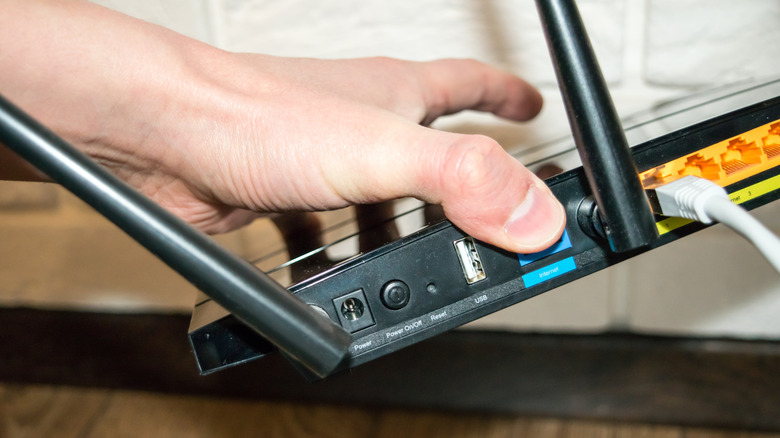
Consumer wireless gateways with embedded USB interfaces can do more than forward packets. Positioned beside traditional RJ-45 Local Area Network (LAN) and Wide Area Network (WAN) Ethernet ports, their USB host ports use the router’s internal processing hardware to support distributed storage, redundancy protocols, and hardware sharing across local networks.
Modern consumer routers are low-power, dedicated microcomputers built around embedded System-on-Chip (SoC) architectures, integrated central processing units (CPUs), system memory (RAM), and lightweight Linux-based operating systems. Faster multi-core processors and USB 3.0 and USB 3.1 generation standards give newer models additional compute overhead for background tasks without interrupting primary routing and packet-filtering operations.
A USB connection can also link a router to an external 4G LTE or 5G USB modem. Router software can establish a cellular internet connection and, in a dual-WAN or multi-WAN topology, use that interface as a secondary primary link or as an automated fallback system—known as dual-WAN failover—when the primary wired Internet Service Provider (ISP) experiences an outage.


Mobile devices running the Android operating system can provide another form of WAN backup through USB tethering. The physical tether routes local network traffic through the phone’s cellular data connection, allowing every client on the local network to keep using its existing local Wi-Fi connections instead of requiring individual wireless settings to be changed to a mobile hotspot. Unlike permanent cellular dongles configured for automatic failover, USB tethering requires physical intervention to connect the mobile device during an outage.
The same ports can turn an external hard disk drive (HDD), solid-state drive (SSD), or USB flash memory drive into local Network-Attached Storage (NAS). The connected storage becomes a shared network repository accessible to all authenticated hardware on the local network. Administration interfaces may list this capability as File Sharing, USB Storage Device, or Media Sharing, while vendor-specific implementations include Netgear’s ReadySHARE platform.
Asus and TP-Link are among the router manufacturers whose firmware supports standardized file transfer and network communication protocols. Server Message Block (SMB) / Samba enables direct folder mounting and file read/write operations across Windows, macOS, and Linux platforms. File Transfer Protocol (FTP) provides a legacy client-server method for transferring files across TCP/IP networks, with local or restricted remote directory access. Media Server Protocols can implement Digital Living Network Alliance (DLNA) standards to stream indexed video and audio files to smart televisions, media players, and software clients on the local network.
The storage experience depends heavily on the router’s hardware. Older or entry-level wireless routers often use USB 2.0 host controllers, and the router’s internal CPU must handle file system indexing and decryption alongside network routing. Moving multi-gigabyte files can therefore take extended periods at lower throughput levels.
+———————————————————————–+
| USB Interface Standards |
+————————–+——————–+———————–+
| Feature | USB 2.0 | USB 3.0 / 3.1 Gen 1 |
+————————–+——————–+———————–+
| Max Theoretical Speed | 480 Mbps (60 MB/s) | 5 Gbps (625 MB/s) |
| Bus Power Supply | 5V, 500mA (2.5W) | 5V, 900mA (4.5W) |
| Typical Real-World Router| 15 – 30 MB/s | 50 – 110 MB/s |
| Transfer Speeds | | |
+————————–+——————–+———————–+
USB 2.0 specifies a maximum theoretical data transfer rate of 480 Megabits per second (Mbps), or 60 Megabytes per second (MB/s). The table lists typical real-world router transfer speeds of 15 – 30 MB/s for USB 2.0 and 50 – 110 MB/s for USB 3.0 / 3.1 Gen 1, while the latter has a 5 Gbps (625 MB/s) maximum theoretical speed.
Electrical limits can affect whether a drive remains usable. USB 2.0 supplies 5 Volts at 500 milliamperes (mA), or 2.5 Watts, while USB 3.0 supplies 5 Volts at 900 mA, or 4.5 Watts. Portable 2.5-inch external hard drives that depend entirely on USB bus power can demand more peak current during initial disk spin-up than a router port can reliably provide. The resulting power imbalance can cause drive disconnects, file corruption, or router instability; external hard drives with dedicated power adapters mitigate power delivery issues.
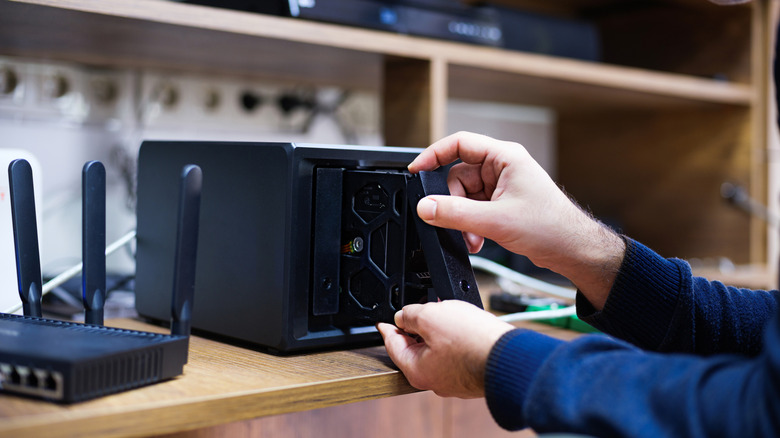
Router-attached storage can provide convenient local access for ephemeral media sharing and general file dissemination, but it is not equivalent to a dedicated storage appliance. Standalone Network-Attached Storage (NAS) units use multi-bay drive configurations and can support Redundant Array of Independent Disks (RAID) architectures, including RAID 1 (mirroring) and RAID 5 (striping with distributed parity).
Those RAID configurations maintain operation and data integrity even when an individual physical hard drive suffers complete hardware failure. A router-attached USB drive normally uses a single drive without hardware redundancy, making it unsuitable for primary backups of critical data.
A router USB port may instead be used as a network print server. A legacy USB printer without native Wi-Fi or Ethernet can accept wireless print jobs over the local network after being connected to the router. Networked desktop computers can access the printer through protocols such as Line Printer Daemon (LPD) or raw TCP/IP printing.
Print sharing still requires client-side configuration software, including the EZ Printer Sharing utility provided by manufacturers like Asus, or manual driver setups on Windows and macOS systems. Basic router firmware rarely provides native protocol translation for specialized mobile printing standards such as Apple AirPrint or the Mopria Alliance standard, so direct print jobs from mobile devices running iOS or Android are generally unsupported through a basic router USB connection.