

When to Replace Your Apple Pencil Tip Before It Scratches
Exposed metal cores and skipped strokes signal that your stylus needs immediate maintenance to protect your display.
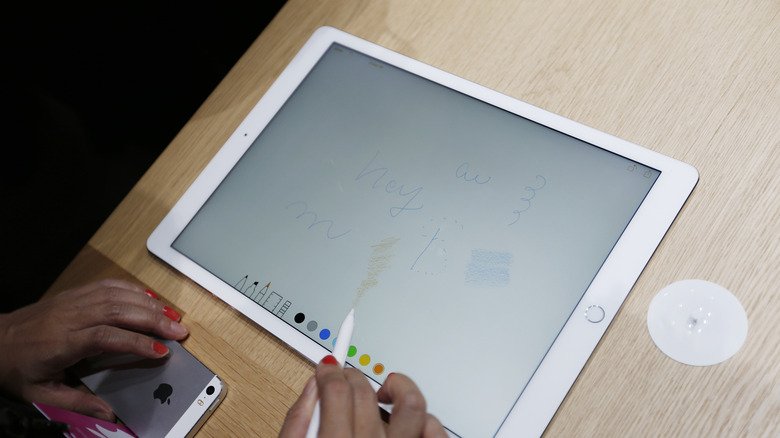
A worn Apple Pencil tip can permanently damage an iPad or iPhone display long before the stylus stops working entirely. As Apple expands stylus compatibility across its device lineup, including support for newer iPhone models, understanding how and when these replaceable tips degrade has become a practical necessity for millions of users.
The tip is the only part of an Apple Pencil designed to be consumed through regular use. Made from a specialized thermoplastic polyurethane, it acts as a sacrificial barrier between the internal metal antenna—which transmits signals to the screen’s digitizer—and the glass itself. When that plastic wears away completely, the exposed metal core can gouge the oleophobic coating or crack the underlying display panel.
All current and legacy models, including the Apple Pencil Pro, the USB-C variant, and the first- and second-generation versions, share this identical threaded-tip architecture. A single replacement tip fits every model Apple has ever produced, meaning hardware upgrades do not require buying new accessories for basic maintenance.


Physical inspection reveals degradation faster than performance issues. A fresh tip features a smooth, symmetrical dome. Heavy friction gradually flattens one side, creating an angled edge that feels rough when dragged lightly across a fingernail. Once the surface loses its uniform curve or the white plastic thins enough to reveal a dark metallic shadow underneath, immediate replacement is required to prevent screen damage.
Connectivity failures often precede visible destruction. The digitizer relies on consistent capacitance between the tip and the glass. As the shape distorts, the contact area changes unpredictably. Users typically notice this as skipped strokes during fast writing, erratic pressure curves in drawing applications like Procreate, or a slight delay between physical movement and digital response. Palm rejection may also begin failing because the tablet cannot accurately calculate the stylus angle.
Lifespan depends entirely on usage patterns and surface texture. Casual note-takers generally exhaust a tip every 18 to 24 months. Professional illustrators applying heavy pressure for hours daily often wear through one in under six months. Third-party matte screen protectors, frequently marketed as “paper-feel” films, act like fine sandpaper against the soft plastic and accelerate wear dramatically compared to bare glass.
Apple sells official replacement packs containing four tips for $19. Installation requires no tools; the old tip unscrews counterclockwise with moderate finger pressure, and the new one threads in clockwise until snug. Over-tightening risks cracking the internal housing.
The universal threading standard has generated a robust aftermarket for specialized tips. Brands like PenTips and Delidigi engineer alternatives targeting specific professional needs. The PenTips Lite focuses on reducing friction for digital artists requiring high precision—a profile adopted by animation professionals at studios including Disney. Delidigi’s Fine Point uses harder composite materials to extend longevity while mimicking the tactile resistance of a traditional ballpoint pen for writers who find the stock Apple tip too slippery.
Choosing between official and third-party replacements involves a trade-off. Apple’s stock tips guarantee baseline performance calibrated to the original hardware specifications. Harder aftermarket tips last longer but transfer more impact force directly into the glass, potentially increasing screen vulnerability if dropped during use.
As of late 2026, Apple continues to sell the four-pack replacement kit at the established $19 price point through its retail stores and online storefront, maintaining cross-compatibility across the entire Apple Pencil hardware ecosystem.