Adobe Integrates Google’s Nano Banana AI Into Experimental iPhone Camera App
The new AI Playground features in Project Indigo offer on-device editing, artistic styles, and an interactive photo critic powered by Google's Nano Banana.

Software giant Adobe has launched a major update to its experimental camera app for the iPhone, introducing a suite of generative AI features designed to streamline mobile photography and editing. Dubbed AI Playground, the new toolset is currently being trialed within version 1.1 of the company’s experimental camera app, known as Project Indigo.
In an unexpected move, Adobe has bypassed its proprietary Firefly models for this initial release. Instead, the company has integrated Google‘s Nano Banana, an efficient image generation model, to power the app’s on-device editing capabilities. While Adobe has indicated that Firefly could be incorporated into the application in the future, Nano Banana serves as the primary engine for the current experimental phase.
The integration of generative AI into mobile viewfinders represents a growing trend among tech giants, as companies increasingly build artificial intelligence directly into mobile operating systems. However, Adobe’s approach with Project Indigo focuses on providing a highly specialized, creative sandbox for creators looking for advanced control directly at the point of capture.
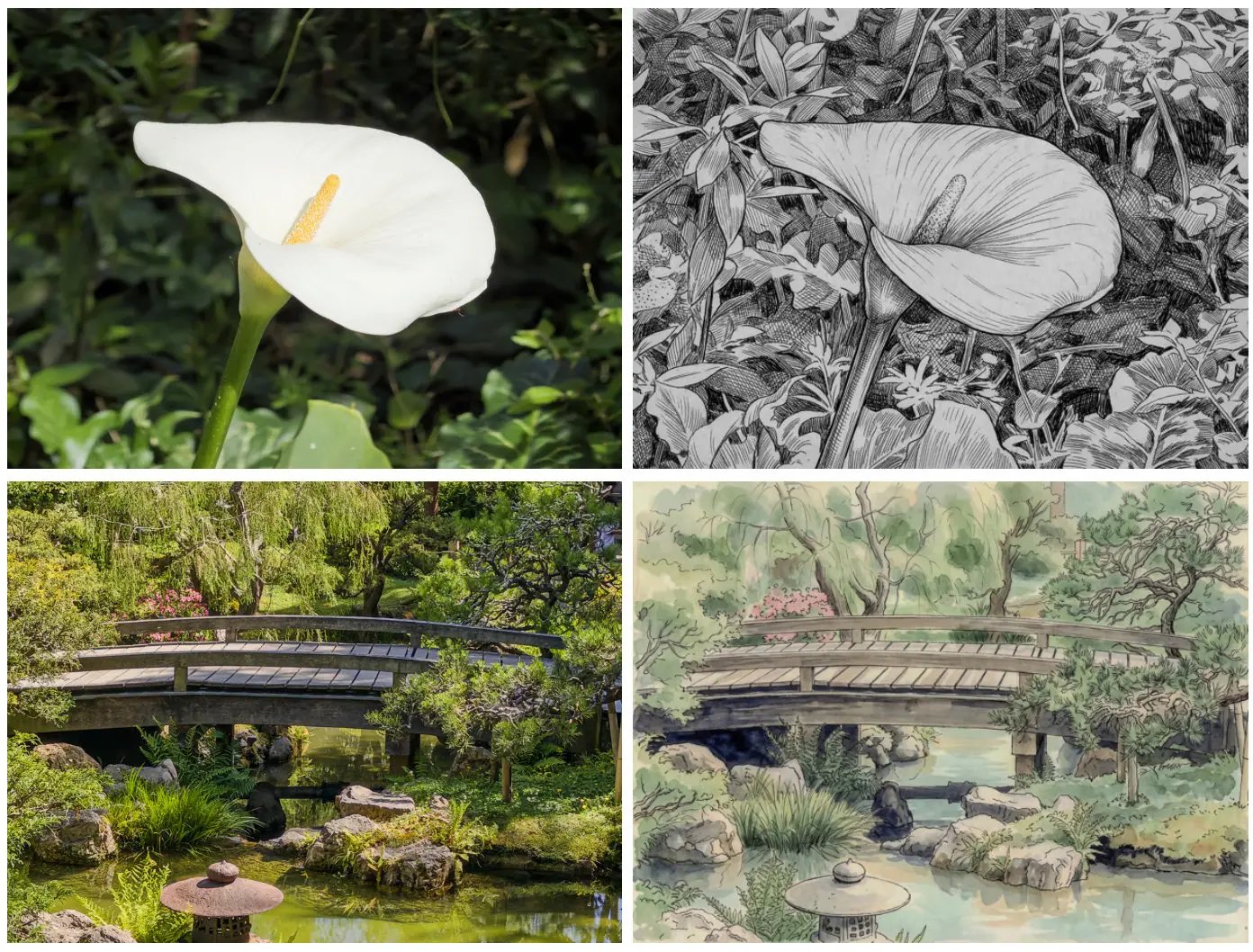
The AI Playground suite is divided into four distinct functional areas. The first is Object Editing, which allows users to cleanly remove unwanted elements from their shots—such as pedestrians, vehicles, or street signs—or apply a background blur to mimic a shallow depth of field. The second section, Styles, enables one-touch transformations of standard photographs into artistic mediums, including 2D sketches and watercolor paintings.
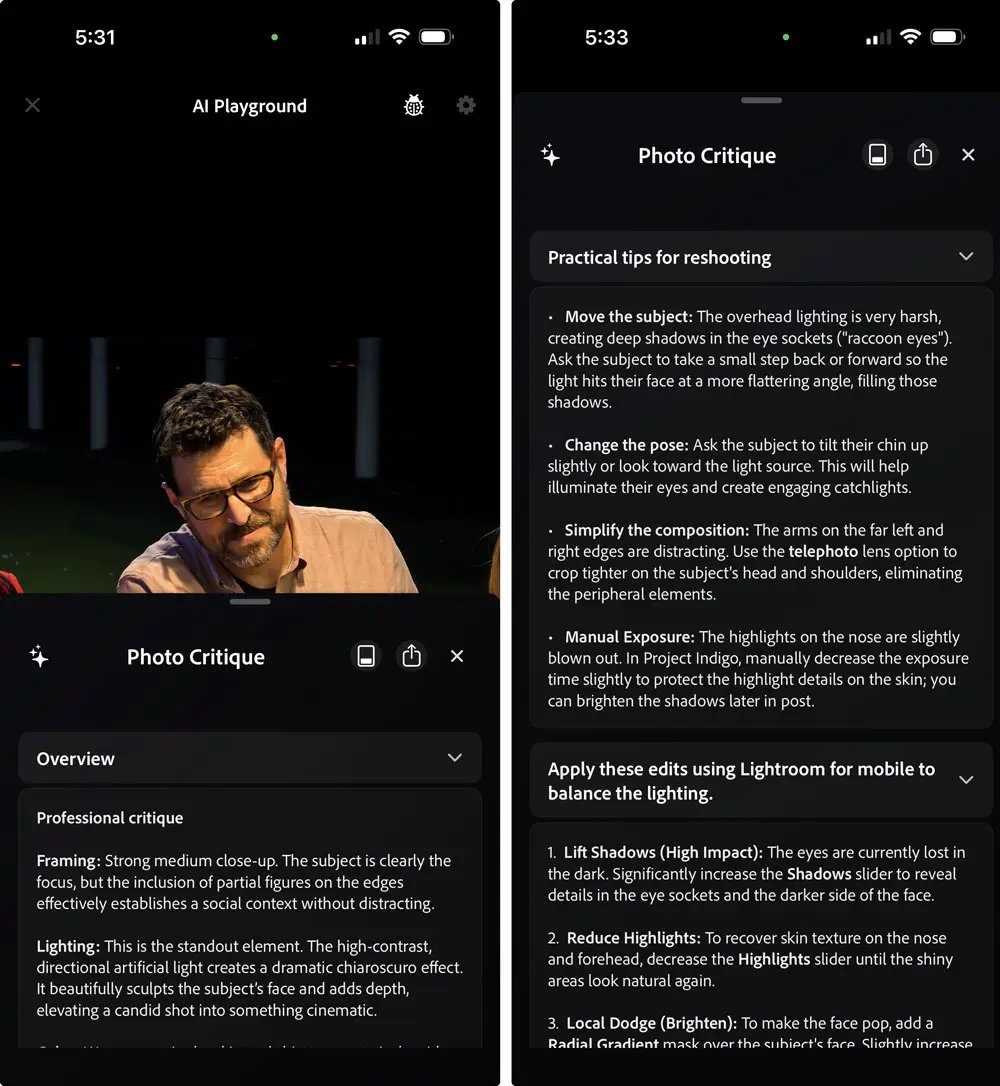
Perhaps the most novel feature is the Photo Guide. Operating similarly to conversational AI assistants like ChatGPT or Gemini when analyzing documents, this tool acts as an interactive critic. It reviews the captured image and provides constructive feedback, suggesting specific edits or recommending a retake if the composition or lighting is suboptimal.
Rounding out the suite is Custom Editing, which gives photographers the ability to manipulate images using natural language text prompts or voice dictation. Through this interface, users can instruct the app to reposition objects within the frame or alter the direction of the light source.
One technical hurdle Adobe had to overcome involves high dynamic range (HDR) processing. Because standard image generation models typically only support standard dynamic range (SDR), processing an HDR photo through Nano Banana would normally result in a loss of color depth and intensity. To preserve image quality, Adobe developed a proprietary model that references the original shot to reconstruct the HDR profile after the AI modifications are applied.
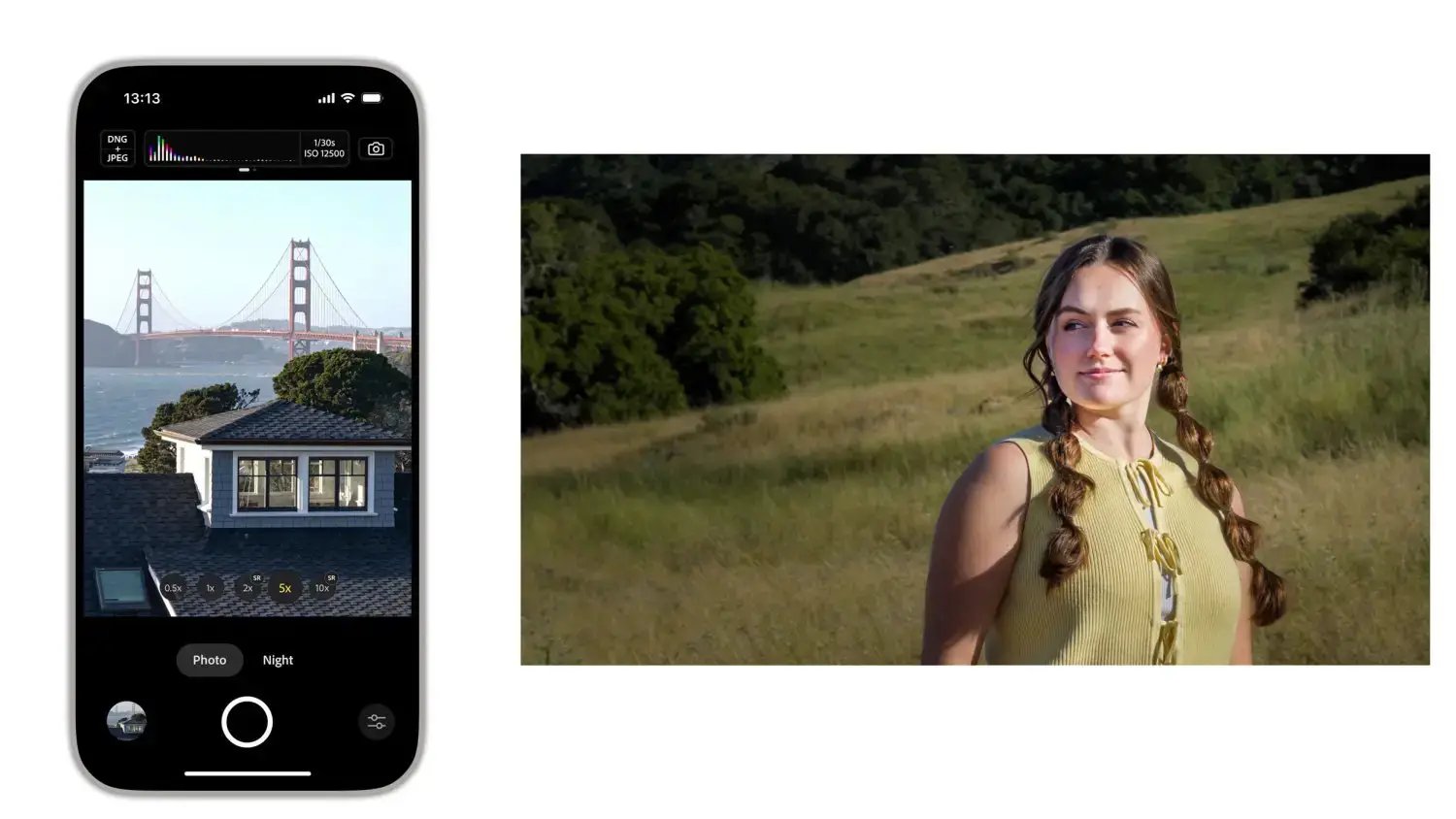
Currently, access to AI Playground is highly restricted. Adobe is rolling out the feature to a small percentage of Project Indigo users for a limited trial period of a few weeks to gather usage data. To access the tools, users must capture photos directly within the app; the AI editing button, represented by a star icon at the bottom of the screen, will remain unavailable for imported images. While the trial is currently free, Adobe has signaled that a paid subscription model could be introduced in the future if the features gain widespread traction.