Dead or Stuck Pixel? The Screen Defect Test That Tells Them Apart
Identify the defect before trying to fix it

Millions of pixels form the grids used in modern IPS, VA, and TN liquid crystal displays (LCD), as well as organic light-emitting diode (OLED) panels. A standard 1080p Full High Definition display contains approximately 2.07 million individual pixels, while a 4K Ultra High Definition panel contains roughly 8.29 million. Every pixel is divided into red, green, and blue (RGB) sub-pixels, whose electrical modulation controls the color and brightness rendered at each screen coordinate.
The microscopic thin-film transistor (TFT) matrix controls those individual picture elements, and anomalies within it are the primary source of display-panel defects in consumer electronics, computer monitors, and television sets. When a hardware failure occurs at the sub-pixel level, the visible result depends on the electrical current and the condition of the underlying transistor.
A stuck pixel retains an active electrical charge that locks one or more sub-pixels into a fixed, continuous state. It produces an immovable dot of pure red, green, or blue, or a combination such as cyan, magenta, or yellow. Thermal fluctuations or power supply inconsistencies can trigger or worsen the problem, sometimes causing it to appear intermittently rather than continuously.

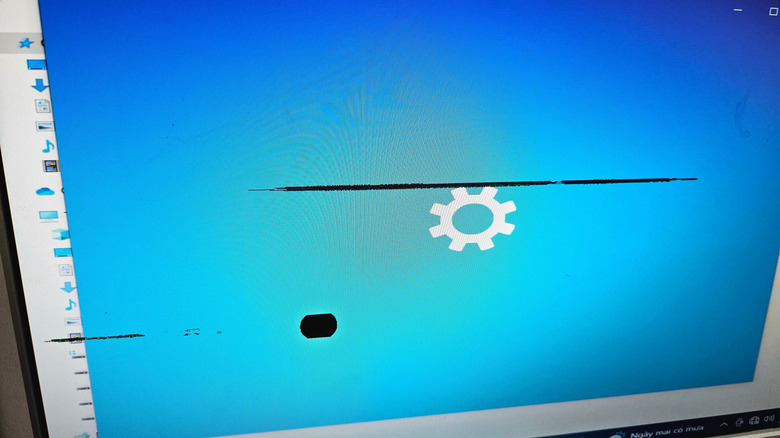
By contrast, a dead pixel results when a transistor cannot receive power or stops conducting electricity entirely. In an OLED display, where pixels produce their own light, an unpowered sub-pixel generates no light. In a conventional transmissive LCD panel, the unpowered pixel cannot rotate the liquid crystals, so the backlight is blocked by the polarizing filters. A dead pixel therefore remains an inert, static black spot regardless of the background image, and a permanently severed circuit or physically inoperable transistor cannot be restored through software or operating adjustments.
A rare version of the stuck-pixel defect occurs when all three sub-pixels stay on at maximum voltage. Classified as a bright or hot pixel, it appears as a fixed white point against dark backgrounds. Stuck pixels differ from dead pixels because they emit constant light rather than remaining unlit.
Diagnosis begins by eliminating external hardware and software variables. Dust or smudges on the exterior glass can resemble a pixel defect, while damaged DisplayPort or HDMI cables, loose physical connections, and graphics processing unit (GPU) driver errors can create single-frame artifacts or localized visual corruption. Technicians clean the display surface, test it with multiple input sources and interface cables, and show uniform, full-screen color patterns to verify panel integrity.
Dead Pixel Buddy and similar dedicated evaluation tools or web-based utilities cycle through solid fields of white, black, red, green, and blue. A white screen exposes non-functioning black dead pixels, whereas black or single-color screens reveal stuck sub-pixels that fail to switch off.
Some stuck pixels can be treated because they involve mechanical or electrical hesitation in the liquid crystal layer rather than a complete circuit failure. Browser tools such as JScreenFix and mobile utilities including Dead Pixels Test and Fix use high-frequency color cycling, flashing contrasting RGB colors over the affected coordinates at rates of 60 frames per second or higher. The cycling is intended to force the liquid crystal molecules to realign and reset the transistor state. When the defect is intermittent, starting the routine as soon as it appears provides the highest probability of restoring normal sub-pixel function.
These defects are not the same as screen burn-in, also called permanent image retention. Dead and stuck pixels are localized, single-pixel transistor problems. Burn-in affects broader panel areas through uneven chemical degradation of organic compounds in OLED displays or sustained electrical charge accumulation in older phosphor-based panels.
Manufacturing tolerances and consumer return options are addressed by international standards, particularly ISO 9241-307, which replaced ISO 13406-2. The standard establishes four defect classes for flat-panel displays and sets acceptable thresholds for dead pixels, bright pixels, and sub-pixel faults per million pixels. Most consumer monitors and televisions use Class II standards, which permit a specific minor quota of sub-pixel defects before a manufacturer is legally required to replace the panel under standard warranty terms.
For unresolvable dead pixels or non-responsive clusters of stuck pixels, hardware replacement remains the sole method of eliminating the flaw.