ChatGPT Chrome Extension Now Reads Your Open Browser Tabs
The AI assistant can now compare products across tabs, automate form filling, and run multi-step workflows using ChatGPT Work.
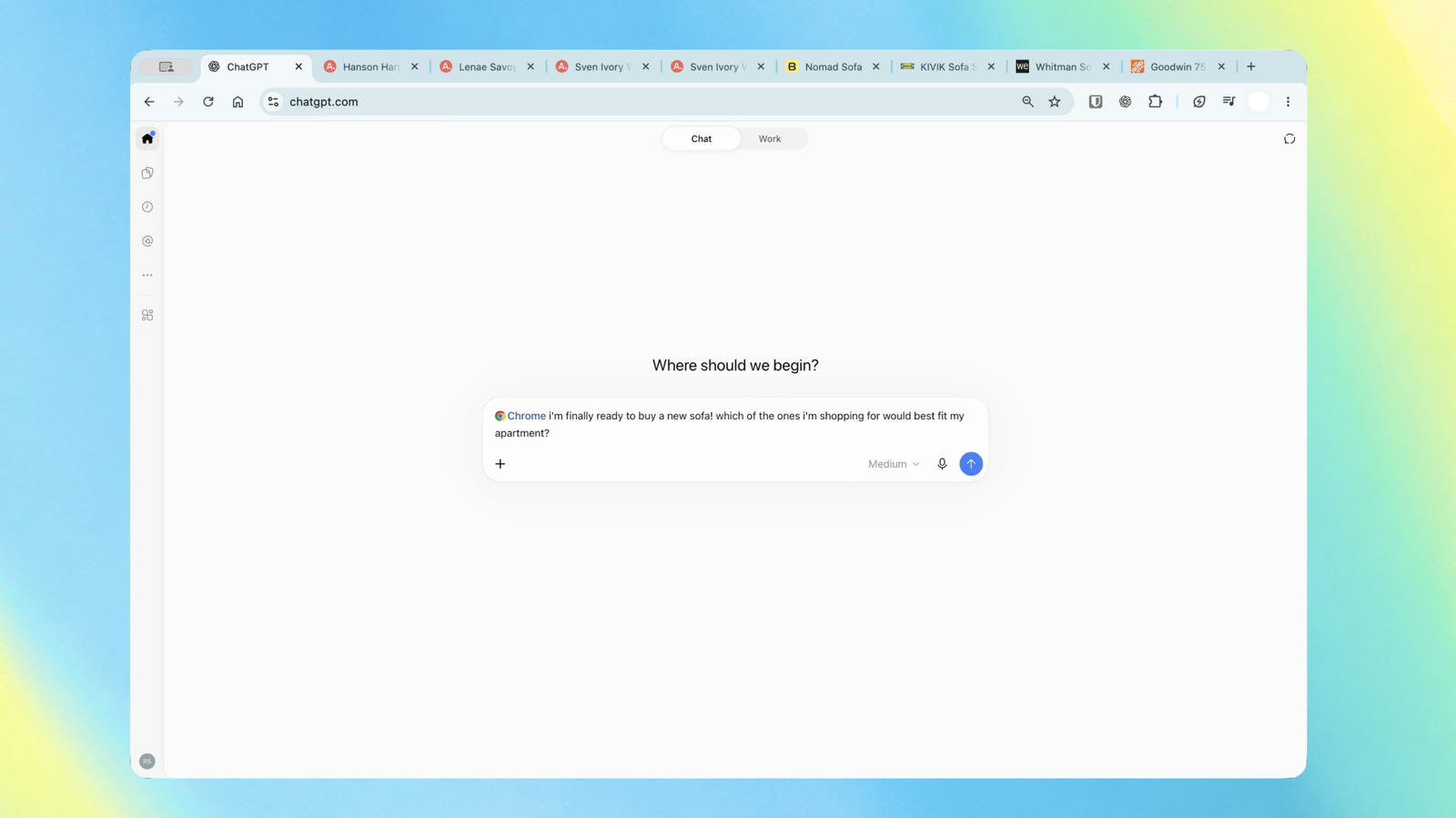
OpenAI’s ChatGPT extension for Chrome can now read the contents of a user’s open browser tabs, transforming the add-on from a standalone chat window into an active participant in web browsing sessions. The update allows the artificial intelligence to synthesize information spread across multiple pages without requiring users to copy and paste URLs or text into a prompt.
The tab-reading capability operates within the standard ChatGPT Chat interface. A user researching furniture, for example, can leave several product pages open and ask the assistant to compare the items by dimensions, pricing, delivery timelines, and return policies. The AI parses the active tabs simultaneously to generate a consolidated answer.
This cross-tab functionality arrives roughly two months after OpenAI shut down its dedicated web browser on August 9. That standalone browser project struggled to gain traction against entrenched competitors like Google Chrome and Microsoft Edge. Rather than maintaining a separate browser application, OpenAI has pivoted toward embedding its models directly into the Chromium ecosystem, where it competes more directly with Alphabet’s Gemini Nano and Microsoft’s Copilot integration.


Beyond basic comparisons, the extension introduces deeper automation through ChatGPT Work, OpenAI’s agent framework built for multi-step workflows. Within this mode, the assistant can execute actions rather than just retrieve information. Users can instruct the agent to review contractor terms scattered across several tabs, identify the most suitable option based on specific criteria, and draft a corresponding email. Other supported actions include filling out web forms, organizing cluttered tab groups, and pushing scheduling data directly into calendar applications.
A persistent sidebar implementation accompanies these new capabilities. Unlike previous iterations that required users to switch context to interact with the AI, the updated sidebar maintains access to the user’s full browsing history. This allows continuous conversation and task delegation while keeping the primary webpage visible and active.
Browser compatibility extends beyond Chrome. Because the underlying architecture relies on Chromium, the extension functions identically on Microsoft Edge, Brave, and Opera. Access is not restricted by subscription tier; OpenAI confirmed the updated extension is available to all users regardless of their specific ChatGPT plan.
The expansion of tab-level permissions places ChatGPT in direct competition with native browser AI tools. While Gemini has long leveraged Chrome’s underlying data to summarize pages and answer contextual questions, OpenAI’s approach ties the browsing data back into its broader ecosystem of agents and custom instructions. Privacy controls for the tab-reading feature rely on Chrome’s standard extension permission prompts, requiring users to explicitly grant the add-on access to site data before it can parse open windows.
OpenAI began rolling out the updated extension to Chromium-based browsers this week.