
SANTA CLARA, Calif. — Nvidia has consolidated its legacy desktop software into a single application, merging the Nvidia Control Panel with GeForce Experience. The unified client handles driver updates, sub-system performance profiles, display settings, 3D render profiles, display utilities, system telemetry, and real-time AI image processing across multiple generations of graphics hardware.
Global system profiles and individual program settings now share the same interface. Users can apply per-application profiles and hardware overrides, including per-app Resizable BAR toggles for PCI Express bandwidth optimization tailored to specific titles.
The application also brings back-end controls from the legacy Nvidia Control Panel into the modernized client. These include CUDA System Fallback policies, system display properties for Custom Resolutions, and NVIDIA Surround configurations with custom bezel corrections and display-grouping hotkeys.


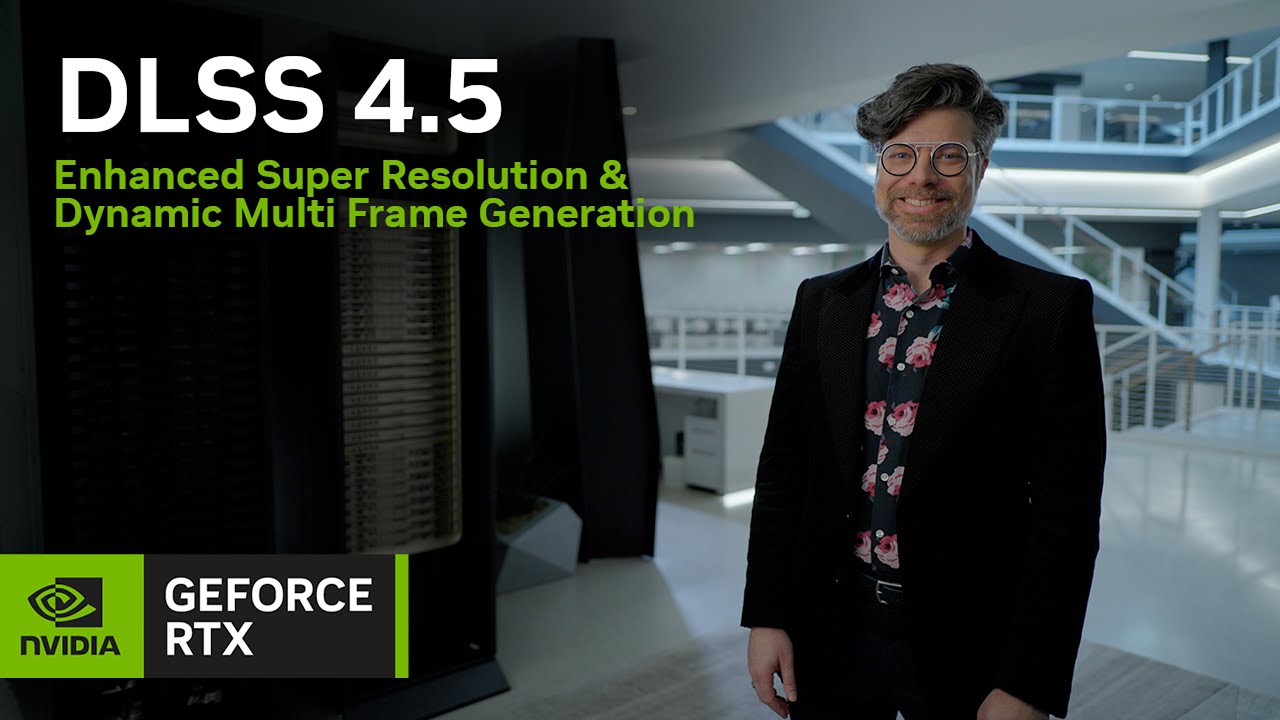
DLSS 4.5 controls now include manual driver overrides for Ray Reconstruction and advanced frame synthesis algorithms. On GeForce RTX 50 Series GPUs built on Nvidia’s newest consumer microarchitectures, Dynamic Multi Frame Generation adds a “Dynamic” target frame rate mode that automatically calculates and injects generated frames according to real-time render loads.
In high-demand 4K path-traced environments, 5X and 6X Frame Generation modes use Tensor Cores and Nvidia Reflex low-latency technology to push display output beyond native rasterization boundaries. An updated frame generation model for RTX 40 and RTX 50 Series graphics cards also uses raw game engine telemetry to reduce distortion on fixed user-interface elements and HUD graphics.
The graphics control sub-menu contains refined neural network model presets. The former “Latest” designations have been replaced by a “Recommended” framework with Model M for DLSS Performance mode, Model L for 4K Ultra Performance configurations, and Preset K for core upscaling tasks across standard resolution targets.
Tensor Cores also power AI-driven Freestyle filters. RTX Dynamic Vibrance is an AI-enhanced evolution of Digital Vibrance that boosts color clarity and saturation per app while using pattern recognition to prevent color crushing. RTX HDR injects high-dynamic-range output into compatible games; internal telemetry indicates that only 10 of the top 50 most-played GeForce titles natively support HDR, while the filter converts Standard Dynamic Range titles running on DirectX 9, DirectX 11, DirectX 12, and Vulkan into full HDR color spaces for compatible monitors.
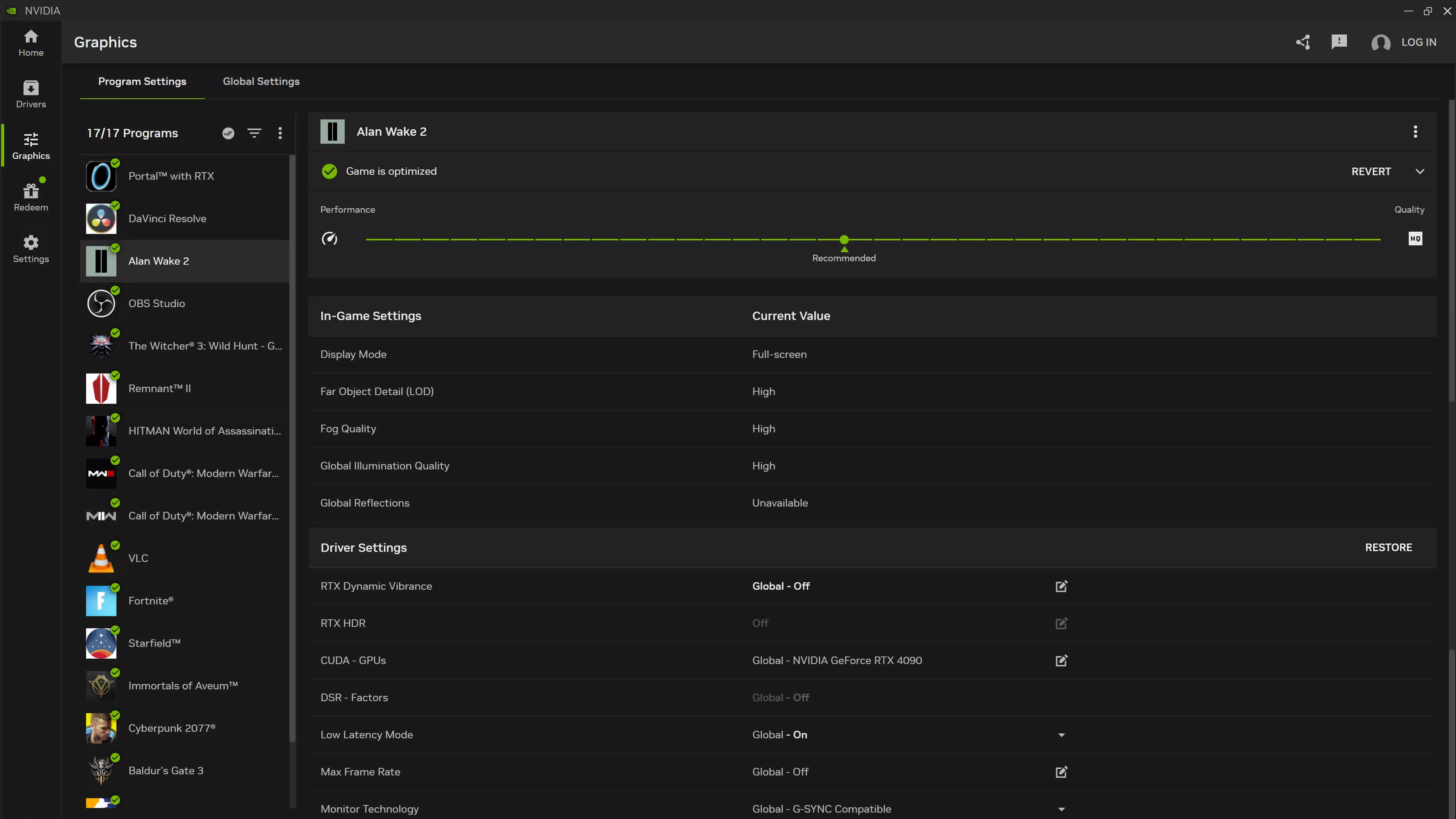
The redesign eliminates legacy control panels dating back to earlier Windows operating system eras. Advanced system settings now include GPU Performance Counters, Debug Mode controls, and a toggle to add or remove the application from the default Windows desktop right-click context menu.
A beta Automatic Shader Compilation feature targets DirectX 12 applications. After driver updates, it detects when the system is idle and pre-compiles pipeline state object (PSO) shaders to reduce in-game shader compilation stutters during active gameplay.
Driver updates are presented through structured lists covering new features, specific bug resolutions, and extended title support. The module also includes an information carousel for hardware releases and technology announcements.
The In-Game Overlay opens with the standard “Alt+Z” shortcut and has a reduced visual footprint and faster response times over active 3D applications.
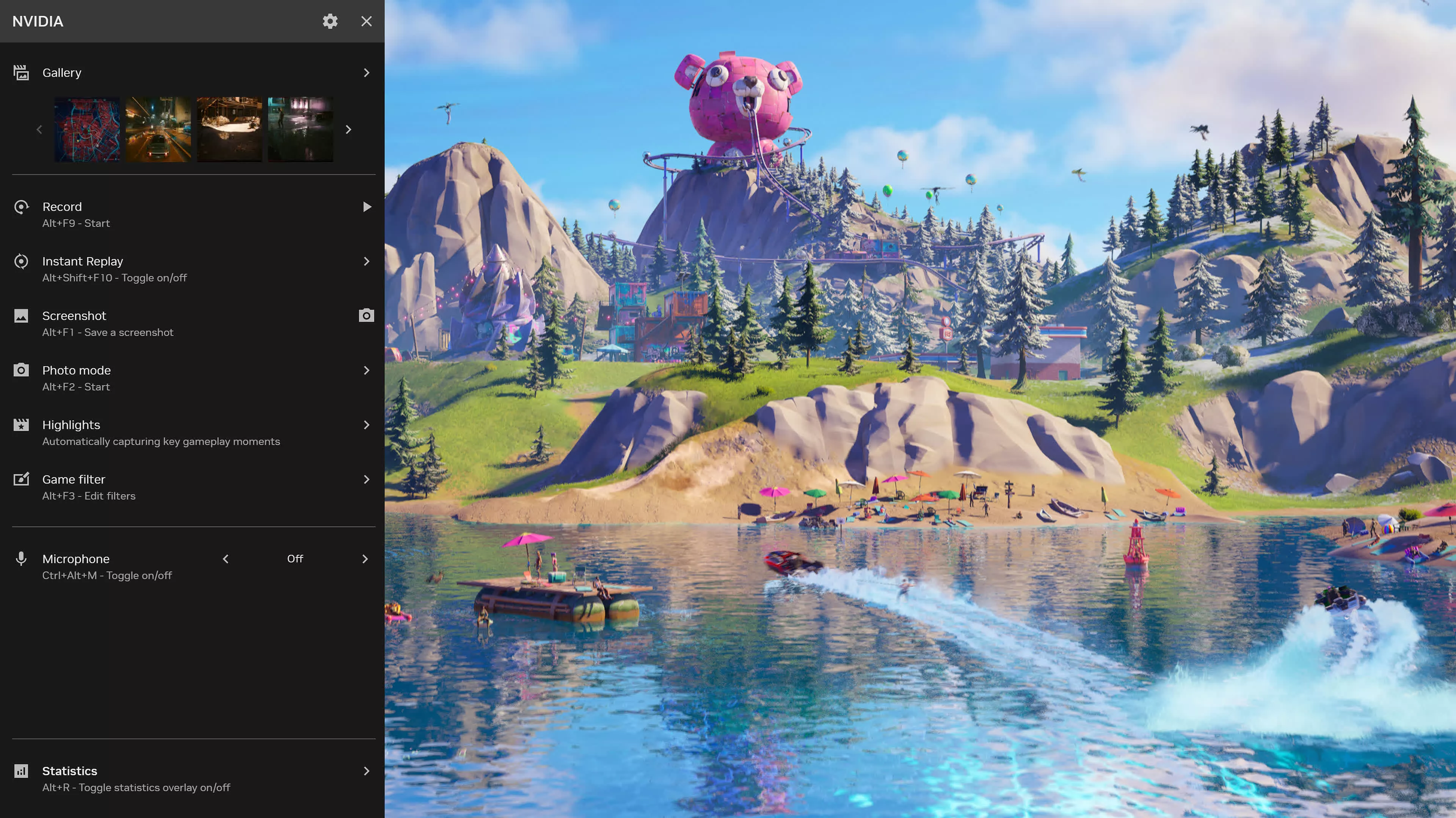
ShadowPlay media capture supports local video recording at up to 120 frames per second. Video clips, instant replays, and photo mode snapshots are sent to an integrated media gallery with visual thumbnail navigation.
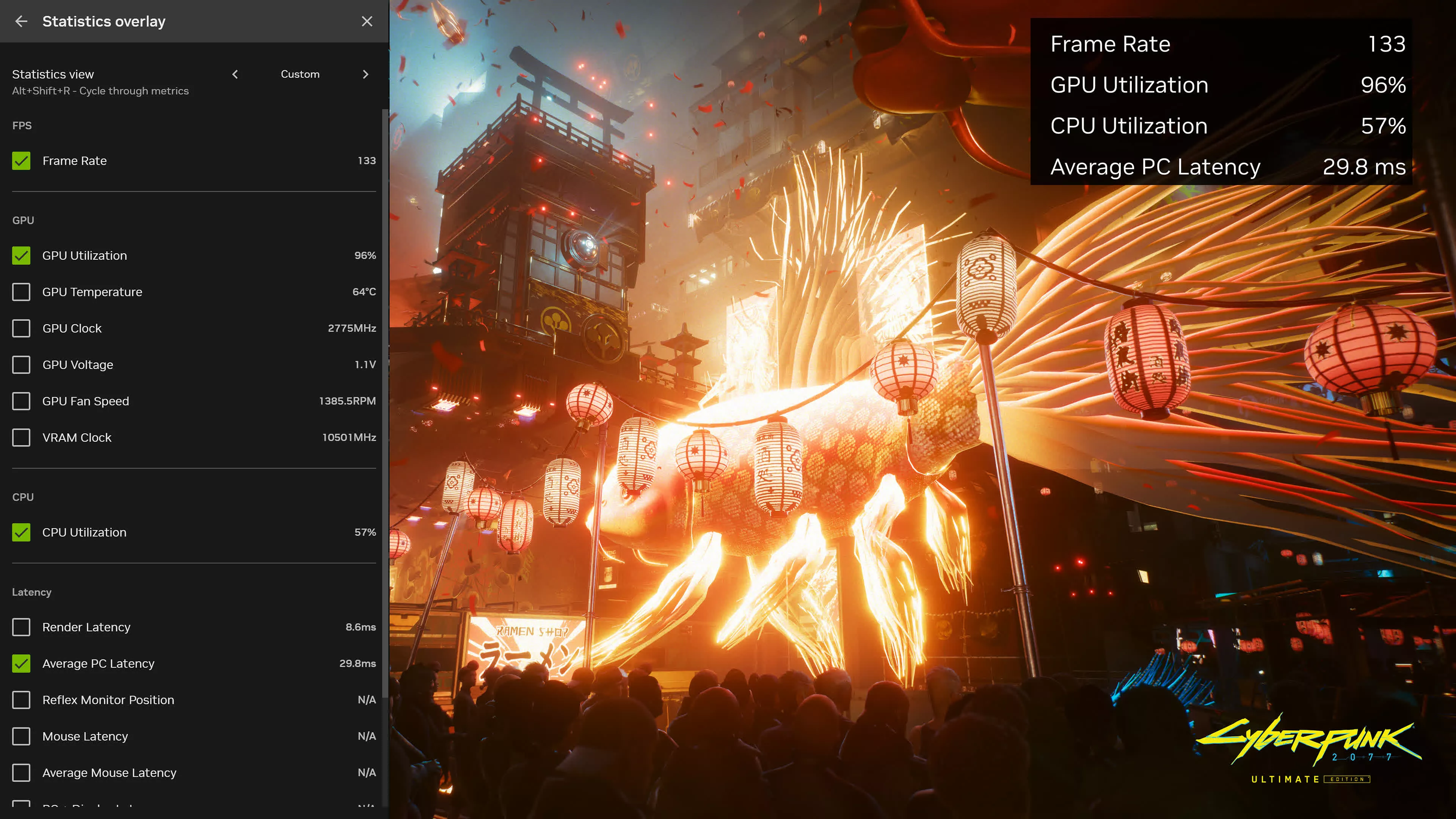
The “Alt+R” performance dashboard lets gamers and developers configure heads-up display dimensions, metric selection, and refresh rates. Its real-time metrics include framerates, clock speeds, system temperatures, and latency.
Recent updates fix tracking anomalies in multi-GPU configurations, blank screen outputs during Photo Mode Super Resolution captures on RTX 50 Series cards, output color depth selection problems on YCbCr444 displays, and microphone device selection logic. Project G-Assist also has revised voice-prompt hotkey handling to prevent overlapping audio queries during active processing.
The software supports legacy platforms as well as newer microarchitectures. Supported central processing units include Intel Pentium G Series, Core i3, i5, i7, i9, or higher; AMD FX, Ryzen 3, 5, 7, 9, and Threadripper series.
Supported graphics processing units include GeForce RTX 20, 30, 40, and 50 Series desktop and mobile GPUs, along with GeForce GTX 800, 900, 1000, and 1600 Series GPUs. The matrix also covers GeForce MX100, MX200, MX300, 800M, and 900M mobile units.
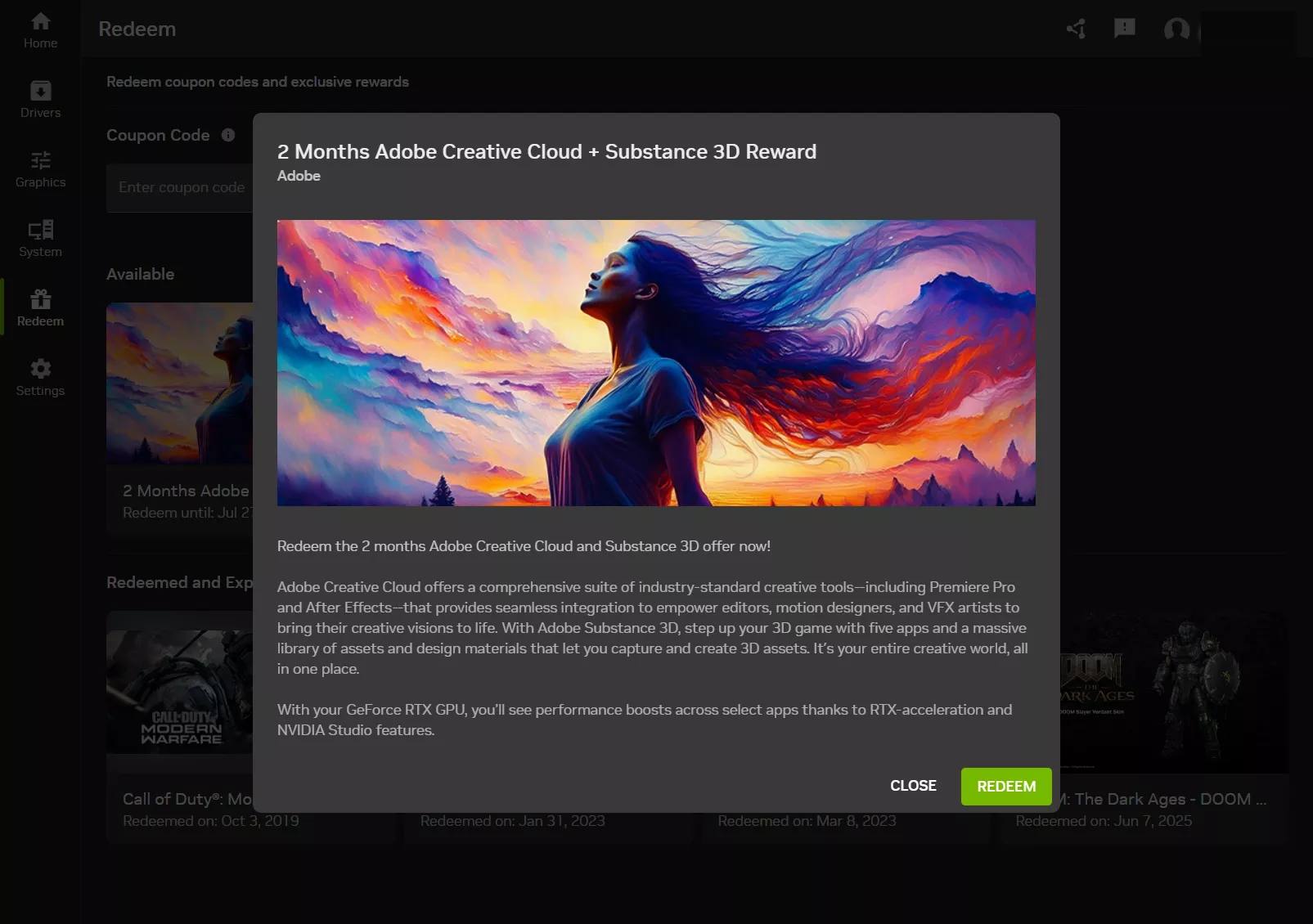
Verified hardware owners can access Nvidia’s promotional bundles, including double experience boosts for Call of Duty: Modern Warfare III and Call of Duty: Warzone, as well as trial access to GeForce NOW cloud gaming memberships.
RTX hardware owners can also redeem trial subscriptions for the Adobe Creative Cloud suite. GeForce RTX 30 and 40 Series owners receive one free month, while RTX 50 Series owners receive two free months, with complementary access to Adobe Substance 3D tools including Sampler, Designer, and Painter.
The automated profiling database adds DLSS manual override and Optimal Playable Settings support for scores of PC releases. New profiles cover Anno 117: Pax Romana, ARC Raiders, Call of Duty: Black Ops 7, Subnautica 2, DEATH STRANDING 2: ON THE BEACH, Monster Hunter Wilds, and ELDEN RING NIGHTREIGN.
Additional profiles cover The Outer Worlds 2, Vampire: The Masquerade – Bloodlines 2, 007 First Light, Halo: Campaign Evolved, Half-Life 2 with RTX, and Grand Theft Auto V Enhanced. Accessibility updates add native light and dark user interface themes that sync with Windows system defaults, together with screen-reader integration through Windows Narrator.