

How Android Auto Updates Without Touching Your Car’s Firmware
Android Auto delivers new features through your phone, not the car’s firmware
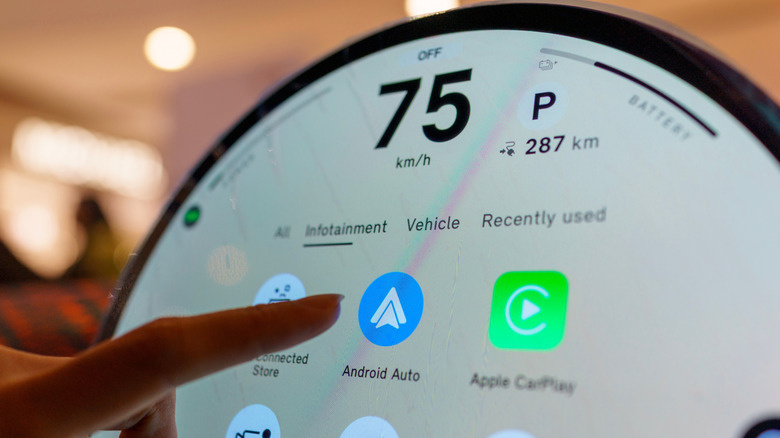
Android Auto runs entirely on the user’s connected smartphone, projecting navigation, communication, and media interfaces onto the vehicle’s in-dash screen through wired USB or wireless 5GHz Wi-Fi protocols. Google’s in-vehicle software strategy therefore separates dashboard infotainment capabilities from traditional automotive manufacturing cycles.
Unlike systems that require over-the-air firmware updates to a vehicle’s embedded electronic control units, Android Auto delivers platform revisions, user interface redesigns, and artificial intelligence tools through the Google Play Store. The software is packaged as a modular application rather than an unmodifiable core operating system component, allowing updates to reach millions of compatible vehicles without full Android system-level firmware rollouts.
Android Auto first launched in 2015 after Google formed the Open Automotive Alliance. Its early versions operated as standalone consumer downloads, but Google integrated the platform’s foundational framework directly into the operating system with Android 10 in 2019. The active interface and feature layer remain managed through the Google Play Store despite that system-level integration.


Current releases require smartphones to run Android 9.0 (Pie), released in August 2018, or a newer operating system version. Devices that meet the requirement automatically download Android Auto updates through the Play Store client under standard operating conditions.

Play Store network policies govern automatic background distribution. By default, package installations are queued until the mobile device connects to an active Wi-Fi network, so deployments can be deferred when a handset remains mostly on cellular data.
A pending installation can be checked manually by opening the Google Play Store, locating the Android Auto listing, and selecting the “Update” prompt when a new version has been staged for the device’s hardware profile. When the listing shows only an “Uninstall” option, the latest approved build for that specific device configuration is already active.
The three-dot overflow menu in the upper-right corner of the store interface contains the “Enable auto update” toggle, which can be used to verify automated background delivery. Android Auto’s application-based model also allows Google to distribute features without requiring modifications to the vehicle itself.
For connection disruptions or software incompatibilities between a smartphone and vehicle head unit, users can open Settings > Apps > See all apps > Android Auto > Storage and cache and select “Clear storage.” This flushes cached configurations, UI preferences, and temporary handshake files while resetting the projection interface.
Clearing storage does not modify or erase user data inside host applications such as Google Maps, Waze, or Spotify. If problems continue after a new release, the Android Auto application details screen provides another option through its three-dot menu: “Uninstall updates.”
That command removes recent patches and restores the platform to the initial version provisioned with the phone’s system image. Users can then disable automatic updates in the Play Store to maintain stability until subsequent patches are distributed.
Android Auto differs from Android Automotive OS (AAOS), which is an independent operating system embedded directly into vehicle hardware by automakers such as Volvo, Polestar, and General Motors. Android Auto instead relies on continuous delivery through mobile application channels.
Among the updates enabled by this delivery structure was the multi-window “Coolwalk” interface redesign, which introduced dynamic split-screen layouts that scale across varying dashboard aspect ratios.
The same update mechanism has supported the gradual integration of Google’s Gemini generative artificial intelligence capabilities. Gemini replaces standard Google Assistant voice pipelines to manage contextual messaging, voice commands, and navigation prompts.









One Comment