Gaming Routers vs. Standard Routers: What Actually Reduces Lag
Standard Wi-Fi 7 models now include the advanced traffic management tools once reserved for expensive gaming-branded hardware.
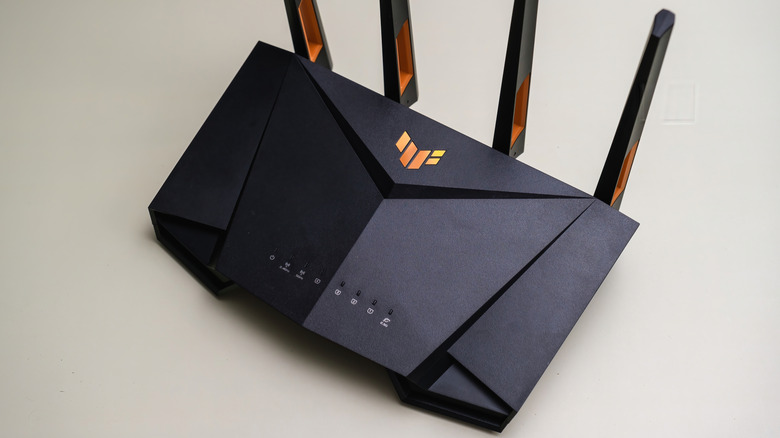
A wired Ethernet connection remains the single most effective hardware change for reducing latency in online gaming, a reality that often gets buried under the aggressive marketing of gaming-branded routers. While devices like the Netgear Nighthawk Pro Gaming XR1000 or various Asus TUF models promise lower ping and dedicated traffic lanes, the internal architecture of these machines relies on the exact same networking standards found in conventional home routers.
The core appeal of a gaming router centers on software-level traffic management rather than proprietary silicon. Quality of Service (QoS) protocols allow users to prioritize specific devices or applications over others on a local network. Advanced implementations, such as smart queue management (SQM), maintain responsiveness during heavy network loads by intentionally capping maximum throughput to prevent data queues from overflowing. Asus integrates Adaptive QoS with dedicated gaming presets, while Netgear utilizes features like Geo-Filter to restrict matchmaking to geographically closer servers.
Independent testing complicates the narrative that these features require a gaming badge. Evaluations by RTINGS demonstrated that nine out of 11 tested routers improved network latency when utilizing QoS or SQM. Crucially, all 11 routers possessed traffic management capabilities regardless of whether they carried gaming branding. Standard consumer models increasingly ship with identical tools. The TP-Link Archer BE550, an entry-level Wi-Fi 7 router marketed without gaming aesthetics, includes tri-band radios, 2.5 Gbps Ethernet ports, and device prioritization controls matching those found in premium gaming alternatives.


Modern Wi-Fi standards have further narrowed the gap between specialized and general-purpose hardware. Wi-Fi 7 introduces Multi-Link Operation (MLO), allowing compatible devices to transmit and receive data across multiple frequency bands simultaneously. This fundamentally reduces wireless latency and improves reliability in congested environments, offering a structural upgrade that benefits any high-end router operating on the standard. However, MLO requires both the router and the client device—such as a newer PC motherboard or recent smartphone—to support the specification.
No router, regardless of price or branding, can alter the physical distance between a player and a game server. Latency generated by geographic routing occurs outside the local network, governed entirely by internet service provider infrastructure and fiber optic pathways. A gaming router cannot accelerate packets once they leave the premises. Similarly, if an ISP plan provides insufficient bandwidth or suffers from node congestion during peak hours, local traffic shaping will only manage the bottleneck rather than eliminate it.
For players unable to run a direct cable, the 6GHz band introduced with Wi-Fi 6E and expanded in Wi-Fi 7 offers significant relief. Unlike the crowded 2.4GHz and 5GHz bands shared with older smart home devices and neighboring networks, the 6GHz spectrum provides wider, cleaner channels. Proper router placement—elevated, centralized, and clear of dense walls or metal appliances—often resolves stability issues more effectively than replacing hardware.
When a physical connection is viable, standard Category 5e Ethernet cables fully support Gigabit speeds over typical residential distances. Upgrading to Cat 6 or Cat 6a cables facilitates higher multi-gigabit transfers, but faster local link speeds do not inherently lower ping times to external servers. Gamers troubleshooting performance can isolate variables by testing the same title over Wi-Fi and Ethernet, first during idle network periods and then while other household devices stream or download heavily.
The market for gaming-specific peripherals—from high-refresh-rate monitors to mice with programmable macros—delivers measurable competitive advantages because those components directly interface with gameplay mechanics. Networking hardware operates differently. Its sole function is moving data efficiently between a modem and local devices. As ISPs continue deploying multi-gigabit fiber tiers nationwide through 2026, the baseline capabilities of standard consumer routers have scaled to meet demands that previously justified niche gaming hardware.