Fitbit Edge vs Air: Which new Fitbit should you buy?
The $179 Edge adds ECG and a screen; the $99 Air keeps it screenless and subscription-light

Google is serious about fitness trackers again — or, more precisely, Fitbit is, and the distinction now matters. After years of Pixel Watch iterations and the kid-focused Fitbit Ace LTE, the company that once seemed to drift away from budget wearables returned in May with the $99, screenless Fitbit Air and, in October, the $179 Fitbit Edge. Both are aimed squarely at people who want fitness data without spending hundreds of dollars, and both avoid the Android-only trap that long held Fitbit owners in a vendor lock-in.
But despite sharing a name and a companion app, these two are aimed at different buyers. The Edge is a screen-first wearable that doubles as a smart assistant; the Air is a discreet sensor puck that does the tracking and defers everything to your phone. Picking between them comes down to one question: do you want your health data on your wrist, or in your pocket?


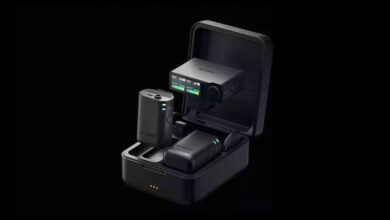
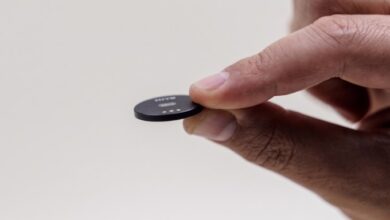
Form factor is the most visible split. The Air is a 1.37-by-0.66-by-0.32-inch sensor puck — no display, no side buttons. Nearly all interaction happens through the Google Health app: you view data there and change settings there. You touch the Air only to swap bands or lift it off to charge. The Edge measures 1.54-by-1.01-by-0.46 inches and adds a 1.34-inch oval AMOLED touchscreen plus a new mechanical side button. It is also physically larger and more conspicuous, especially with the always-on display enabled.
Under the hood, the sensor gap widens. Both units carry optical heart-rate sensors for continuous monitoring, but only the Edge includes the electrical sensors needed for ECG readings. The Edge also adds an altimeter — useful for counting flights of stairs and elevation gain — and an ambient light sensor that calibrates screen brightness automatically. The Air gets neither.
The Edge’s screen is also its battery’s biggest trade-off. Google rates both devices at seven days, but that figure assumes the Edge’s display stays off. With always-on enabled, the Edge drops to roughly two days. Google compensates with fast charging: a full charge takes 90 minutes, and a 15-minute top-up yields about a day of use. Water and dust protection is equal — IP68 with a 5ATM rating — so either device handles swimming and showering.
Feature parity is closer than the hardware suggests. Both devices offer activity tracking, step counting, sleep tracking, continuous heart-rate monitoring, irregular heart-rhythm notifications, a daily readiness score, cardio-load insights, and a resilience score that approximates stress. Google has said the Health Guardian suite introduced on the Pixel Watch 5 — including heart-health and insulin-trend tracking — is coming to both the Edge and Air, since those features lean on Google’s accumulated data rather than on device-specific sensors.
What the Edge can do that the Air cannot: live workout metrics on its own screen, ECG readings, floor-count tracking, on-device display of health data, phone notifications, and a stripped-down version of Google Maps. Because the Edge runs Google’s lightweight Fitbit OS, it can run these apps; the Air simply has nowhere to show them.
The subscription question matters more than usual here. Both devices offer core tracking for free, but the AI-powered insights that distinguish them require Google Health Premium, which costs $19.99 a month or $79.99 a year in the United States. That puts the Air’s total first-year cost closer to $280 than $99, and the Edge’s near $260 — still well under the price of a premium smartwatch, but a consideration all the same.
That positioning sits the Edge between the Air and Google’s premium Pixel Watch line, creating a three-tier Fitbit strategy that didn’t exist before. Competitors like Whoop and Oura have long operated on subscription models, so Google is now competing on the same turf — but with a cheaper hardware entry point that doesn’t require an Android phone. The Air, in particular, is designed for people who track without their own data staring back at them from their wrists.
One thing to consider before buying: the Edge’s always-on screen means more of your data is constantly visible, which some users find motivating and others find nagging. The Air’s whole appeal is that it collects data without demanding attention. If you prefer to check your readiness score when you sit down at your desk rather than glancing at your wrist, the Air may be the better fit. If you want on-wrist notifications and live workout feedback, the Edge is the only choice of the two.