Public Libraries Lead Consumer Pushback with Workshops on How to Disable AI Features
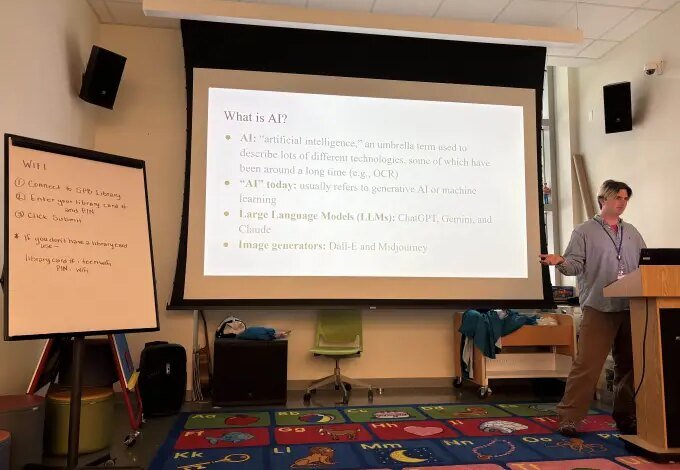
A growing consumer frustration with non-negotiable artificial intelligence features is filling public library classrooms, where patrons are seeking help to turn off automated tools operating on their phones, computers, and web browsers.
From South Philadelphia to Maine, librarians are organizing “Avoiding AI” sessions designed to walk users through disabling integrated software products like Apple Intelligence and Google Gemini. The initiatives reflect a shifting dynamic in public digital literacy programs, moving away from teaching basic computer skills toward helping people regain control over their personal devices.
At the Bangor Public Library in Maine, reference librarian Hannah Cyrus established one of the first organized opt-out workshops after being inundated with questions from patrons frustrated by unwanted text summaries, automated email drafts, and forced search features.
While traditional classes like introductory computer literacy typically draw about a dozen attendees, Cyrus had to cap registration at 30, create waitlists, and stream sessions online, ultimately reaching roughly 70 participants per event. The widespread interest prompted other information professionals, including Charlie Bailey at a public library branch in South Philadelphia, to replicate the curriculum. A single social media announcement for Bailey’s session generated more than 2,000 likes—a massive surge compared to the branch’s typical engagement.
The surge in demand underscores how aggressive tech industry rollouts have outpaced consumer consent. Major software manufacturers have increasingly configured operating systems to launch AI capabilities by default, requiring users to navigate complex sub-menus to disable them. Organizations advocating for user autonomy, such as the Electronic Frontier Foundation, have long warned about default settings and invasive software designs that limit consumer choice across modern digital platforms.
During the hour-long workshops, facilitators balance technical explanations of generative models with practical, step-by-step guides on disabling specific operating system features. Participants also swap user-created workarounds for cleaner browsing. One widely shared tactic includes appending the parameter “udm=14” to Google Search queries, an undocumented URL modifier that strips away AI-generated overviews and forces the engine to return standard web links.
Consumer dissatisfaction stems from both daily usability hurdles and broader societal impacts. Workshop attendees report feeling inundated by tools that offer unnecessary summaries for short messages or auto-generated text suggestions. Others voice anxiety over the resource-intensive infrastructure required to power generative systems, including the energy demands and water usage of massive data centers increasingly sited near suburban neighborhoods.
Despite the “Avoiding AI” title, participants and organizers note that the goal is not to reject technology entirely. Libraries themselves regularly employ automated technologies, such as optical character recognition for scanning historical archives. Instead, the classes represent a push back against forced adoption, framing device configuration as an essential aspect of modern user agency.