Internet Speed vs. Bandwidth: Why Your Connection Feels Slow
Throughput, latency and router hardware dictate real-world performance far more than the megabits listed on your monthly ISP bill.
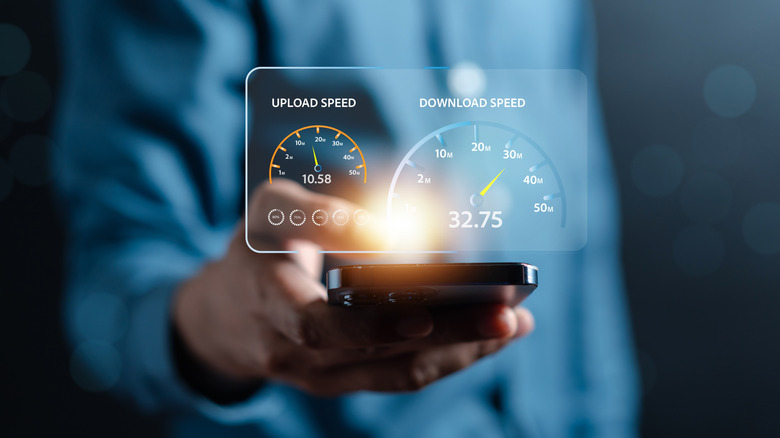
Most U.S. households paying for gigabit internet still experience buffering, lagging video calls and stalled downloads. The culprit is rarely the plan they purchased. Internet service providers market bandwidth as “speed,” but the number printed on a monthly bill represents a theoretical ceiling, not the actual data delivery rate reaching a screen or console.
Understanding the mechanical difference between capacity and throughput explains why upgrading to a more expensive tier frequently fails to resolve performance issues, and why diagnosing home network bottlenecks requires looking beyond the ISP’s advertised metrics.
Bandwidth defines the maximum volume of data a connection can carry per second, measured in megabits per second (Mbps) or gigabits per second (Gbps). A 500 Mbps fiber plan provides a pipe capable of moving that much data simultaneously. But this capacity is shared across every device connected to the network. When three household members stream 4K content — which typically demands 25 Mbps per stream — while another initiates a large game download and a fifth joins a video conference requiring roughly 4 Mbps, the network approaches its physical limit. Once demand hits that ceiling, streams drop resolution, calls freeze and downloads stall. The connection has not failed; it has simply run out of lanes.

What consumers actually experience is throughput, the real-time rate at which data successfully travels from a server to a device. Throughput never exceeds bandwidth. It is constantly reduced by physical infrastructure limits, local network congestion and hardware constraints. Running a speed test measures throughput, revealing how much of the purchased bandwidth survives the journey through the modem, router and airwaves.
Latency introduces an entirely separate variable that bandwidth cannot fix. Measured in milliseconds (ms) and displayed as “ping” on diagnostic tools, latency tracks the round-trip time required for a single packet of data to reach a destination server and return. Physical distance dictates this delay. A request routed to a server 2,000 miles away will inherently take longer than one processed locally, regardless of whether the connection supports 100 Mbps or 10 Gbps.
This distinction matters most for real-time applications. Online gaming and video conferencing rely on low latency rather than massive throughput. A competitive multiplayer match might use less than 5 Mbps of bandwidth, but a ping above 80 ms creates noticeable input lag. Traditional geostationary satellite internet suffers heavily here, as signals must travel roughly 22,000 miles to orbit and back, resulting in latency often exceeding 600 ms. Low Earth Orbit constellations like Starlink have drastically reduced this gap by operating satellites closer to the surface, while fiber-optic connections generally deliver the lowest latency available to residential consumers because light travels through glass with minimal signal degradation compared to copper telephone lines used in DSL networks.
Upgrading an internet plan only resolves sluggish performance if the existing bandwidth is genuinely exhausted. Before paying for a higher tier, users should isolate where the bottleneck occurs. Waveform’s bufferbloat test specifically measures how latency spikes when a network is under heavy load, confirming whether congestion is the root cause.
If throughput consistently falls far below the ISP’s promised bandwidth during off-peak hours, the local Wi-Fi router is usually the limiting factor. Wireless channel width, configured in the router’s settings and measured in megahertz (MHz), determines how much data the radio frequency can push. Wider channels carry more data but are highly susceptible to interference from neighboring networks. Shifting devices to the 5 GHz band, or the newer 6 GHz band supported by Wi-Fi 6E and Wi-Fi 7 routers, bypasses the crowded 2.4 GHz spectrum used by older hardware, microwaves and Bluetooth devices.
For persistent latency problems or unreliable wireless throughput, a direct Ethernet cable connection eliminates Wi-Fi interference entirely. Modern routers also include Quality of Service (QoS) configurations, allowing users to manually prioritize specific devices or applications, ensuring a work laptop receives necessary bandwidth before a background system update consumes the remaining capacity.
The Federal Communications Commission’s most recent broadband benchmark update raised the minimum standard for fixed broadband to 100 Mbps for downloads and 20 Mbps for uploads, reflecting the baseline requirements for modern multi-device households navigating simultaneous high-definition streaming and remote work.