Why Ugreen NAS HDMI Ports Lock You Out Without a Phone
Bypassing the mandatory mobile app requires specific key combinations to reach the BIOS and command line.
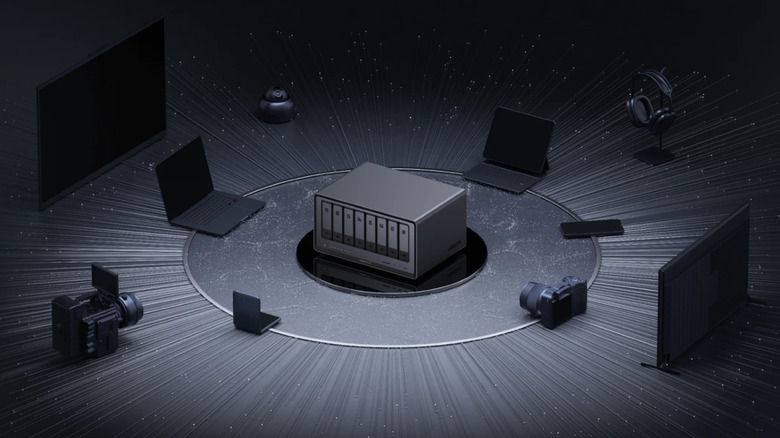
Consumers buying network-attached storage devices to escape subscription fees are running into a hardware quirk that forces them right back onto their smartphones. Ugreen NAS units ship with an HDMI port on the chassis, but connecting a monitor or television directly yields no navigable interface. Instead, the screen displays a prompt instructing the user to open the Ugreen phone app to control playback.
The requirement effectively turns a wired connection into a casting session. There is no physical remote included with the hardware, and the local display cannot be operated via mouse or keyboard for media browsing. According to user documentation and device behavior, the mobile application acts as the sole remote control once the HDMI cable is plugged in. For buyers who purchased a dedicated server specifically to decouple their media libraries from mobile ecosystems and cloud dependencies, the mandatory app tether introduces a friction point rarely seen in traditional home theater PC builds.
Ugreen entered the consumer NAS market through crowdfunding campaigns, positioning its hardware against established competitors like Synology and QNAP. Those legacy brands have offered direct HDMI output with USB peripheral support for years, allowing users to plug in a standard remote or keyboard and navigate a local interface without a smartphone intermediary. Ugreen’s decision to route local video output exclusively through its proprietary mobile software reflects a broader trend among newer hardware startups prioritizing unified app ecosystems over modular, standalone functionality.

Beyond living room streaming, the HDMI port serves a critical maintenance function for advanced users attempting to modify the underlying system. Connecting both a monitor and a USB keyboard allows access to the device’s BIOS. Users must press Ctrl and F12 simultaneously during startup to enter the setup screen, according to community-shared instructions.
Anyone planning to replace the factory operating system or troubleshoot boot failures needs this access. A specific setting under the Advanced tab, labeled Watch Dog Control, must be disabled. If left active, the hardware’s watchdog timer will force a reboot after a set interval, interrupting OS installations or deep configuration changes.
Direct terminal access is also possible, though not officially documented by the manufacturer. NAS owners on technical forums report that pressing Ctrl Alt F1 with a keyboard connected opens a command-line interface. The standard method for accessing the terminal remains SSH from a separate computer on the local network, making the HDMI workaround a fallback for situations where network connectivity fails entirely.