Apple’s iPad lineup has dominated the global tablet market for more than a decade, setting the standard for multi-functional computing, media consumption, and creative workflow. At the same time, demand for distraction-free productivity and reduced eye strain has created a distinct and rapidly expanding market for specialized electronic paper tablets.
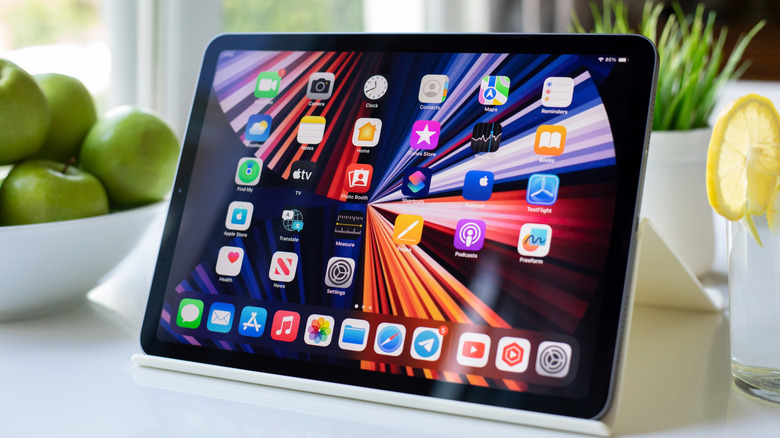
The difference begins with display physics. Standard iPads use liquid crystal displays (LCDs) with LED backlighting, while high-end iPad Pro models use “Tandem OLED” technology. That configuration stacks two light-emitting organic diode layers, producing up to 1,000 nits of full-screen brightness and 1,600 nits of peak High Dynamic Range (HDR) brightness. These screens continuously project light toward the user’s eyes.
E Ink took a different path. Commercialized by the E Ink Corporation after research at the MIT Media Lab in the late 1990s, the technology uses a reflective, electrophoretic display. Millions of microcapsules contain charged physical particles, typically negatively charged black particles and positively charged white particles suspended in a clear fluid. Applying an electric charge moves the particles to the surface, forming text or images.


Because E Ink is bistable, it needs electricity only when the state of the particles changes. A rendered page or image remains visible without continuing to draw power. Its reliance on ambient light also makes E Ink effective outdoors, where glossy tablet screens can suffer heavy glare and reflection. Apple’s top-tier iPad Pro models counter daylight with specialized anti-reflective coatings and high brightness, while lower-end iPad models with reflective glass can be difficult to read in direct sunlight.
The paper-like experience extends beyond visibility. Many E Ink devices use textured, matte screen overlays that add physical friction for a stylus and mimic writing with a pen on paper. What began as simple, monochrome e-readers has therefore developed into a broad category of E Ink tablets positioned as dedicated alternatives to traditional backlit screen devices.
Color was once E Ink’s main limitation. Early systems such as E Ink Kaleido placed a color filter array over a monochrome screen to produce basic colors, while the more advanced E Ink Gallery 3 platform introduced cyan, magenta, yellow, and white microparticles within every pixel for a much broader color spectrum. The reMarkable Paper Pro uses a customized “Canvas Color” display for color note-taking, highlighting, and document annotation.
Those advances do not give E Ink the color depth, accuracy, or contrast of conventional tablet displays. iPads use the P3 wide color gamut and render millions of accurate colors, making them the standard choice for photo editing, graphic design, and video viewing. E Ink’s particle movement also creates a performance bottleneck: low refresh rates.
An iPad Pro’s Apple ProMotion technology can dynamically adjust refresh rates up to 120Hz for fluid scrolling, fast-paced gaming, and high-definition video playback. E Ink screens must physically reposition their particles, producing noticeable latency, visual ghosting in which remnants of previous pages remain faintly visible, and full-screen flashing during refreshes. Software workarounds such as Onyx Boox’s Super Refresh technology cannot change the fact that these displays remain fundamentally unsuited to video, complex games, and web pages with heavy animation.
The hardware and software divide follows the same pattern. iPads use high-performance desktop-class silicon, including Apple’s M-series chips, and run iPadOS, which supports multi-window multitasking, complex graphic design suites, and video-editing applications such as DaVinci Resolve. E Ink tablets instead use lower-power processors designed for battery conservation. The reMarkable series runs lightweight, proprietary Linux-based operating systems such as Codex OS, intended to minimize distraction and reduce input lag between the stylus and screen.
Onyx Boox uses modified versions of open-source Android, allowing users to download standard productivity apps. Even these Android-based E Ink devices remain tuned for static, text-based tasks rather than intensive computing. The iPad functions as a versatile multimedia workstation for creative production, entertainment, and fast multitasking, while E Ink tablets serve professionals, writers, and students who prioritize eye comfort, battery life measured in weeks rather than hours, and a focused environment free from digital notifications.