Microsoft Makes Windows 11 App Development an AI-Assisted Workflow
WinUI 3 and GitHub Copilot bring natural-language development to native Windows 11 applications
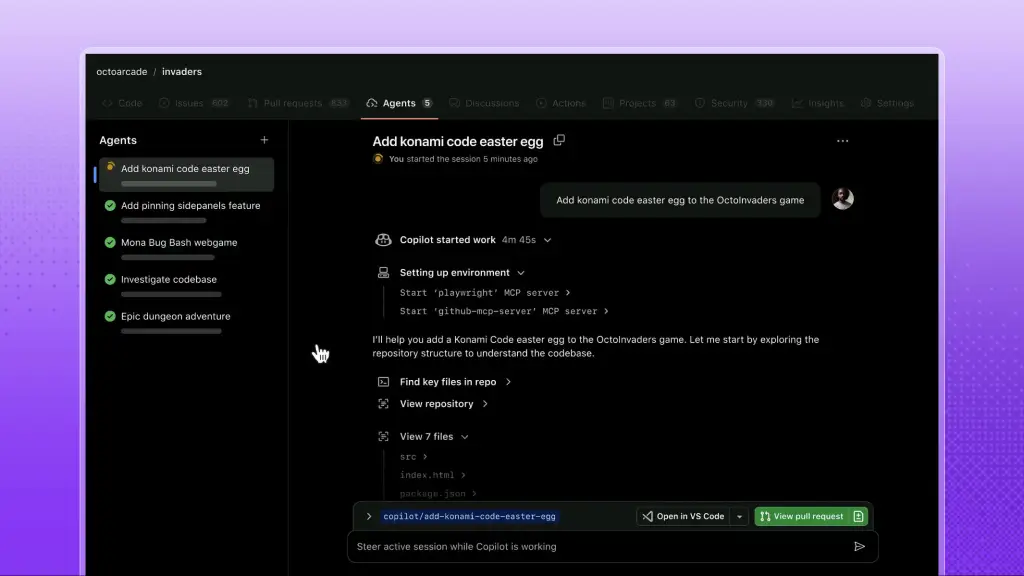
Microsoft Corp. is rolling out an automated, AI-assisted development workflow for native Windows 11 software creation. The approach is intended to lower technical barriers and renew efforts to revitalize desktop application development on the operating system.
The workflow starts with a zero-cost toolchain built around Visual Studio Code, the .NET 10 SDK or higher, the Windows Application CLI tool (`winapp`), the `dotnet new` WinUI project templates, the GitHub Command Line Interface, and a specialized `winui-dev` agent plugin for GitHub Copilot. Developers and novice programmers can use natural language prompts to build, test, and package functional Windows desktop applications at zero software cost.


Windows desktop development has moved through several architectural transitions over the past three decades. Legacy Win32 application programming interface (API) technology anchored desktop software in the 1990s, before Microsoft launched Windows Presentation Foundation (WPF) within .NET Framework 3.0 in 2006. In 2015, Microsoft introduced the Universal Windows Platform (UWP) alongside Windows 10.
UWP attempted to standardize application development across personal computers, Xbox consoles, and the now-defunct Windows Phone ecosystem. Its strict app sandboxing and OS-dependent runtimes limited adoption among traditional desktop developers. Microsoft later introduced the Windows App SDK, originally developed under the code name “Project Reunion,” to decouple native Windows desktop APIs from specific operating system updates.
The modern user interface layer for the Windows App SDK is WinUI 3, which targets Windows 11 desktop environments. Microsoft’s newly published technical framework combines WinUI 3 with GitHub Copilot agentic artificial intelligence and open command-line tools.
Microsoft recommends connecting the AI agent directly to its Microsoft Learn Model Context Protocol (MCP) server so it does not generate outdated code. The MCP protocol acts as a live communication link, enabling AI coding assistants to retrieve real-time documentation from official WinUI 3 API reference libraries during code generation.
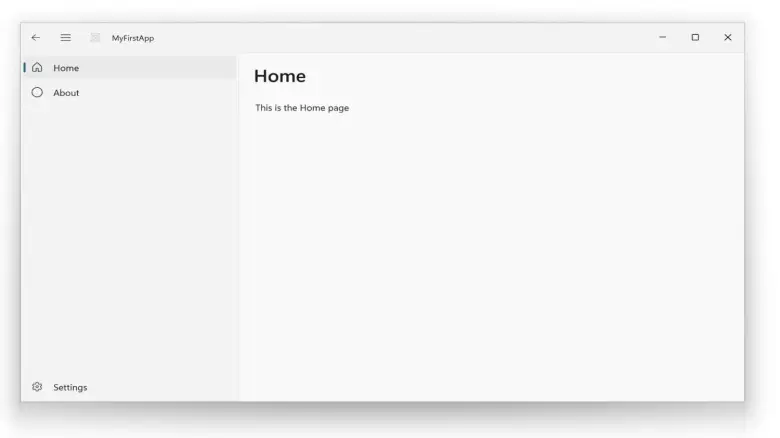
The first project is created from the command line. Executing `dotnet new winui-navview` generates a functional boilerplate project organized around a navigation view with pre-configured Home, About, and Settings pages. Developers can run `dotnet run` to verify the initial build locally before opening the directory in Visual Studio Code.

Inside the editor, developers open GitHub Copilot Chat, switch to Agent mode, and select the dedicated `winui-dev` agent. The agent processes natural language instructions to write C# and XAML code, construct necessary project files, and modify navigation elements automatically without direct manual coding. The method is part of the industry-wide shift toward “vibe coding” enabled by tools like OpenAI’s Codex, Claude Code, and GitHub Copilot.
The same workflow automates application packaging into the modern MSIX format. First introduced in Windows 10 version 1809, MSIX replaced legacy MSI installers and AppX packages with isolated, clean installations and reliable update pathways. During testing, the `winui-dev` agent generates and installs a trusted local development certificate directly into the host machine’s root store.
For commercial distribution, developers configure digital signature certificates managed through Microsoft’s Partner Center. Publishing to the official software repository is performed from the command line with the `winapp store publish` instruction.
Human code inspection remains required even as agentic AI workflows accelerate early-stage application prototyping. Artificial intelligence models can generate unexpected runtime errors or structural inefficiencies, so conventional programming knowledge is needed for long-term codebase maintenance, optimization, and security audits.