Anthropic Releases Native Claude Desktop for Linux to Court Developer Ecosystem
Anthropic brings native AI tools to the Linux developer community with new Ubuntu and Debian support.
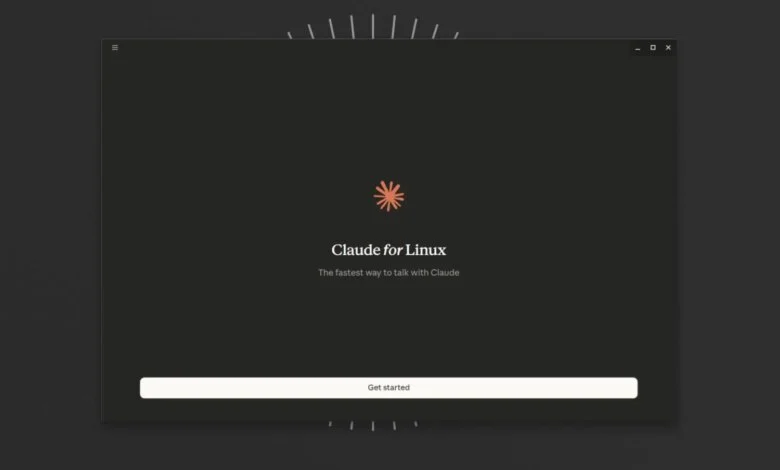
Anthropic has officially extended its AI reach into the open-source community with the launch of a native Claude desktop application for Linux. The release, currently in beta, targets users of Ubuntu and Debian, marking a significant shift for a platform often sidelined by major software vendors in favor of Windows and macOS.
By providing a native binary, Anthropic is directly addressing the developer-heavy demographic that defines the Linux Foundation ecosystem. Felix Rieseberg, lead engineer for Claude Cowork and Claude Code Desktop, characterized the move with a nod to a long-standing industry trope, suggesting that 2026 might finally be the “year of the Linux desktop.”
The new application integrates specialized tools including Chat, Cowork, and Code into a single environment. According to an Anthropic press release, the Linux version replicates most of the functionality found in its counterparts, featuring parallel sessions, an integrated terminal, and a dedicated editor. These features are designed to move users away from the limitations of web interfaces and command-line tools like Claude Code toward a more cohesive visual workspace.
Prior to this official release, the Linux community had relied on unofficial workarounds. Anthropic noted that users previously resorted to extracting Electron components from the Windows installer and manually swapping native modules to achieve compatibility. These community-led efforts resulted in various .rpm and AppImage formats, which remain the primary alternative for users on distributions not yet officially supported, such as Fedora, Arch Linux, or NixOS.
The beta release is specifically optimized for Ubuntu 22.04 and Debian 12 or later, supporting both x86_64 and arm64 architectures. Anthropic stated that the installation is handled through a dedicated apt repository, ensuring that software updates are managed through standard system maintenance cycles rather than manual downloads.
Despite the native integration, the Linux version lacks certain high-level features available on other platforms. The company confirmed that “Computer Use,” a function allowing the AI to interact directly with the user’s desktop environment, is currently absent. Dictation features are also missing from the desktop app, remaining exclusive to the command-line interface for the time being.
Technical hurdles regarding display protocols also persist. Anthropic reported that while global keyboard shortcuts for Quick Entry function normally in X11 sessions, native Wayland support is currently dependent on specific GlobalShortcuts portals within individual desktop environments. The company expects to expand support for additional Linux distributions in the coming months.