Why Expensive USB Flash Drives Can Be Worth the Money
The hardware, standards, and security features behind higher-priced USB storage
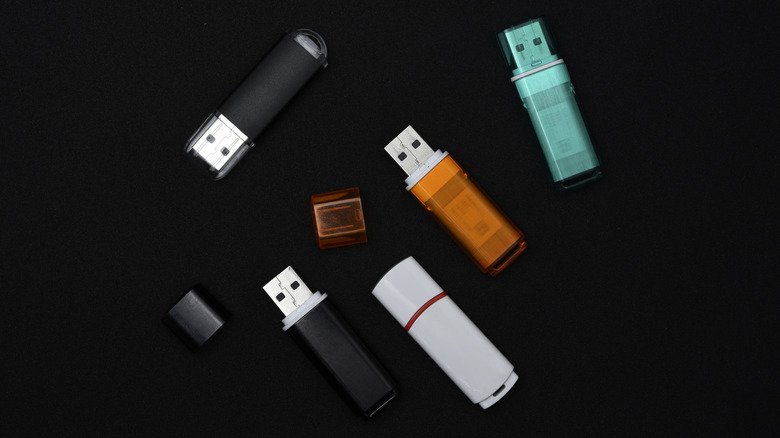
Portable USB flash drives are being affected by a persistent structural shift in global semiconductor manufacturing. Unprecedented capital allocation toward artificial intelligence infrastructure and enterprise data centers has filtered down to the market for portable storage.
Samsung Electronics, SK Hynix, Micron Technology, and Kioxia have increasingly prioritized high-bandwidth memory (HBM) and enterprise-grade solid-state drive (SSD) production. The resulting supply redistribution has elevated NAND Flash baseline costs across consumer markets, ending an era of ultra-cheap flash storage and creating a clearer separation between entry-level media and premium hardware.
The distinction is not always visible on product packaging. Much of the performance gap between consumer flash drives comes from controller architecture and NAND flash management. A flash drive’s integrated memory controller handles error-correcting code (ECC), wear leveling to distribute program/erase cycles evenly across flash cells, and flash translation layer (FTL) management.


USB naming adds another layer of complexity. When USB 2.0 debuted in 2000, it established a theoretical maximum throughput of 480 Megabits per second (Mbps). USB 3.0 followed in November 2008 with a theoretical throughput of 5 Gigabits per second (Gbps).
Budget drives often pair simplified, single-channel controllers with high-density Quad-Level Cell (QLC) or Triple-Level Cell (TLC) flash. During sustained write workloads, including transfers of large 4K video files or uncompressed disk images, these drives can quickly exhaust temporary single-level cell (SLC) write buffers, causing transfer speeds to drop sharply.
Later USB revisions created additional branding challenges: USB 3.1 Gen 1 retained the 5 Gbps rate, while USB 3.1 Gen 2 doubled throughput to 10 Gbps. USB 3.2 designated 20 Gbps operations as USB 3.2 Gen 2×2. To reduce consumer confusion, the USB Implementers Forum (USB-IF) currently advocates performance-based names such as USB 5Gbps, USB 10Gbps, and USB 20Gbps instead of generation designations.
Premium drives use multi-channel controllers similar to those found in standalone solid-state drives, allowing them to maintain elevated write throughput across extended operations. In real-world testing, however, maximum theoretical bandwidth can differ substantially from actual sustained throughput.

Valeriy Lushchikov/Getty Images
The Kingston DataTraveler Max is a high-end example, using USB 3.2 Gen 2 protocols to reach manufacturer-rated speeds of up to 1,000 Megabytes per second (MB/s) for sequential reads and 900 MB/s for sequential writes. Compact, budget-focused drives can occupy a very different performance range.
Independent testing by Tom’s Hardware measured 10GB file transfers on several such drives. The Samsung Fit Plus reached read speeds of 319.7 MB/s but fell to 58.4 MB/s for writes. The 1TB SanDisk Extreme Fit recorded read speeds of 318.3 MB/s, while its write speeds averaged 82.52 MB/s.
Physical design can affect those transfers as well. Compact dimensions may introduce thermal throttling during prolonged operations and can physically obstruct adjacent USB ports on compact laptops.
A USB connector also does not guarantee a particular transfer rate. The USB Type-C interface, first published in 2014, specifies a reversible physical form factor rather than guaranteed transfer speeds. A USB-C port or drive may still be wired internally to operate at legacy USB 2.0 rates.
Dual-interface drives combine legacy USB Type-A and modern USB Type-C connectors, enabling direct cross-compatibility between older desktop PCs and current laptops, tablets, or smartphones without external adapters.
For enterprise, government, and field environments, a price premium may reflect specialized hardware rather than raw transfer rates. The Kingston IronKey Keypad 200, for example, is designed around data security instead of maximum speed.
It includes an onboard physical alphanumeric keypad for authentication, XTS-AES 256-bit hardware encryption, and brute-force intrusion defense mechanisms that erase encryption keys after consecutive invalid PIN attempts. The drive operates at maximum read speeds of 280 MB/s and write speeds of 200 MB/s.
The unit also carries FIPS 140-3 Level 3 validation, a security benchmark set by the National Institute of Standards and Technology (NIST). The benchmark requires physical resistance to tampering, protective epoxy coating over internal components, and zero exposure of plaintext cryptographic material.
Durability certifications provide another reason portable media can cost more, particularly when drives face travel and field exposure. Products such as the Samsung BAR Plus include physical protection against water submersion, shock impact, extreme temperature ranges, magnetic fields, and X-ray radiation, along with a five-year limited manufacturer warranty.
SsCreativeStudio/Shutterstock
Users who need persistent, high-volume data movement or expanded high-capacity storage up to 2TB may find external portable SSDs more suitable. Models using Non-Volatile Memory Express (NVMe) protocols over USB 3.2 or USB4 connections frequently provide superior sustained write performance and lower thermal congestion than ultra-compact flash drives.