Use AI to Strip Ads and Bloatware From Your Smart TV
Open-source tools like CleanYourTV and dumbtv leverage AI to strip intrusive ads and tracking from popular streaming platforms.

Artificial intelligence is taking a more active role in solving real consumer frustrations. While many anticipated the technology would help discover cures for cancer and other diseases, the reality so far has largely been limited to generating memes and realistic videos. The good news is that some users have found practical utility in tools like Claude, employing them to eliminate intrusive ads and excess applications from modern smart televisions.
According to TechCrunch, several users are experimenting with AI to eradicate the bloatware and tracking embedded in their smart TVs. Because models like Claude significantly lower the technical barrier required for these modifications, users simply ask the AI to identify unnecessary processes or disable system packages. In some cases, the AI can replace ad-heavy interfaces with cleaner launchers, regardless of whether your television runs on Google TV, Android TV, or Amazon’s Fire TV operating system.
Unlike traditional rooting methods, these tools do not require you to modify the television’s core firmware. You only need to enable developer options on the TV to activate USB debugging, which allows you to connect it to a computer via ADB (Android Debug Bridge). Once connected, you can ask Claude to execute the necessary commands to disable the redundant applications and background services.


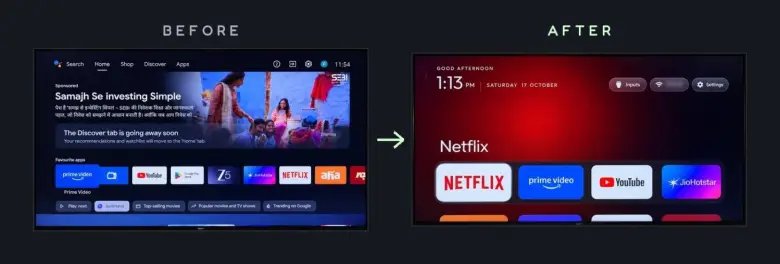
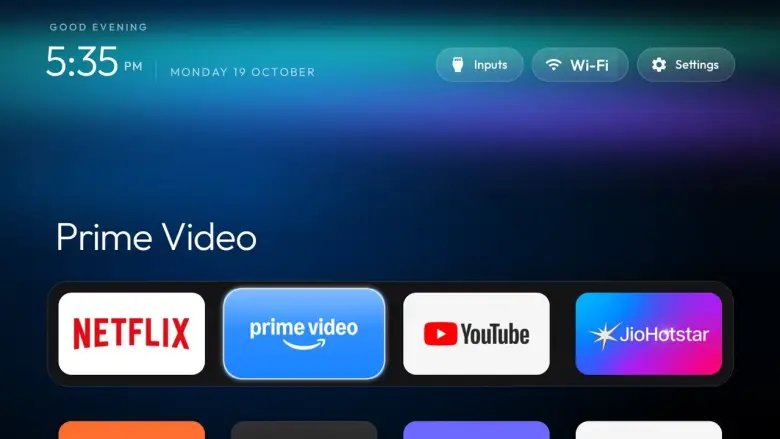 CleanMyTV
There are currently two open-source tools handling this work. The first is CleanYourTV, which disables preinstalled applications and can install a new launcher to replace the default home screen of Google TV or Android TV. Because these changes do not modify the system partition, they can be reversed at any time.
The second tool is dumbtv, which focuses specifically on Amazon’s Fire TV devices. It removes advertising and the telemetry components the company uses to track user activity, while also applying DNS filters to block ads, data collection, and updates for specific services. If the default Fire TV interface feels too heavy, users also have the option to deploy a custom launcher for a streamlined experience.
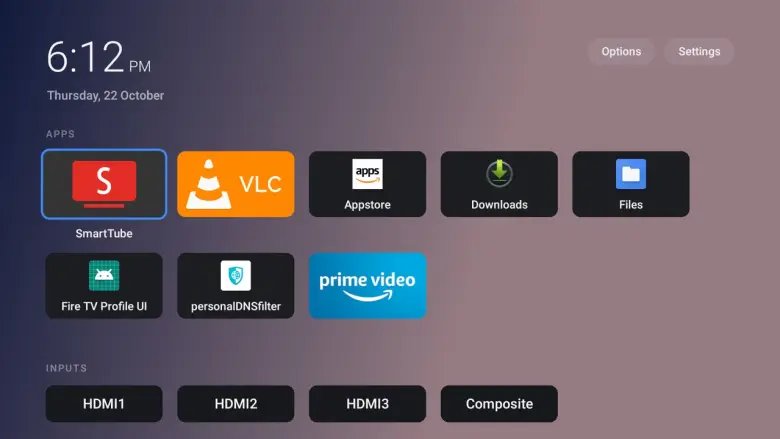 dumbyourtv
The result is a faster, cleaner user interface free of advertisements and activity tracking, alongside the removal of stubborn applications that cannot be uninstalled through standard menus. Another advantage of using AI models is reclaiming an experience centered on the content and apps you actually use, rather than having an algorithm hide them behind unwanted suggestions.
However, using these tools can cause errors if executed carelessly. Because certain television functions depend on the very services being blocked or limited, disabling the wrong package could render the device inoperable. Developers recommend creating a backup and reviewing every step before applying any fixes.
It is also worth noting that this method does not apply to LG or Samsung televisions. These brands use proprietary operating systems—webOS and Tizen, respectively—that do not support ADB. For those sets, the only alternative is bypassing the built-in software entirely by plugging in a Fire TV stick or another compatible streaming device to serve as your primary interface.