WhatsApp Desktop and Web Updates: Usernames, Parental Controls, and Private AI Chat
Platform introduces browser calling, username reservations, and encrypted AI chats alongside new family safety tools
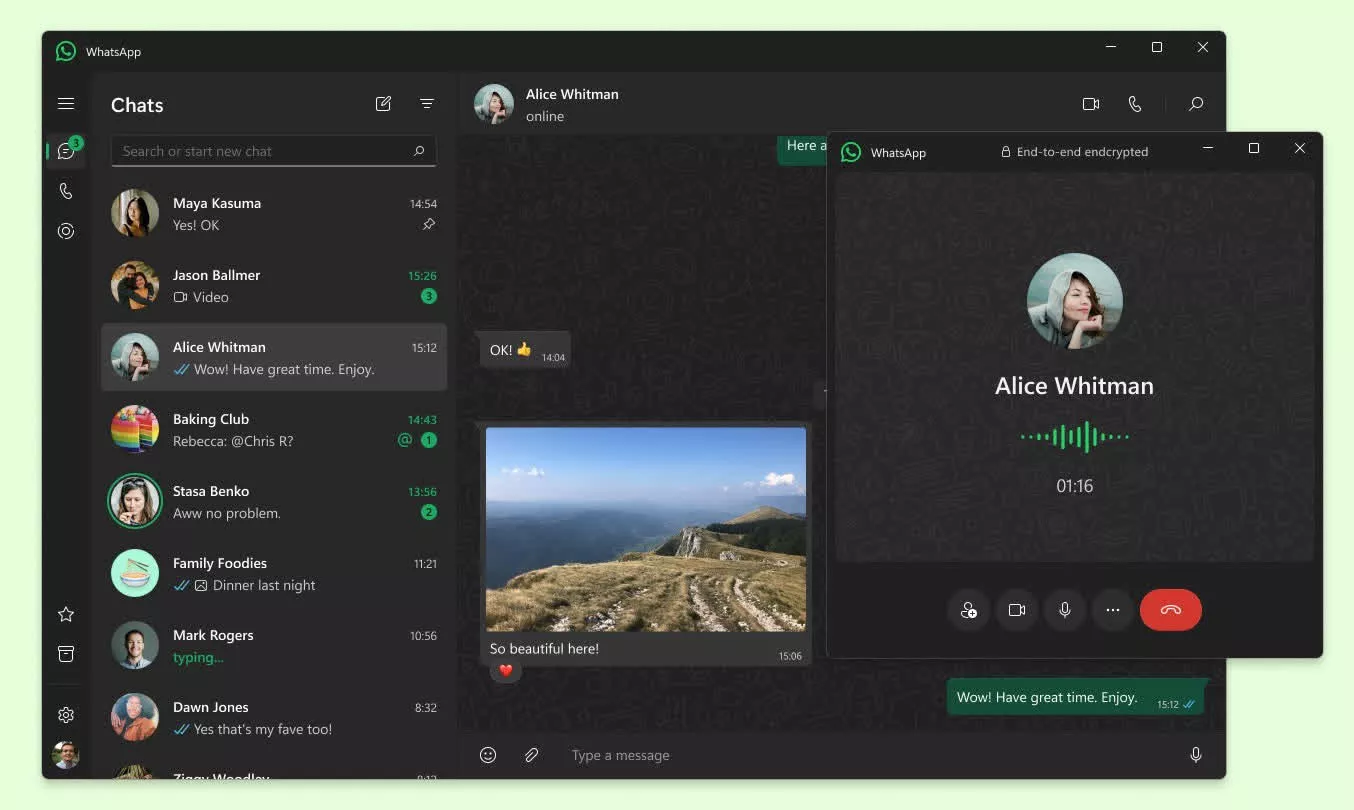
WhatsApp has fundamentally restructured how users interact across devices, moving beyond simple message mirroring to introduce independent web calling, username-based contact methods, and granular parental oversight. The platform now supports voice and video calls directly through browsers without requiring a desktop application installation, while simultaneously rolling out optional usernames to decouple user identity from phone numbers. These updates represent a shift toward making the desktop and web experiences primary communication hubs rather than secondary accessories to mobile devices.
The introduction of browser-based calling removes previous friction for users on shared or restricted computers. Calls initiated through WhatsApp Web are end-to-end encrypted and include features previously limited to native apps, such as screen sharing, reactions, and access to full call history. This capability is complemented by call transfer functionality, allowing active group calls to move seamlessly between mobile devices and desktops without disconnection. For high-bandwidth environments, the new QuickHD feature ensures high-definition video quality immediately upon connection, while noise suppression filters background audio in real-time.
Privacy architecture is expanding beyond traditional encryption with the reservation system for usernames. Users can now secure unique identifiers that will eventually allow them to receive messages without disclosing their phone number. Unlike social media platforms with searchable directories, WhatsApp’s username system requires senders to know the exact handle to initiate contact. An optional “username key” adds a secondary verification layer, preventing unsolicited messages even if a username is guessed. This system is designed to facilitate connections in professional or community settings where sharing personal phone numbers remains a privacy risk.


Meta is also extending its Private Processing technology to artificial intelligence interactions through Incognito Chat. This feature creates temporary, encrypted conversations with Meta AI that are invisible to the company itself. Messages processed in this mode are handled in a secure environment and are not retained, addressing concerns about sensitive data exposure when using AI tools. Similarly, the new Writing Help feature uses on-device processing to draft or refine messages without transmitting content to external servers. Independent audits by NCC Group and Trail of Bits have validated the architecture underlying these privacy-preserving AI functions.
Families gained significant new management tools with the launch of parent-managed accounts and teen supervision controls. Parents can now configure WhatsApp for pre-teens with restricted functionality, limiting access to messaging and calling while blocking unknown contacts. For teenagers, optional supervision features allow parents to approve changes to privacy settings via PIN, receive notifications about group membership changes, and restrict Meta AI content levels. Crucially, these oversight mechanisms operate without breaking end-to-end encryption; parents can manage safety parameters without accessing the content of private conversations.
Account security has been hardened against sophisticated threats through Strict Account Settings and passkey adoption. Over one billion users have now enabled passkeys, replacing SMS-based verification with biometric authentication. The new Strict Account Settings mode locks down functionality for high-risk users, blocking media from unknown senders and restricting cloud backups to prevent spyware infiltration. Two-step verification has also been upgraded from six-digit PINs to complex alphanumeric passwords to better defend against account takeover attempts.
Desktop usability improvements continue with enhanced storage management and cross-platform chat transfers. Users can now identify and delete large files within specific chats without clearing entire conversation histories, and migrate chat data between iOS and Android devices. The desktop interface includes a dedicated media tab for searching documents and links across all conversations, streamlining workflow for users who rely on WhatsApp for professional file sharing.