Mini PC vs. Laptop: The Real Cost of Your Home Office Setup
Shared mobile processors and Thunderbolt docks blur the line between stationary desktops and portable workstations.

The decision between a mini PC and a laptop for a home office rarely comes down to processing power. Modern compact desktops and premium notebooks frequently share the exact same silicon, making the choice fundamentally about total cost of ownership, peripheral infrastructure, and whether the machine ever needs to leave the desk.
Under the chassis, the hardware overlap is nearly absolute. Machines like the ASUS NUC 15 Pro run Intel Core Ultra 7 265H processors—mobile chips originally engineered for thin-and-light laptops. They rely on SO-DIMM memory modules and M.2 SSD storage, the same components soldered or slotted into modern notebooks. Buyers comparing spec sheets often assume identical performance, but thermal dynamics dictate otherwise. A mini PC enclosure typically allows for larger heat sinks and more aggressive fan profiles than a clamshell laptop chassis. This means the processor can sustain higher wattage limits over extended workloads, whereas a laptop might throttle its clock speeds to prevent the keyboard deck from overheating during sustained rendering or compiling tasks.



That architectural similarity does not extend to graphics capabilities. Both form factors generally depend on integrated GPUs for everyday productivity, video conferencing, and browser-heavy workflows. Neither platform offers a meaningful advantage for demanding 3D rendering or high-end video editing unless equipped with a discrete mobile GPU, which remains rare in ultra-compact mini PC designs due to strict power and thermal constraints.
The pricing structure heavily favors laptops for users starting from scratch. Mini PCs are frequently marketed as barebones kits. A low advertised entry price routinely excludes RAM, storage, and a Windows license. Once those components are sourced separately, the final tally often rivals or exceeds a comparably specced laptop that includes a built-in display, battery, keyboard, and trackpad. However, for professionals who already own high-quality monitors and input devices, the mini PC eliminates the expense of paying for laptop components—a screen and battery—that will sit closed and unused on a desk for thousands of hours.
Hardware longevity also diverges significantly between the two categories. The ASUS NUC 15 Pro provides two SO-DIMM slots and dual M.2 storage bays in supported configurations, allowing straightforward memory expansion or drive replacements. Many contemporary ultrabooks solder their RAM directly to the motherboard to save space, permanently locking the machine’s multitasking ceiling at the point of purchase. For users whose software demands grow over time, a mini PC offers a longer viable lifespan through modular upgrades.
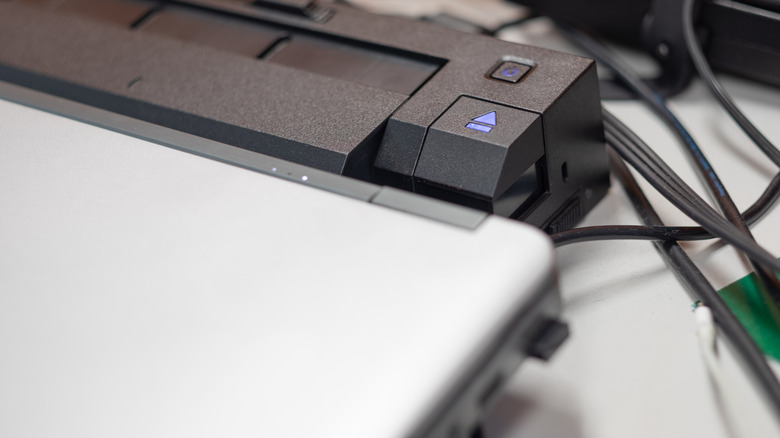
The strongest argument for a dedicated desktop vanishes entirely when a Thunderbolt or USB-C docking station enters the equation. A single cable connection routes external displays, Ethernet networking, USB peripherals, and power delivery simultaneously. Clamshell mode—running a laptop closed while connected to an external monitor—transforms a portable notebook into a stationary workstation that visually and functionally mimics a mini PC setup. Thunderbolt 4 docks deliver up to 40Gbps of bandwidth, sufficient to drive multiple high-resolution displays without compression artifacts or latency.
This convergence introduces a hidden vulnerability: dock dependency. If the docking station fails, a mini PC user loses their entire peripheral ecosystem until a replacement arrives. A laptop owner simply unplugs the cable and continues working on the built-in screen and battery, maintaining full operational continuity during hardware failures or sudden travel requirements. Maintaining file synchronization across a stationary mini PC and a secondary travel laptop requires cloud infrastructure or network-attached storage, adding subscription costs and administrative friction that a single docked laptop avoids entirely.
Intel transferred the NUC (Next Unit of Computing) product line to ASUS in 2023 after a decade of defining the mini PC category, signaling a broader industry shift toward corporate and enthusiast adoption rather than niche hobbyist use. Enterprise environments increasingly deploy these compact units via VESA mounts behind monitors for secure, space-efficient hot-desking arrangements, while remote workers leverage them to avoid mixing personal and company hardware.