ChromeOS Flex Revives Old PCs as Windows 10 Support Nears Its End
What older computers gain—and lose—with ChromeOS Flex

Millions of personal computers are approaching official software retirement dates, while enterprise and consumer hardware lifecycle strategies shift toward alternative lightweight operating systems. Microsoft plans to end support for Windows 10 in October 2025, with Extended Security Updates available through October 2027. Apple is also continuing its architecture transition away from Intel-based Mac hardware.
Older computers may be unable to upgrade to Windows 11 because of strict hardware security requirements, even though their processors, memory, and storage often remain functional. Google has positioned ChromeOS Flex as a cloud-first operating system for third-party PC and Mac hardware, giving enterprises and consumers an option to extend system usability and prevent premature hardware obsolescence.
ChromeOS Flex requires an x86-64-compatible Intel or AMD processor, at least 4GB of RAM, and 16GB of internal storage, according to technical specifications published by Google. Central processing units manufactured before 2012 may face limited compatibility or performance bottlenecks because of changes in processor architecture requirements and instruction set support.


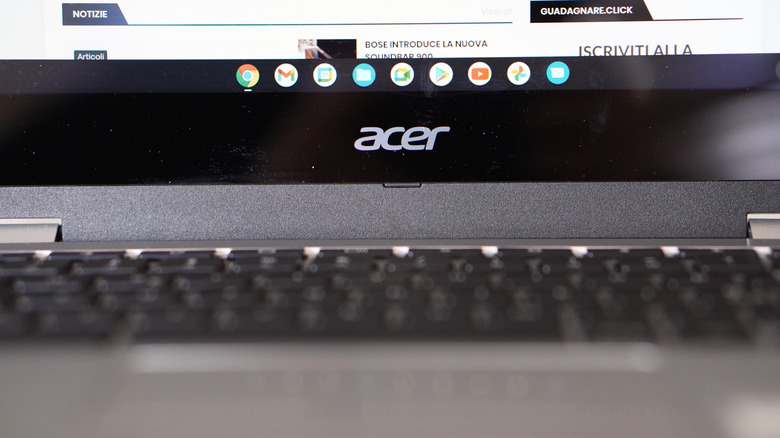
The system installation begins in a desktop Google Chrome web browser, where users or system administrators install the Chromebook Recovery Utility extension. The utility then writes the ChromeOS Flex image to an external USB flash drive with at least 8GB of storage capacity, wiping all existing data on that drive during formatting.
Google established the technical foundation for ChromeOS Flex through its December 2020 acquisition of Neverware, the developer behind CloudReady. After a beta period launched in February 2022, Google released ChromeOS Flex for general availability in July 2022. Its streamlined, web-centric interface requires substantially lower system overhead than traditional desktop environments.
To start the installation, the target machine is booted while the startup sequence is interrupted, typically by holding keys such as F10, F12, or Delete. This opens the motherboard’s primary boot selection menu, where the user selects the USB drive.
Selecting the USB drive launches a live execution environment before anything is installed on the internal drive. From there, users can test peripheral hardware, network interfaces, and audio components. Running the operating system from a live USB connection leaves the host drive untouched, although USB bus bandwidth limits result in lower performance than an internal installation.
ChromeOS Flex uses the same core user interface and web rendering engine as native Chromebooks, but it does not include the Android virtual machine container, ARCVM. As a result, it has no access to the Google Play Store and cannot run Android applications natively or through sideloading.
The full installation formats the primary internal drive and completely replaces existing operating systems and local data with ChromeOS Flex. The initial setup process typically finishes within one hour. Google does not officially support side-by-side dual-boot configurations with Windows or macOS on a single internal storage drive.
ChromeOS Flex capabilities center on cloud-based web applications accessed through the Chrome browser. On compatible system architectures, however, a Debian-based Linux development container called Crostini can run command-line utility tools and desktop software.
Native Chromebooks use specialized security hardware, including Google Titan C security chips, to manage encrypted local PIN storage and biometric authentication. ChromeOS Flex is designed to run on heterogeneous legacy hardware, so it lacks standard support for hardware-level biometrics or PIN-based system unlock on initial boot; users must authenticate with their full Google account password.
Google maintains a database of certified models that lists device compatibility and support windows. Uncertified PC configurations can still run ChromeOS Flex, but support for individual graphics cards, wireless network adapters, and function keys depends on driver availability in the mainline Linux kernel built into the distribution.