Galaxy Z Fold 8 App Scaling Fix: Adjust Aspect Ratios
Manual overrides in One UI let users force 4:3, 16:9, or full-screen modes on stubborn third-party applications.
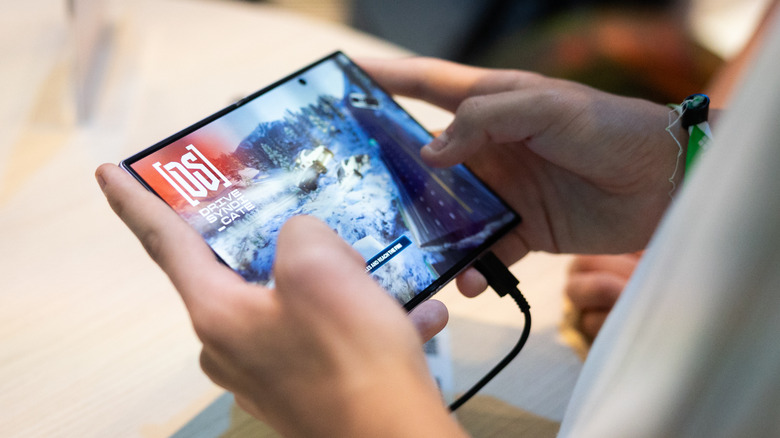
Samsung Galaxy Z Fold 8 owners experiencing distorted or cropped apps on the device’s internal display can resolve the issue by manually overriding each application’s aspect ratio, according to SamMobile. The problem stems from the phone’s 4:3 inner screen, which differs from standard smartphone dimensions and causes unoptimized software to render incorrectly.
The Galaxy Z Fold 8 debuted at Samsung’s Unpacked event in July. While its App Continuity feature is designed to hand off tasks seamlessly between the cover display and the larger interior panel, third-party developers have not universally updated their software to support the new geometry. Users across multiple forums have documented instances of interface elements overlapping, black bars appearing unexpectedly, or content stretching beyond viewable boundaries when unfolding the device.
To force an app into a compatible format, open Settings, navigate to Display, and select Aspect ratio. On certain One UI configurations, this menu sits under Settings > Apps instead. From there, choose the specific application and assign it to full screen, 4:3, or 16:9. Any instance of that app running in the background must be restarted for the change to take effect. The selected ratio becomes the permanent default behavior for that program whenever the phone is unfolded.


A faster route bypasses the main settings menu entirely. Press and hold the target app’s icon on the home screen or in the app drawer, then tap the small info button in the top right corner. Selecting App aspect ratios from that shortcut menu exposes the same full screen, 4:3, and 16:9 toggles.
Neither method guarantees flawless rendering. If a developer has hard-coded a layout that assumes a taller, narrower phone shape, forcing a 4:3 container may still result in awkward positioning or edge cropping. The manual override dictates the window size; it does not rewrite the underlying code.
Engadget’s review of the Galaxy Z Fold 8 noted that the shift to a 4:3 internal display significantly reduces letterboxing during widescreen video playback compared to the nearly square panels used on previous Galaxy Z Fold models. That hardware advantage introduced the current software friction, as legacy applications built for older foldable geometries now encounter unfamiliar pixel dimensions.